Creating Recommendations and Lesson Plans
The Activity Recommendations configurator walks you through a short series of questions about your class and then returns ranked activities – or a complete, timed lesson plan – tailored to your answers. Start it from Get Recommendations on the landing page or Recommendations in the sidebar.
You don't need an account to get recommendations. Signing in lets you save results and keeps a search history.
The Guided Configurator
The configurator asks one question per screen. A Your Answers panel on the right tracks your progress, and you can revisit any earlier step with Back. Move forward with Continue (or simply press Enter). Sensible defaults are pre-filled, so you can move quickly and only change what matters to you.
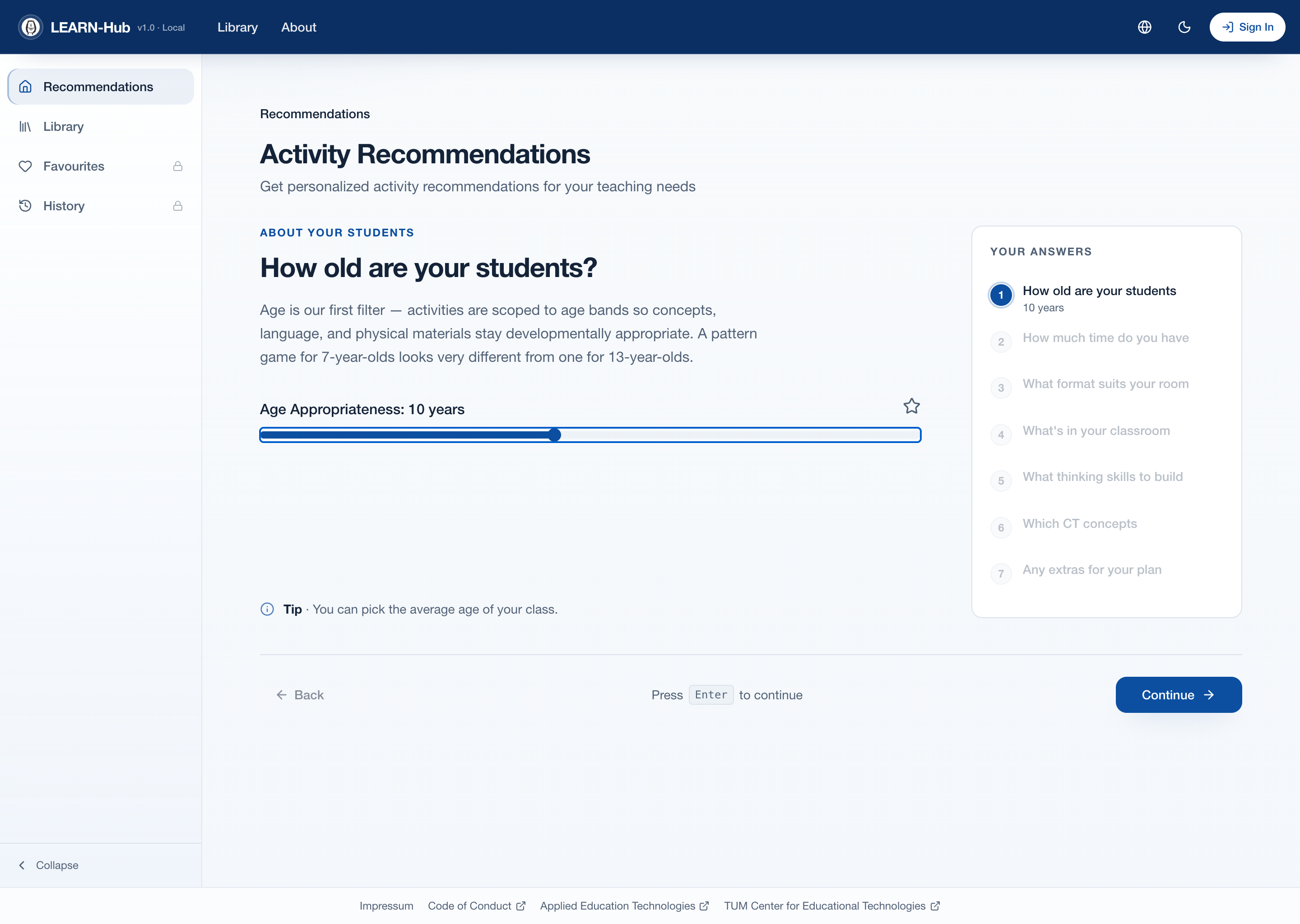
The guided configurator, with the "Your Answers" progress panel
The questions are grouped into four themes:
| Step | Question | What it controls |
|---|---|---|
| About your students | How old are your students? | Target age – activities are scoped to developmentally appropriate age bands |
| About your session | How much time do you have? | Target duration of the lesson in minutes |
| About your space | What format suits your room? | Unplugged, Digital, and/or Hybrid activities |
| About your space | What's in your classroom? | Available resources (computers, tablets, handouts, blocks, electronics, stationery) |
| About learning | What thinking skills do you want to build? | Target Bloom's levels (Remember → Create) |
| About learning | Which CT concepts are you teaching? | Preferred topics (Decomposition, Patterns, Abstraction, Algorithms) |
| Finishing up | Any extras for your plan? | Lesson-plan options (see below) |
Most questions are optional – leaving a question unanswered simply means "no preference" and keeps your results broad.
Single Activities or a Full Lesson Plan
The final Finishing up step decides what kind of result you get:
- Leave Allow Lesson Plans off to receive ranked individual activities.
- Turn Allow Lesson Plans on to generate a multi-activity lesson plan. You can then set the maximum number of activities and toggle Include Breaks to add automatic rest periods between activities.
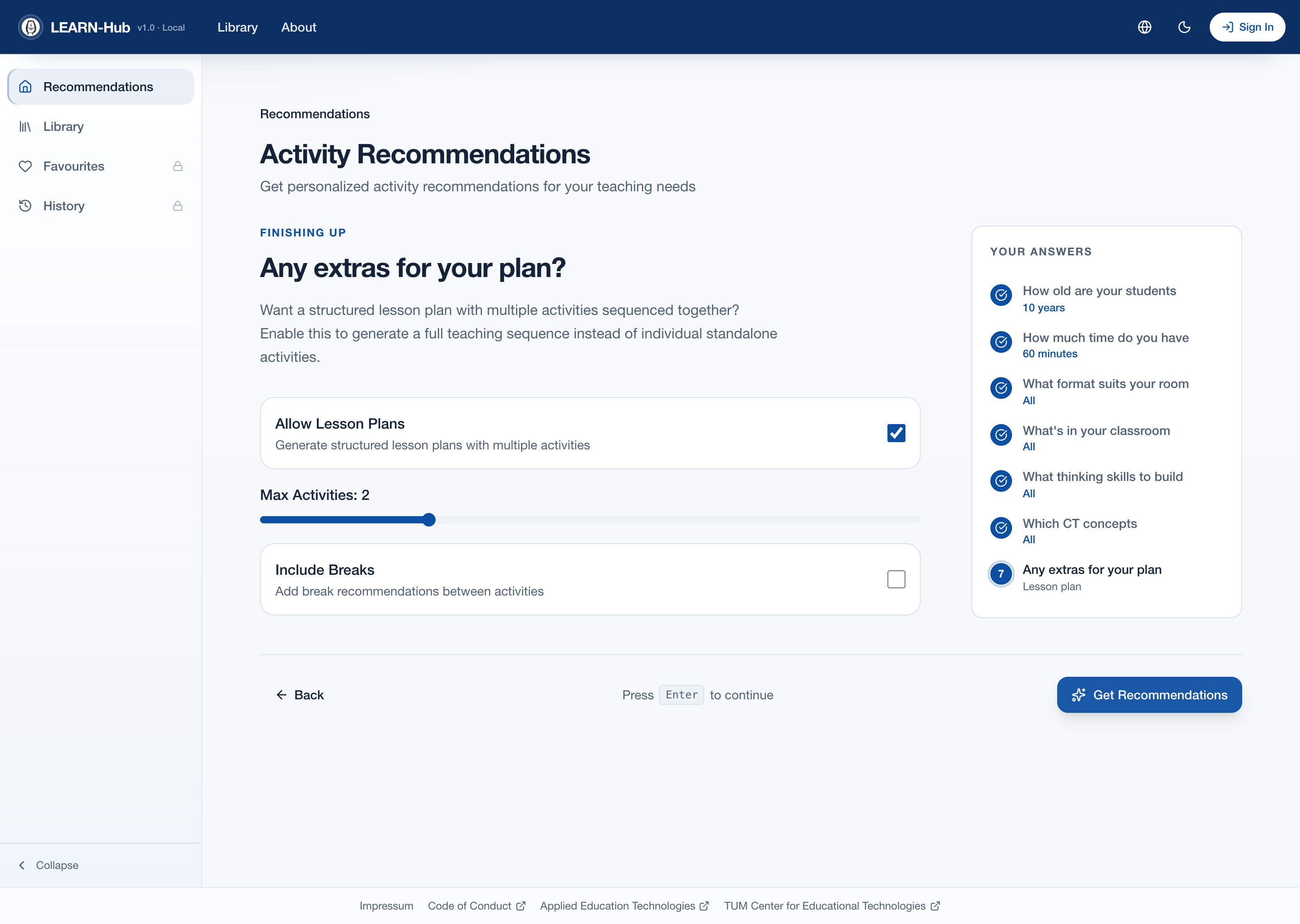
The "Finishing up" step: enable lesson plans, set the activity count, and include breaks
When you're ready, click Get Recommendations on the last step.
Understanding Your Results
LEARN-Hub ranks results and shows a scoring breakdown for each one, so you can see why it was recommended rather than relying on a black box. Each category is scored on a 0–100 scale (100 = perfect match) and combined into a weighted total:
- Age Appropriateness – how well activities fit the age you chose
- Bloom Alignment – match to your selected cognitive goals
- Topic Relevance – coverage of your selected CS topics
- Duration Fit – how well the total time matches your available period
For a lesson plan, the result also shows the complete activity sequence with timing, any automatic breaks highlighted between activities, and the total duration including breaks.
Save and Download
- Save a result by clicking its heart icon (requires login) – see Favorites & History.
- Download as PDF to take the lesson plan or activity into the classroom offline. The PDF includes the activities, timing, breaks, and materials lists.