Browse and Search Activities
Explore the complete library of curated computer science activities. Filter by your needs or search by title.
Browsing the Activity Library
Open the Library from the sidebar. Activities are shown as cards in a grid; use the search box to find an activity by name, the grid/list toggle to switch layouts, and Show Filters to open the filter panel.
Activity Cards
Each activity card shows:
- Title and description
- Recommended pupil age range
- Duration
- Topic and Bloom level
- Format (e.g. Unplugged)
Filtering
Click Show Filters to refine the list. Combine any of the following – start broad and narrow as needed:
- Age Range – Slider for target age (6–15 years)
- Duration – Slider for activity length in minutes
- Format – Unplugged, Digital, or Hybrid
- Bloom Level – Cognitive complexity (Remember through Create)
- Resources – Computers, Tablets, Handouts, Blocks, Electronics, Stationery
- Topics – Decomposition, Patterns, Abstraction, Algorithms
- Mental Load – Low, Medium, or High cognitive effort
- Physical Energy – Activity level (Low, Medium, High)
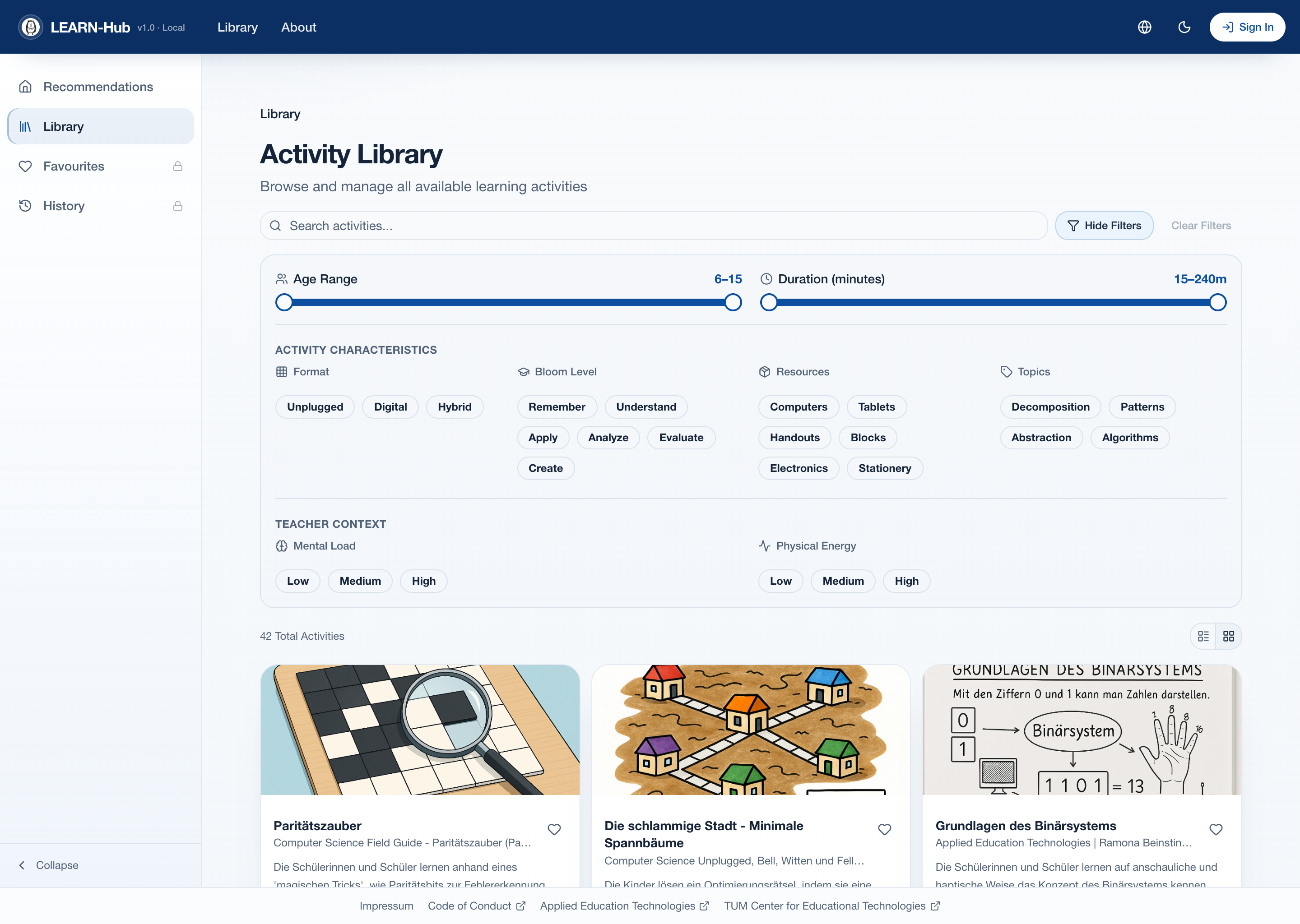
The Activity Library with the filter panel expanded
Activity Details
Click any activity card to view detailed information.
Metadata Fields
| Field | Description |
|---|---|
| Preparation Time | Time needed to set up before the activity |
| Cleanup Time | Time needed to clean up afterward |
| Format | Unplugged, Digital, or Hybrid |
| Bloom Level | Cognitive complexity aligned to Bloom's taxonomy |
| Mental Load | Cognitive effort required (Low/Medium/High) |
| Physical Energy | Level of movement involved (Low/Medium/High) |
| Required Materials | Tools, devices, or supplies needed |
| Topics Covered | Computer science concepts addressed |
| Source | Original source of the activity |
Documents, View and Save
The detail page also lists the teaching documents generated for the activity – such as the Cover Sheet, Lesson Plan, Background Knowledge, Exercise, and Solution sheet. Each can be downloaded as PDF or DOCX from the Documents table.
- Download documents – Grab any teaching document in PDF or DOCX format
- Add to Favorites – Click the heart icon to save the activity for later (requires login)
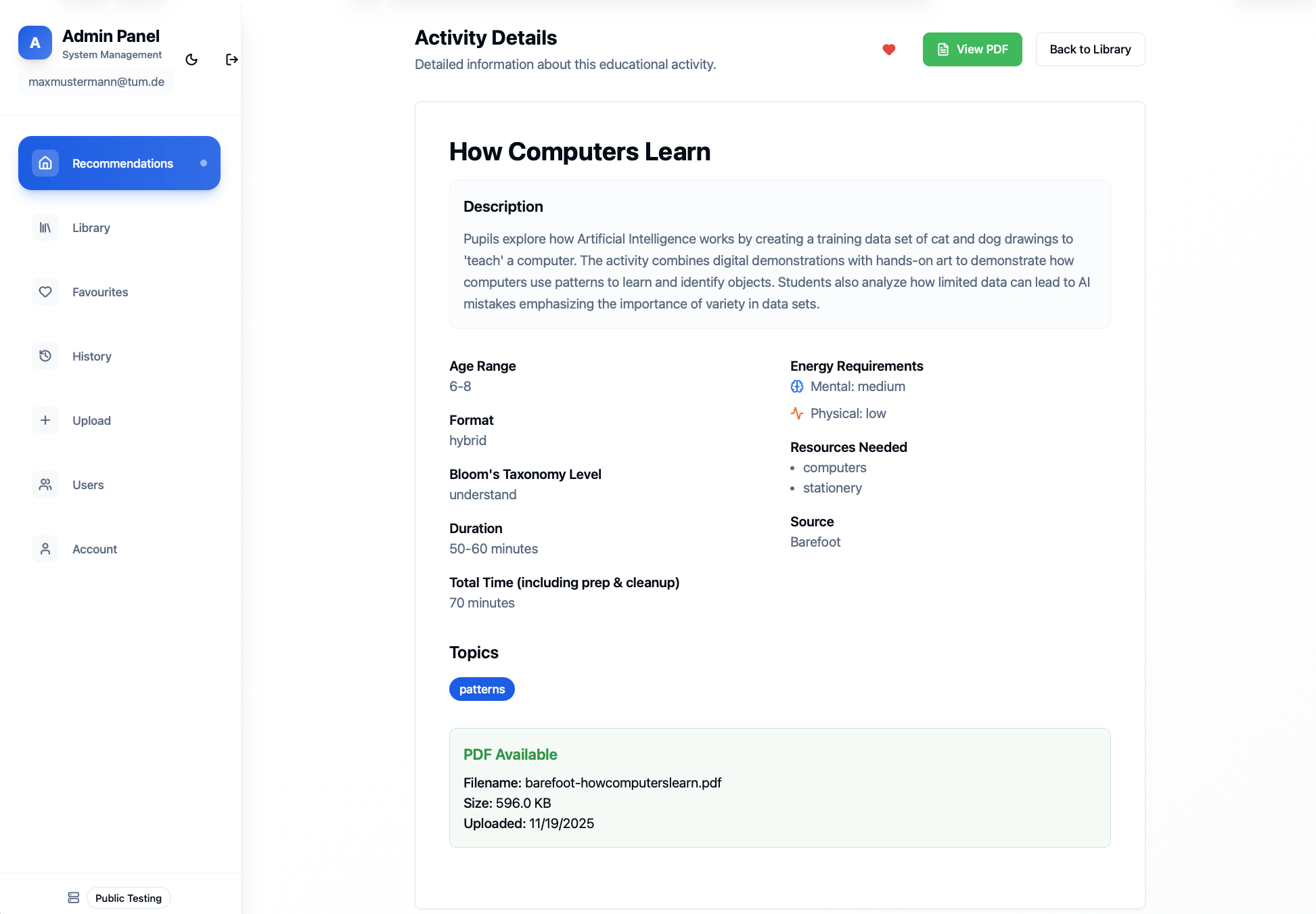
Activity Details page