Administrator Guide
Manage teachers, admins, and the activity library.
User Management
Create a User: Click Add User, enter email, name, and role (Teacher or Admin), set a password, and click Create User. Teachers receive a credentials email; admins do not.
Edit a User: Select a user, click Edit, update details, and save.
Delete a User: Select a user, click Delete, and confirm. This removes all their saved favorites and search history.
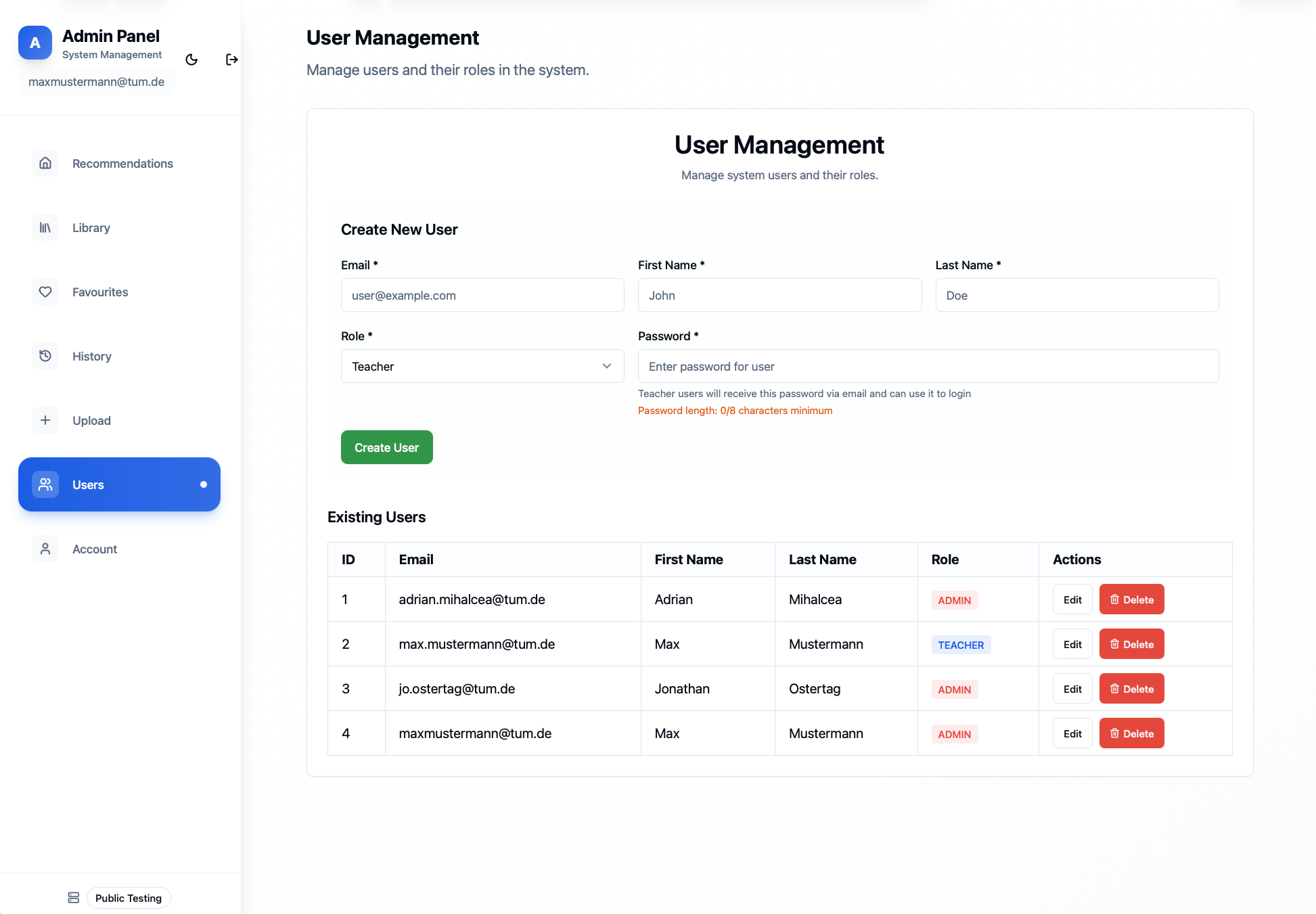
User Management page
Activity Management
New activities are created and prepared on the Drafts page (in the admin sidebar). The lifecycle is Upload → Review → Publish.
Upload Activity: On the Drafts page, start a new draft and select a PDF. The system extracts structured metadata (title, description, age range, duration, format, materials, topics, Bloom level, cognitive/physical load) and concurrently generates teaching documents: Cover Sheet, Lesson Plan, Background Knowledge, Exercise, and Solution sheet.
Review & Correct: Open the draft to check the extracted metadata and generated documents. Edit anything that needs fixing before publishing.
Publish: When you are satisfied, publish the draft to make the activity visible to teachers in the Library and available to the recommendation engine.
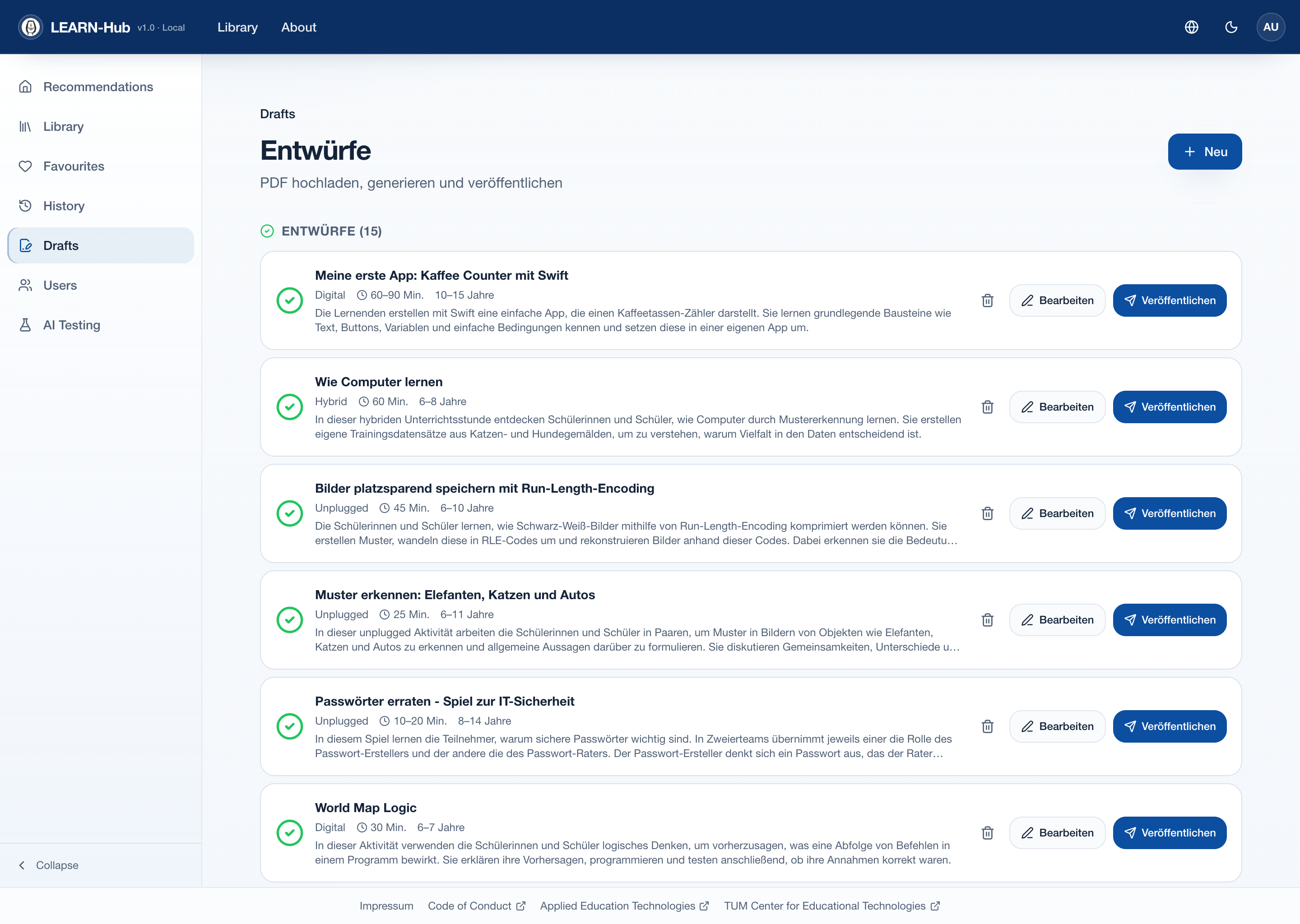
The Drafts overview, where activities are uploaded, reviewed, and published