Research Groups and Rights
When you log in to TUMApply for the first time as a professor, your account will only have basic rights. To proceed and fully manage your positions, you need to have a Research Group set up for you.
What are Research Groups?
Research Groups are organizational units within TUMApply that allow you to manage job postings and applications related to your academic team. They serve as the basis for assigning responsibilities and rights to professors. In general, Research Groups correspond to chairs and professorships at TUM.
How to request access to a Research Group and receive rights
Once you log in as a professor or employee for the first time, a dialog will automatically appear that guides you through the process of requesting access to a Research Group.
Request Process
- Log in with your account.
- The access request dialog opens automatically.
- Depending on your role, you will be guided through different request steps:
- Professor: You need to provide the following information about you and your Research Group, which can be
changed later if needed:
- Personal Information:
- Title
- First Name
- Last Name
- TUM ID
- Research Group Information:
- Head
- Name
- School
- Department
- Personal Information:
- Employee: You only need to provide the name of the responsible professor.
- After submitting the request, it will be reviewed by our team.
- Within the following days, you will receive an email with further instructions.
If the Dialog Does Not Appear
If the dialog does not open automatically after login, you can request access manually at any time:
- Go to the professor landing page: https://tumapply.aet.cit.tum.de/professor
- Log in with your account.
- Scroll down to the FAQ section.
- Use the button in the FAQ section to open the same access request form manually.
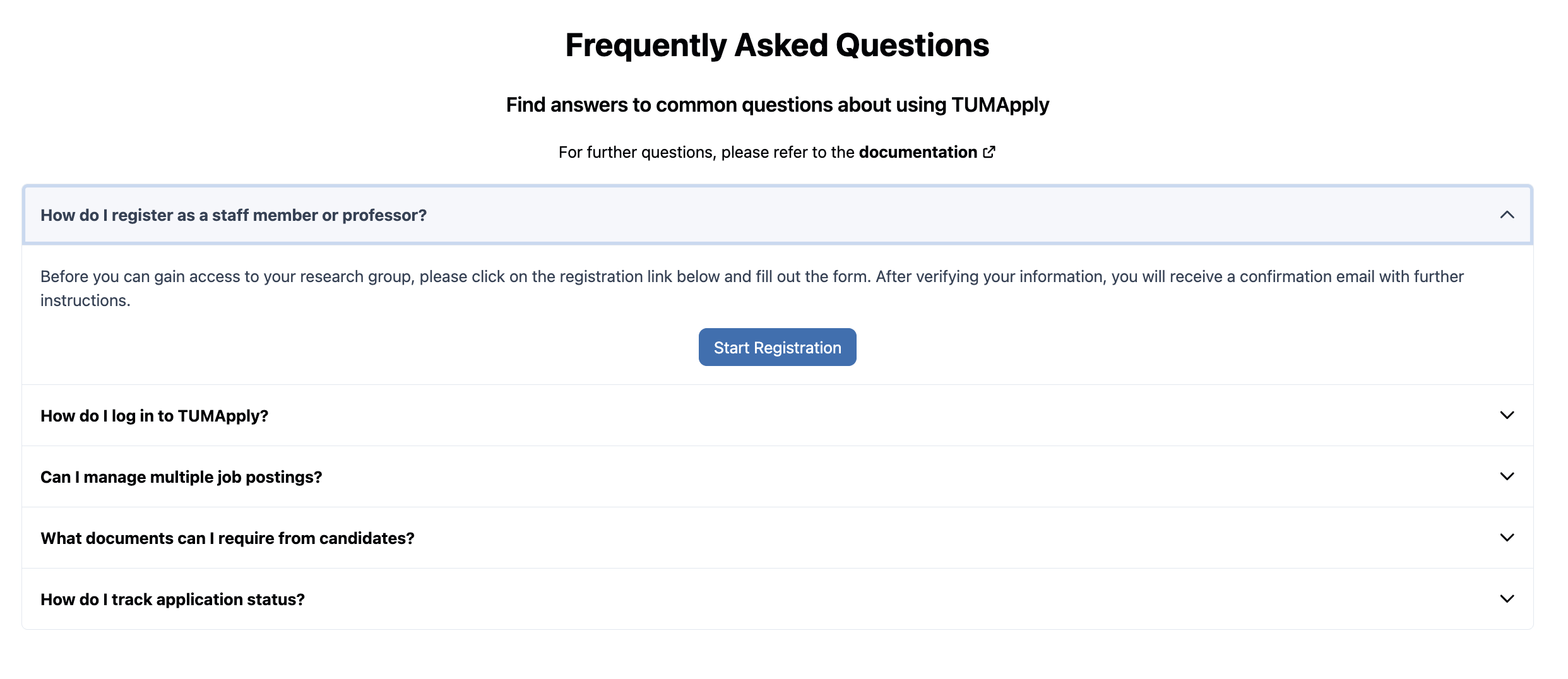
What happens next
- After receiving your request, our team will verify your details.
- We will then set up your Research Group in the system.
- You will receive an email with the next steps once your request has been processed.
- After successful verification, you will receive the appropriate rights to manage or work within your Research Group.
- From that point on, you can manage job postings and applications according to your role.
We aim to process all access requests as quickly as possible so you can start working with your Research Group without delay.