Create Positions
The Job Creation Form provides comprehensive tools for professors to develop compelling doctorate position listings through a structured, multi-step process that ensures all essential information is captured effectively.
📝 Position Creation - Multi-Step Form
This is the comprehensive creation interface for developing new doctorate positions.
- Step-by-step wizard guiding through all required sections with clear navigation
- Auto-save functionality to prevent data loss during the creation process
- Form validation system with real-time error checking and required field indicators
- Draft saving capability allowing positions to be completed over multiple sessions
Step 1: Basic Information
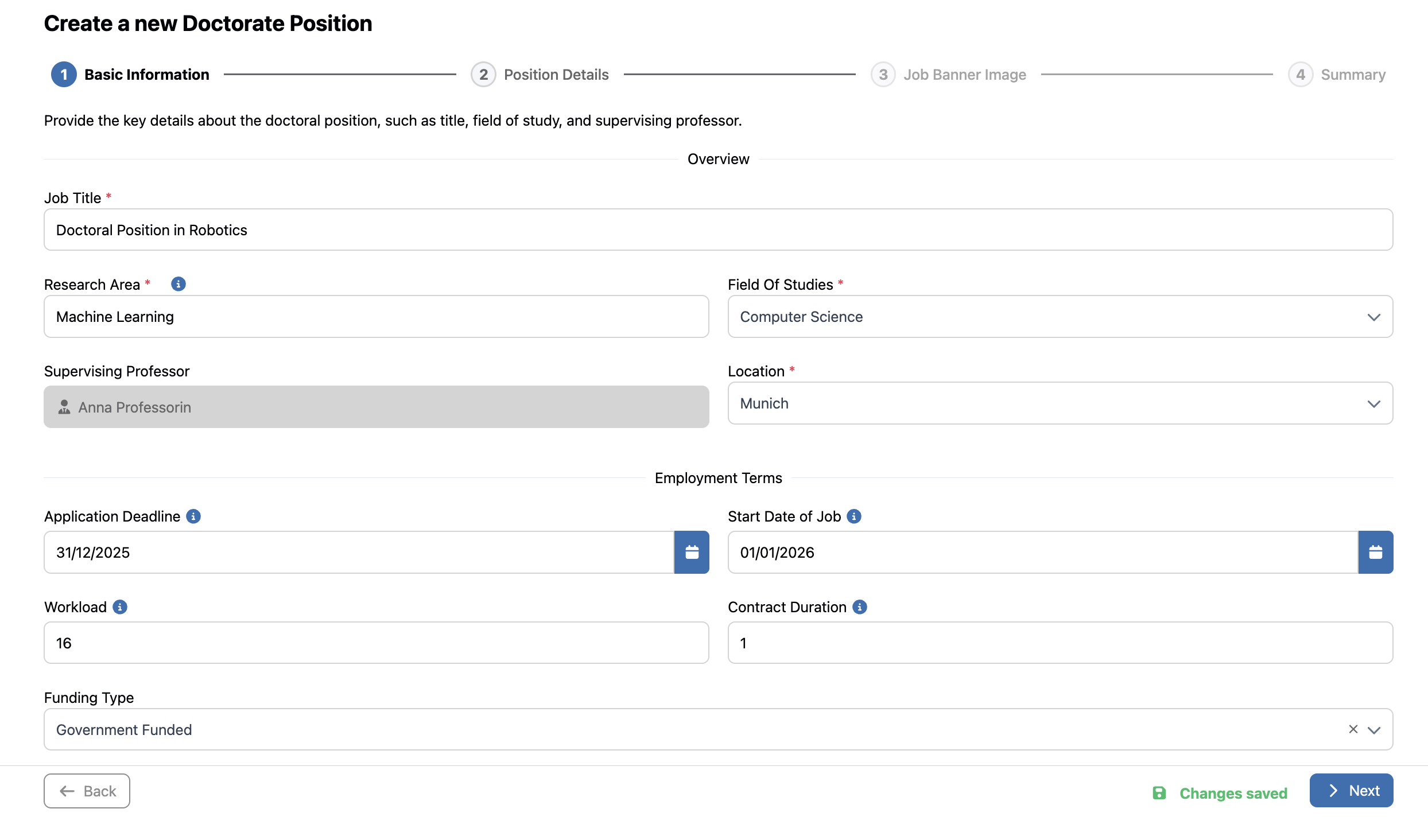
Job Creation Form Step 1: Basic Information
Step 1: Basic Information
- Required Fields (marked with red asterisks): Job Title, Research Area, Field of Studies, Location
- Supervising Professor: Auto-filled with currently logged-in user's details
- Timeline Configuration: Application Deadline, Job Start date, workload in hours / week (up to 40 hours / week), contract duration in years (up to 6 years)
- Validation System: Users can only navigate to the next step using the "Next" button after completing all required fields
Step 2: Position Details
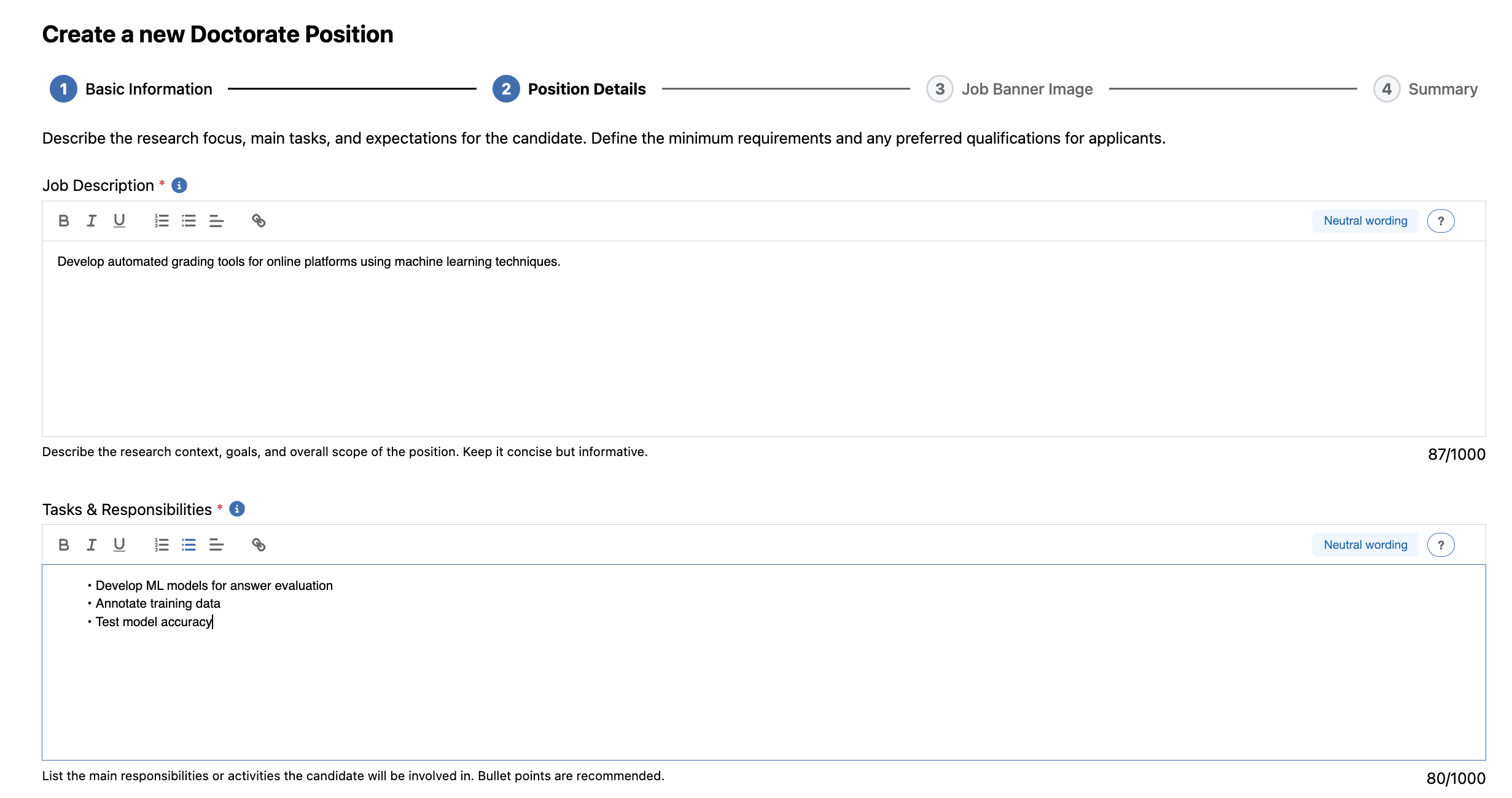
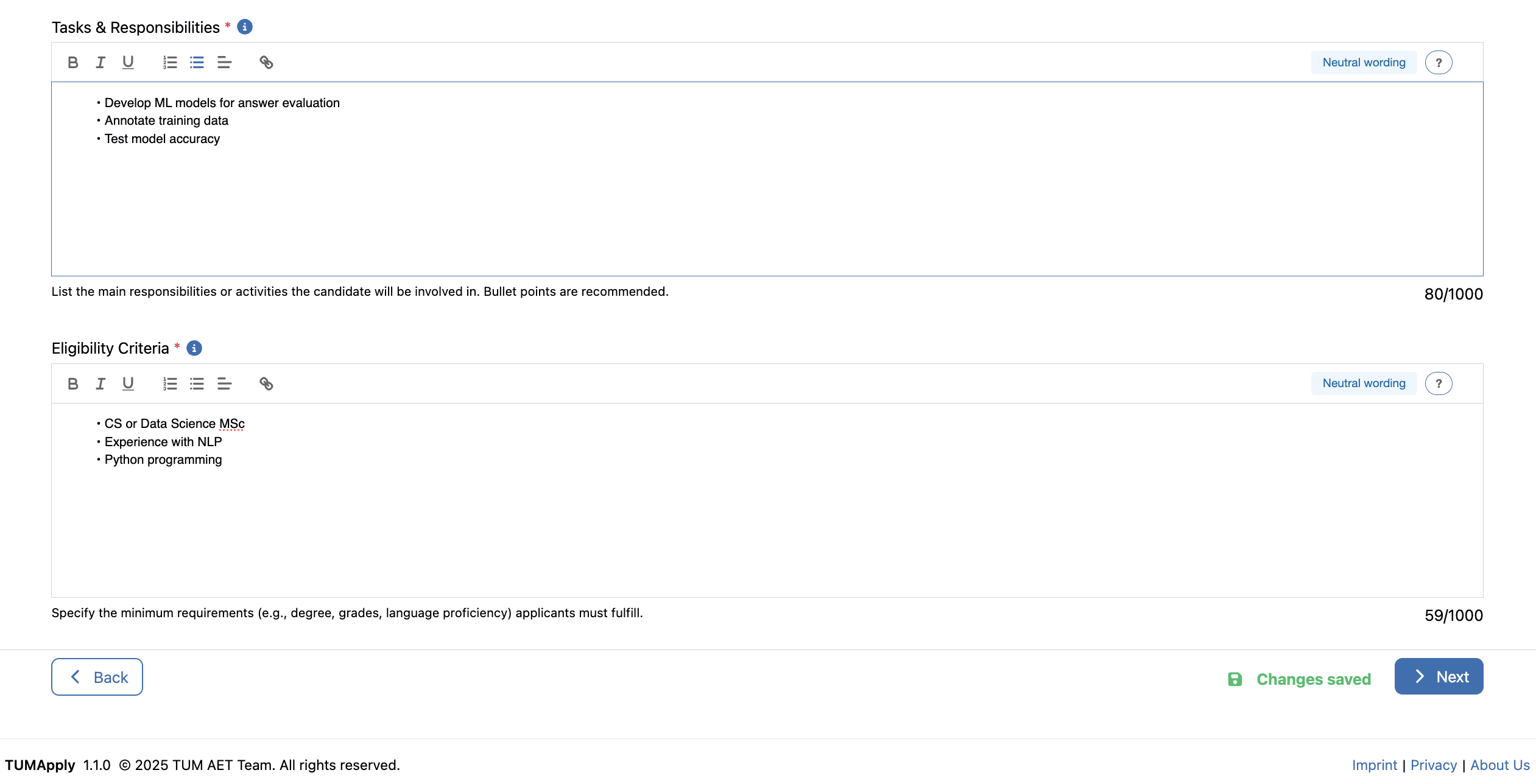
Job Creation Form Step 2: Position Details
Step 2: Position Details
- Job Description: Rich-text editor for comprehensive research project explanation
- Eligibility Criteria: Academic qualifications, skills, and experience prerequisites
- Tasks & Responsibilities: Detailed breakdown of expected duties and activities
- Formatting Tools: Advanced text editing capabilities for professional presentation
Step 3: Review Job Details
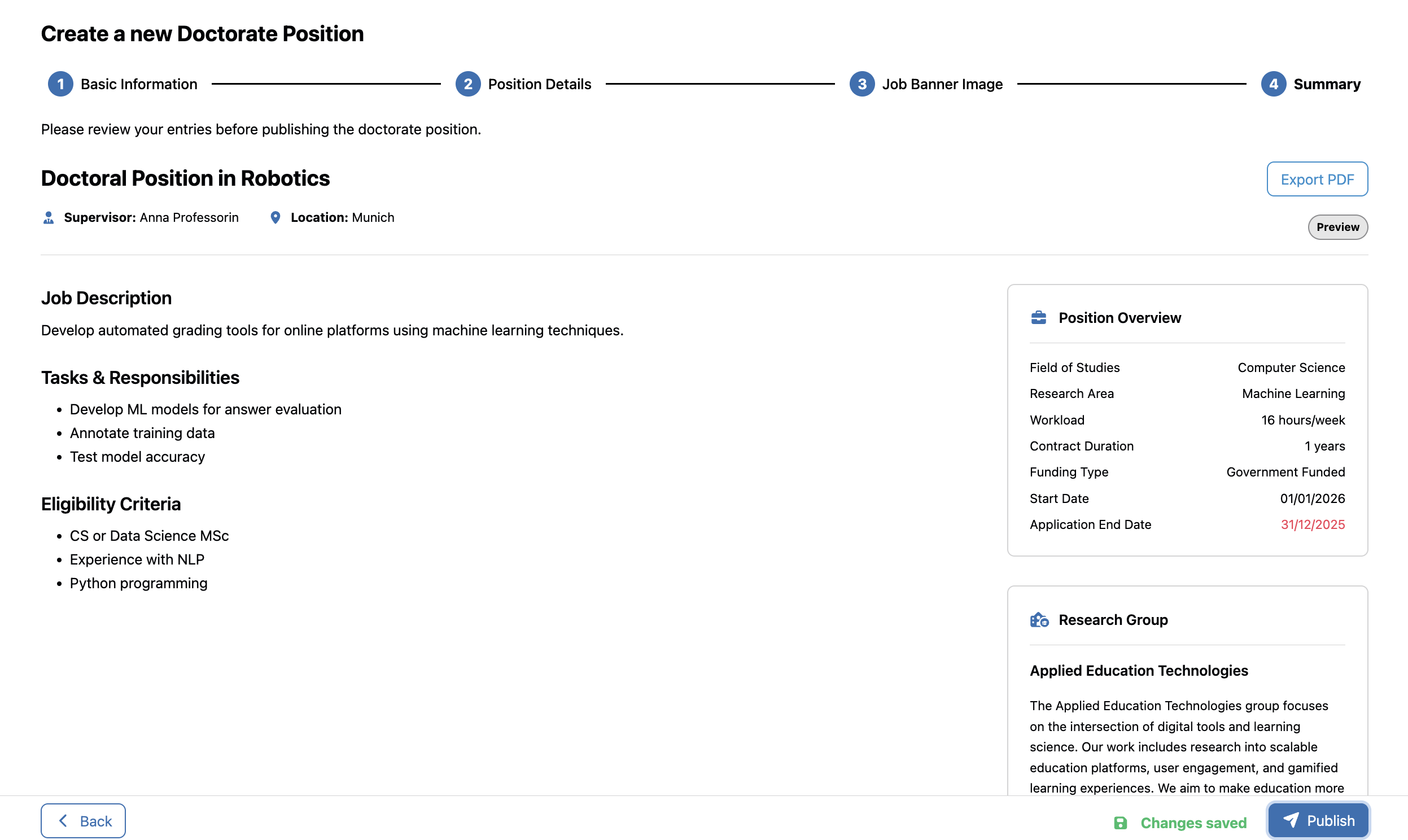
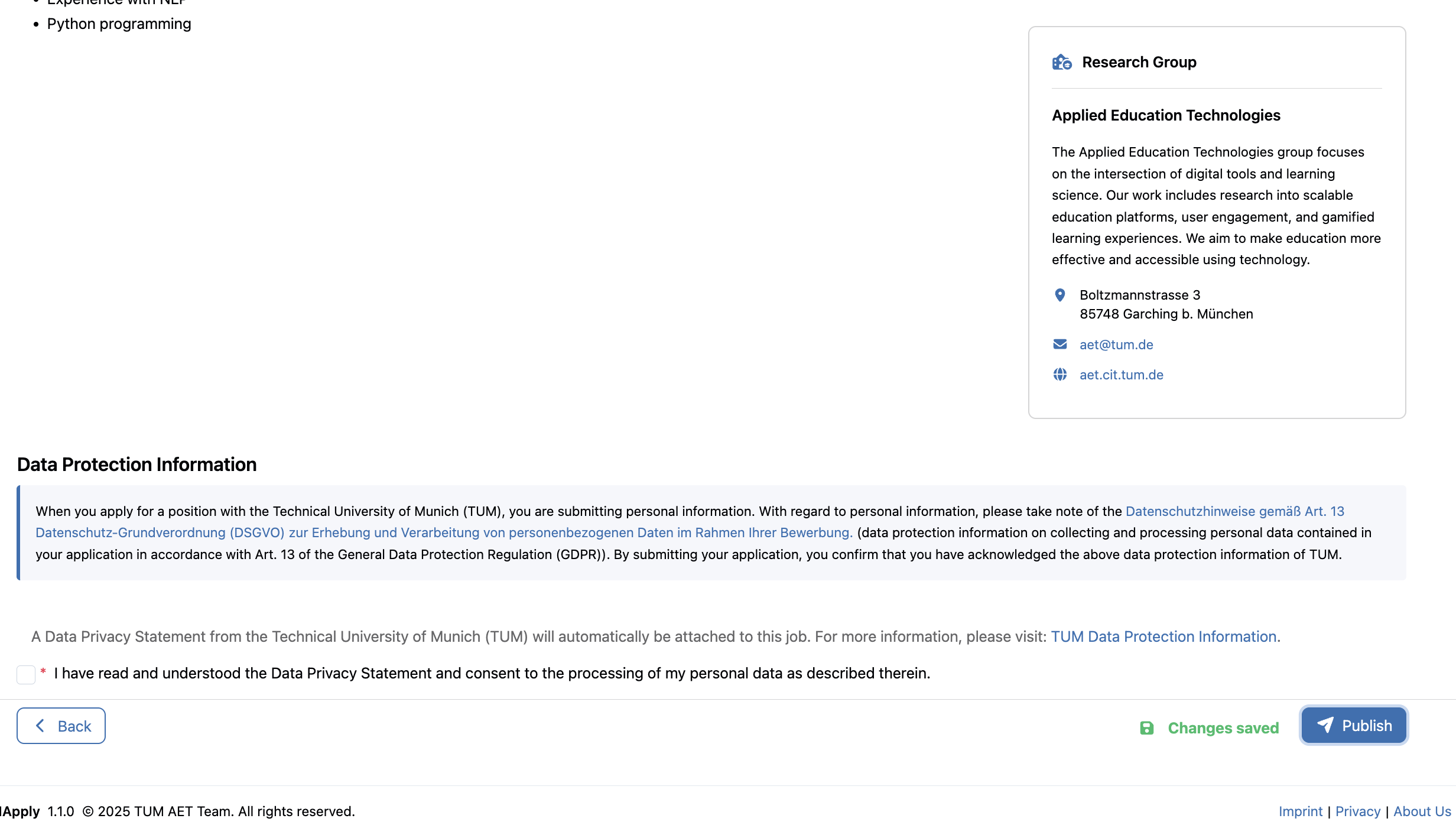
Job Creation Form Step 3: Review
Step 3: Review Job Details
- Final Review: Comprehensive preview of complete position before publication
- Data Protection Compliance: Mandatory checkbox for Data Privacy Terms agreement
- Publication Options: Option to publish immediately using "Publish" button or press "Back" to edit any mistakes
This creation system ensures comprehensive position development while maintaining institutional standards and regulatory compliance.
⚙️ Steps for Creating Jobs
This document outlines key steps for creating and publishing doctorate positions.
📌 Prerequisites
- All steps require professor account access with position creation permissions
📝 Step 1: Creating New Positions from Scratch
Goal: Develop comprehensive position listings with all required information through the structured creation process.
Steps:
- Navigate to "My positions" from the sidebar menu
- Click the "Create Position" button located at the top right
- Complete Step 1 - Basic Information:
- Enter all required fields marked with red asterisks
- Enter any optional fields as needed
- Complete Step 2 - Position Details:
- Write comprehensive project description using the rich-text editor
- Define specific key tasks and responsibilities expected of the candidate
- List detailed eligibility criteria including academic qualifications and preferred skills
- Use formatting tools to enhance readability and professional presentation
- Complete Step 3 - Review Job Details:
- Preview the complete position as it will appear to applicants
- Confirm mandatory data privacy terms and conditions
- Make any necessary edits by navigating back to previous steps
- Finalize the position:
- Either publish immediately using the "Publish" button or leave the form and the position will be saved as a draft for later completion
- Positions that are saved as drafts are not visible to applicants
Video: