Notifications
Artemis offers customizable notifications through multiple channels: web, email, and push notifications. Users can enable or disable specific notification types in their user settings. All notifications are specific to each course and can be accessed within the course interface.
Web Notifications
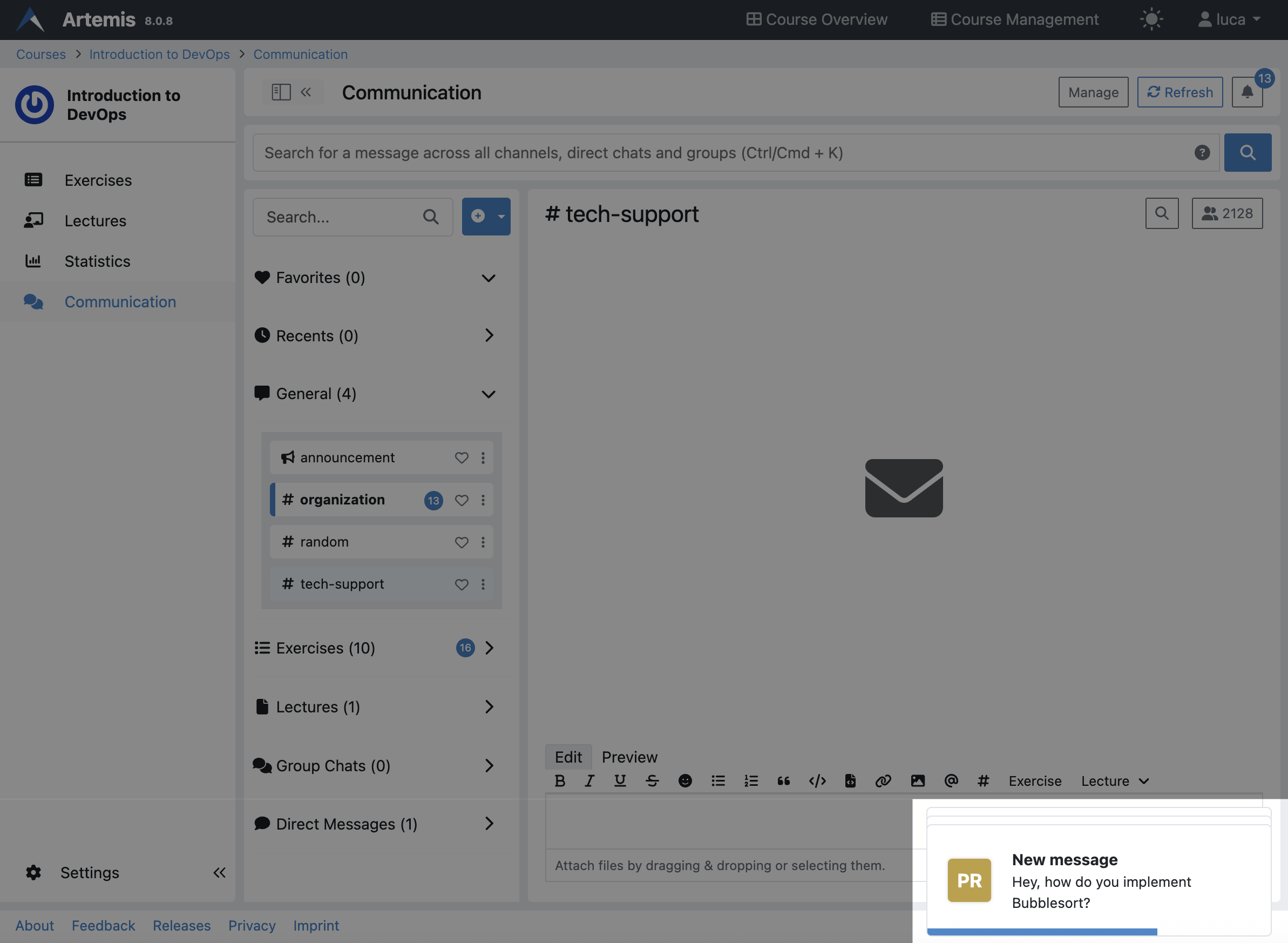
Web notifications appear in the bottom right corner of your screen immediately when received. They automatically disappear after a short time. You can:
- Click on a notification to navigate directly to the relevant page (such as a message channel)
- Hide a notification by hovering over it and clicking the X icon in the top right corner, which also marks it as seen
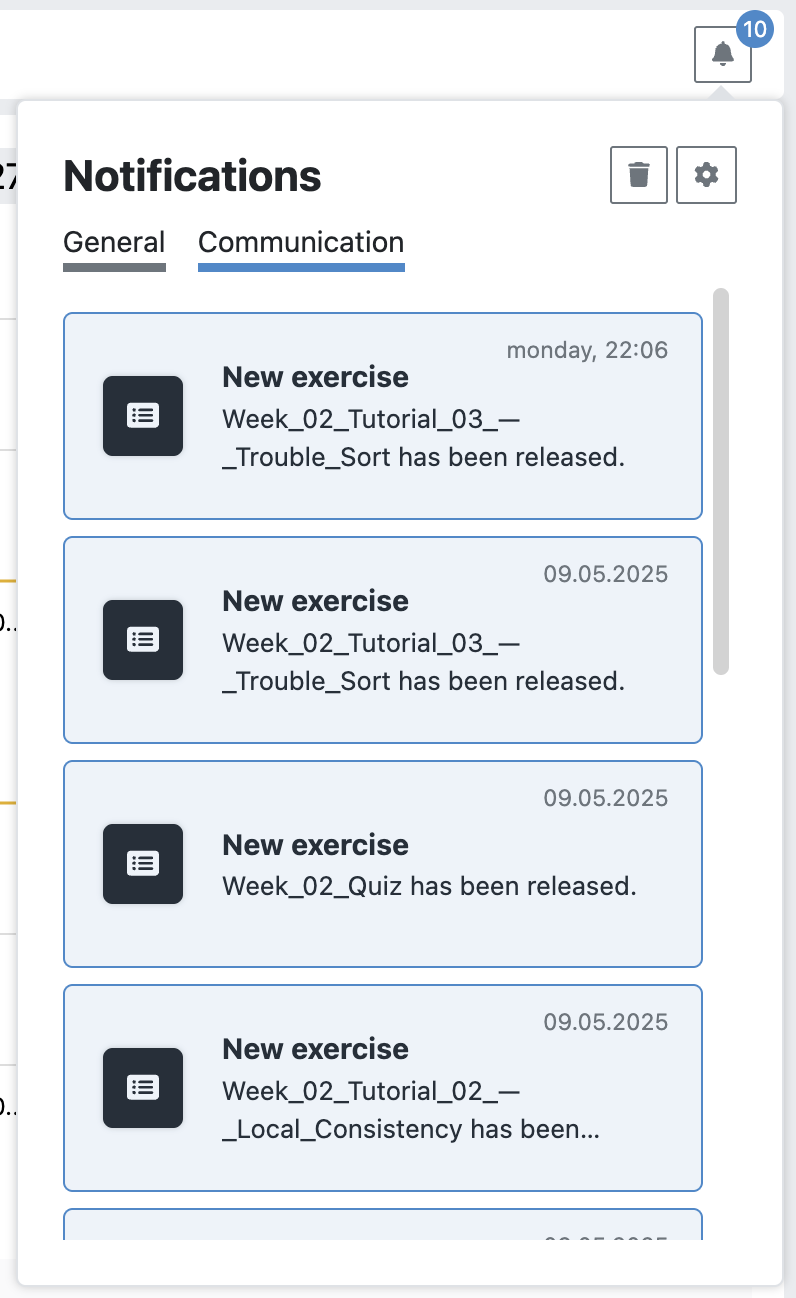
All notifications you receive (whether through web, push, or email) are accessible by clicking the bell icon in the top right corner of the course page. Notifications are organized into categories (General and Communication) and can be archived to keep your feed organized.
Email Notifications
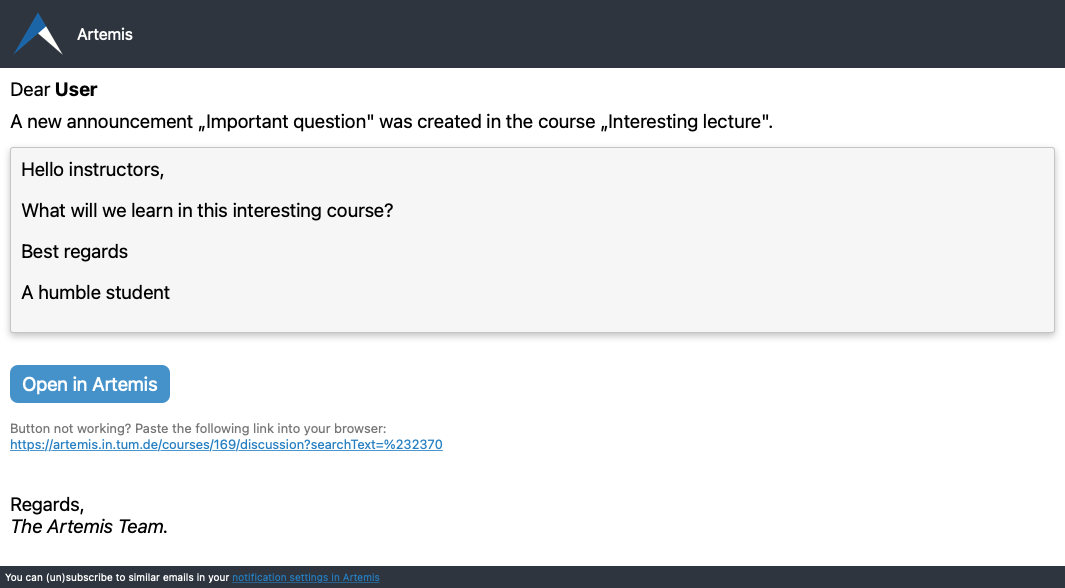
Artemis can send email notifications for certain notification types. See the "Notification Types" section below for details on which notifications support email delivery.
Security-related Email Notifications
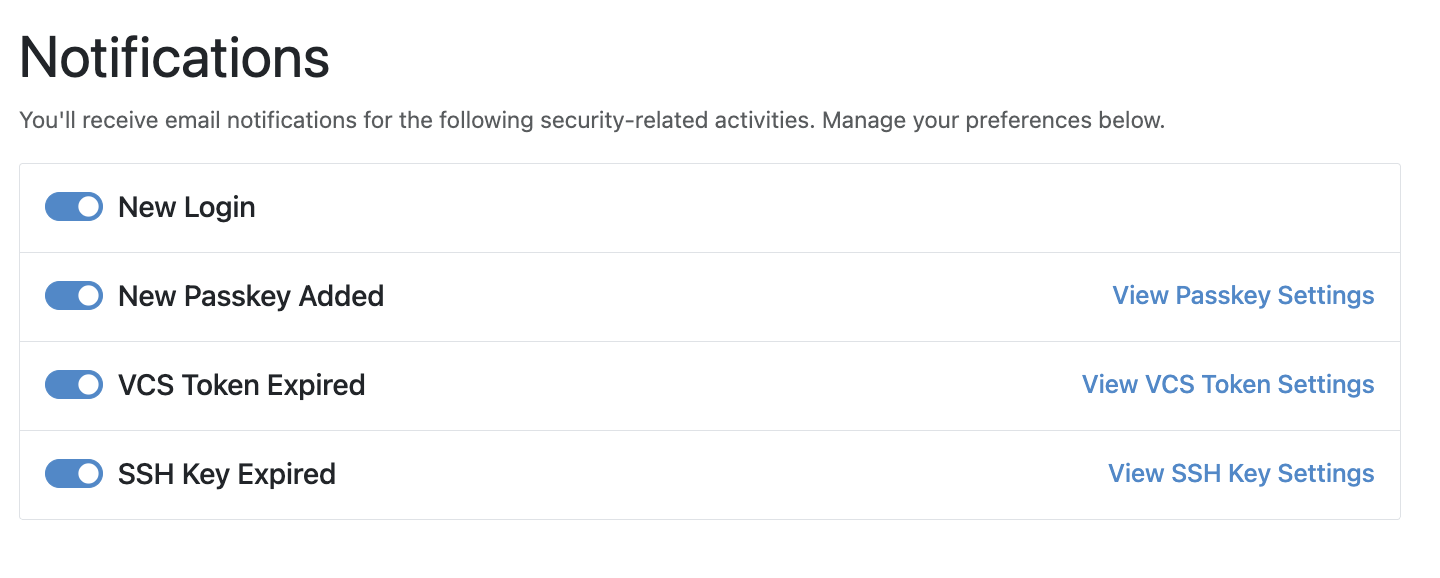
In addition to course-specific notifications, Artemis can send email alerts for important account security events:
- New Login – Notifies you when a new login to your account occurs.
- New Passkey Added – Alerts you when a new passkey is registered.
- VCS Token Expired – Informs you when your VCS (Version Control System) token expires.
- SSH Key Expired – Warns you when your SSH key is no longer valid.
These notifications are enabled by default to protect your account. You can manage your preferences under:
User Settings → Notifications
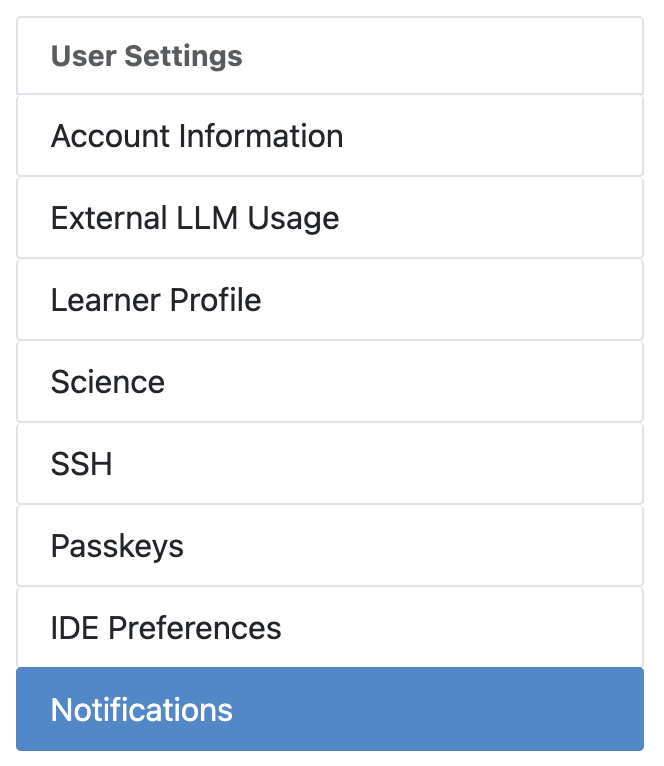
Here you can:
- Enable or disable each type of security-related email.
- Access related configuration pages via quick links (e.g., “View SSH Key Settings”).
Push Notifications
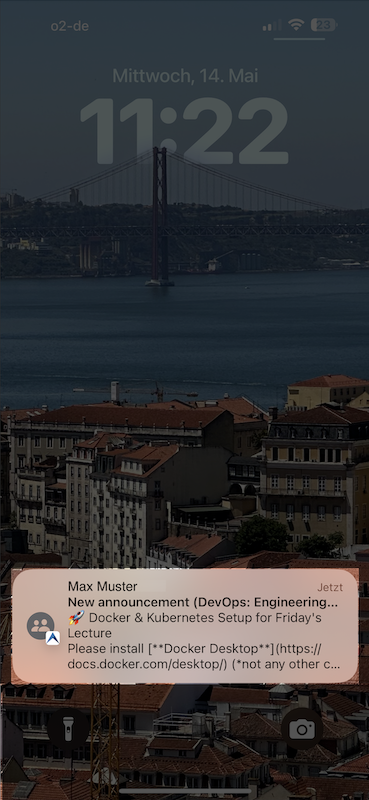
Artemis can send push notifications to the native Artemis iOS and Android apps.
These notifications are encrypted and delivered through Hermes service (https://hermes.artemis.cit.tum.de). Users must explicitly opt in through their mobile application to receive push notifications and can deactivate them at any time.
Settings
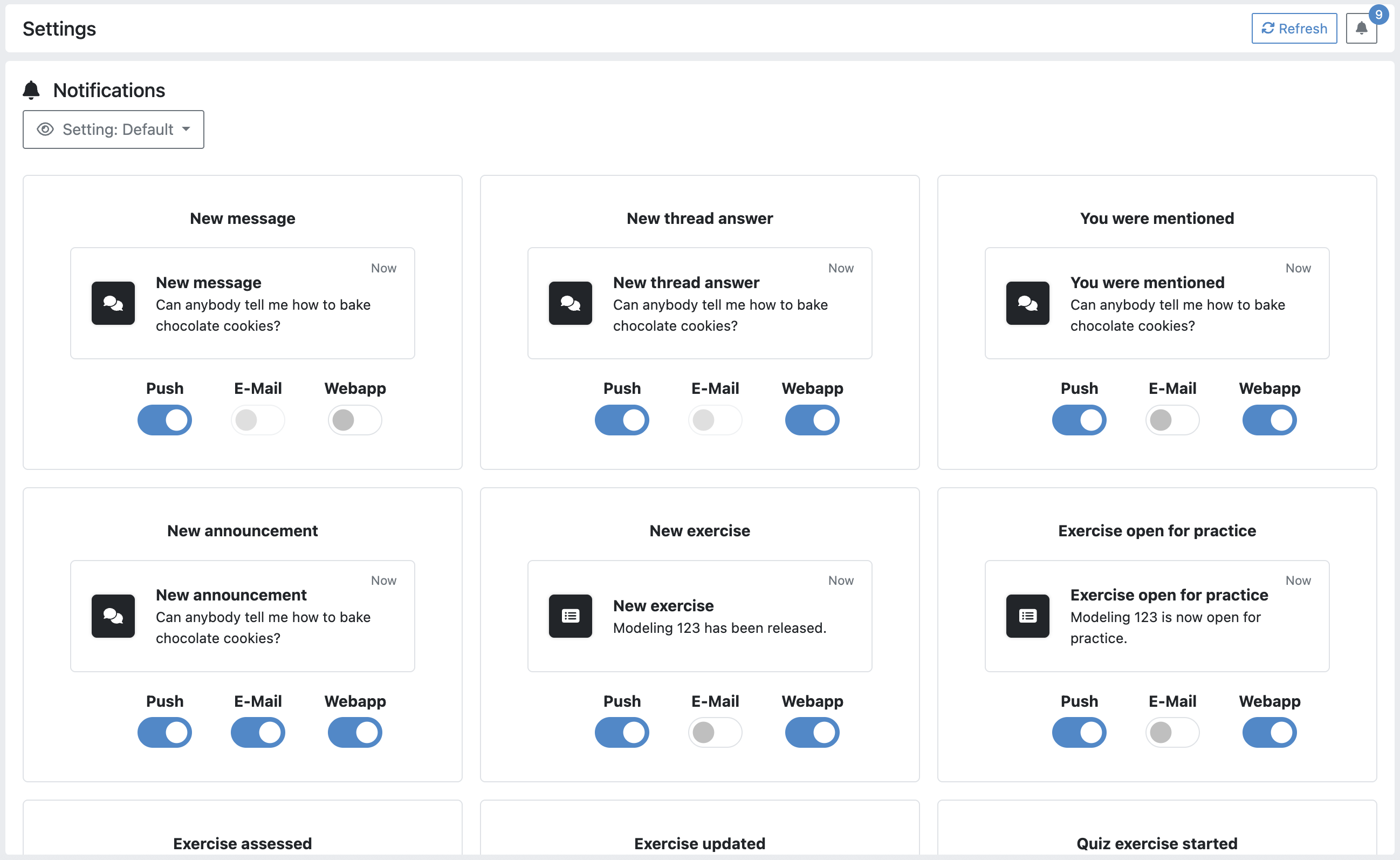
You can customize which types of notifications you want to receive and through which channels (email, web, push, or none). These settings can be configured at the course level:
- Navigate to a course
- Access the settings from the sidebar
- Select your notification preferences
For convenience, Artemis provides preset configurations that you can apply with a single click.
Notification Types
The table below shows all supported notification types and which channels they support:
| NotificationType | Push | Web | |
|---|---|---|---|
| Communication Notifications | |||
| NewPostNotification | X | X | |
| NewAnswerNotification | X | X | |
| NewMentionNotification | X | X | |
| NewAnnouncementNotification | X | X | X |
| AddedToChannelNotification | X | X | |
| RemovedFromChannelNotification | X | X | |
| ChannelDeletedNotification | X | X | |
| General Notifications | |||
| NewExerciseNotification | X | X | X |
| ExerciseOpenForPracticeNotification | X | X | X |
| ExerciseAssessedNotification | X | X | X |
| ExerciseUpdatedNotification | X | X | |
| QuizExerciseStartedNotification | X | X | |
| AttachmentChangedNotification | X | X | |
| NewManualFeedbackRequestNotification | X | X | |
| DuplicateTestCaseNotification | X | X | X |
| NewCpcPlagiarismCaseNotification | X | X | X |
| NewPlagiarismCaseNotification | X | X | X |
| ProgrammingBuildRunUpdateNotification | X | X | |
| ProgrammingTestCasesChangedNotification | X | X | |
| PlagiarismCaseVerdictNotification | X | X | X |
| TutorialGroupAssignedNotification | X | X | X |
| TutorialGroupDeletedNotification | X | X | X |
| RegisteredToTutorialGroupNotification | X | X | X |
| TutorialGroupUnassignedNotification | X | X | X |
| DeregisteredFromTutorialGroupNotification | X | X | X |
For detailed information about the content sent with each notification, you can look at the examples in the notification settings or refer to the implementation in the course-notification.service.ts service and the corresponding localization files in the codebase.