Grading
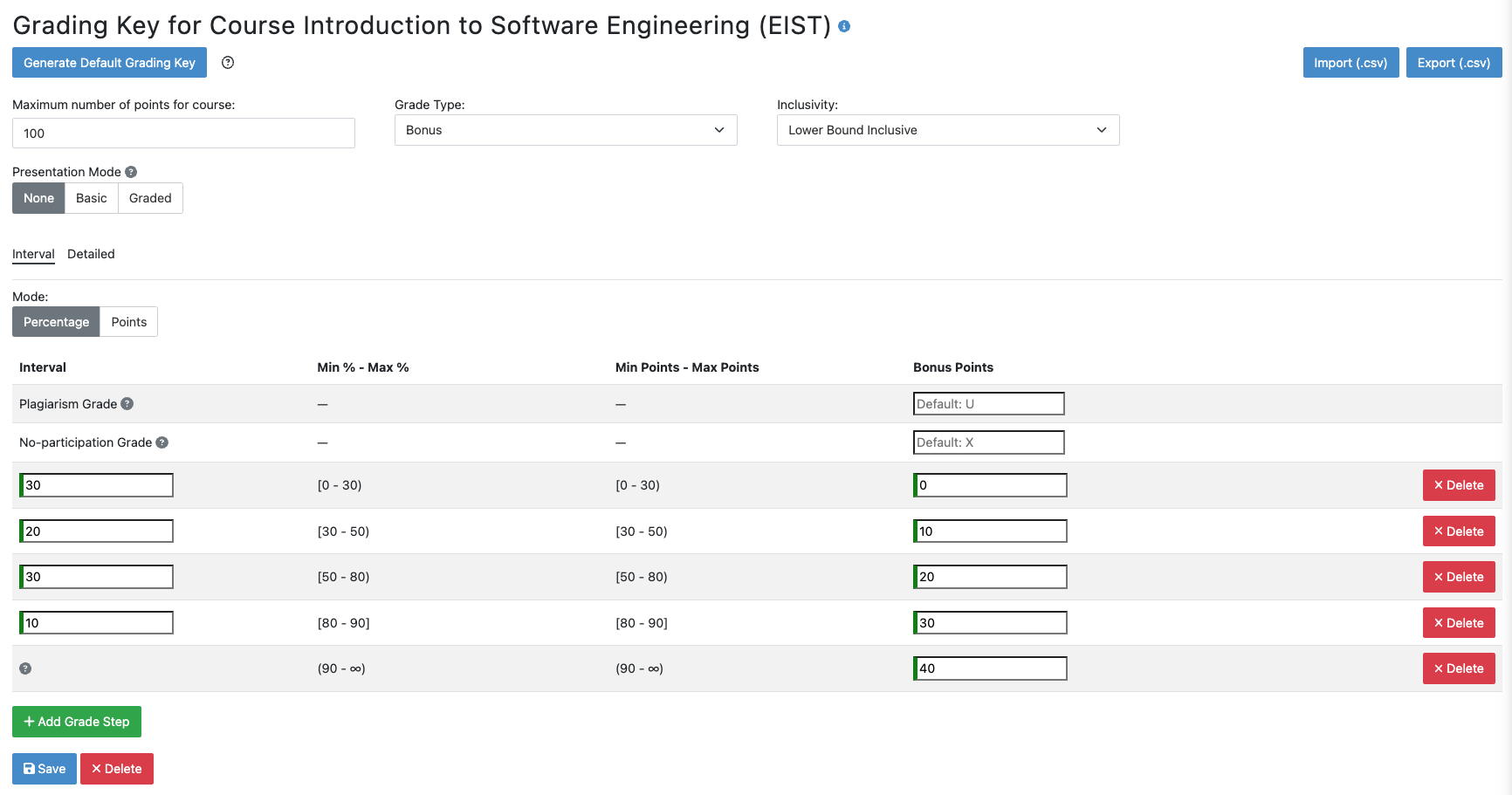
Artemis allows instructors to define grading keys for courses and exams. When the grading key is defined, the total points obtained by a student from all exercises are calculated and mapped to a grade. Grading Keys can be either:
Gradetype which maps the points to a letter or numeric grade with aFirst Passing Grade. This can be used e.g., for final exams or courses without exams that are graded solely by exercises.Bonustype which maps the points to a numeric value. This can be used e.g., when the grade obtained in the given course or exam is not an end result but complements a final exam.
There are two configurable special grades that are automatically treated as failing grades:
-
Plagiarism Grade(defaultU) is assigned when a student has received a :ref:Plagiarism verdict <plagiarism_instructors>in one or more exercises. -
No-participation Grade(defaultX) is assigned according to the conditions below for courses and exams: -
For a course, a student receives this grade if they do not start any exercise, i.e., the number of participations is 0.
-
For an exam, a student receives this grade if they do not submit the exam.
In bonus assignment calculations, these two special grades are treated equivalent as receiving a total score of 0 from the corresponding course or exam.
The Presentation Mode allows you to decide whether students can hold presentations in the course, e.g. to be eligible for an exam bonus.
Note that you can define for every exercise whether it should be eligible for the presentation score within the exercise settings. There are three different modes:
None: No presentation can be held.Basic: Students must hold a givenNumberof presentations to be eligible for the exam bonus. The presentations are not graded.Graded: Students can hold a givenNumberof presentations. The presentations are graded, and theirCombined Weightmakes up for the specified percentage of points in the course.
Note: The
Presentation Modeis only available for grading keys of courses but not for exams.
Instructors
Instructors can export and import grading keys in CSV format to reuse them inside or outside of Artemis. If a grading key is defined, exporting student results includes the obtained grade information as well. It is also possible to create or modify grading keys after an exam or course is over. In that case student grades will be adjusted automatically.
Note: You can check :ref:
how to create grading keys for courses and exams <exam_grading_key>for more detailed information.
Bonus
Instructors can create bonus configurations for exams with Grade type grading keys by clicking on

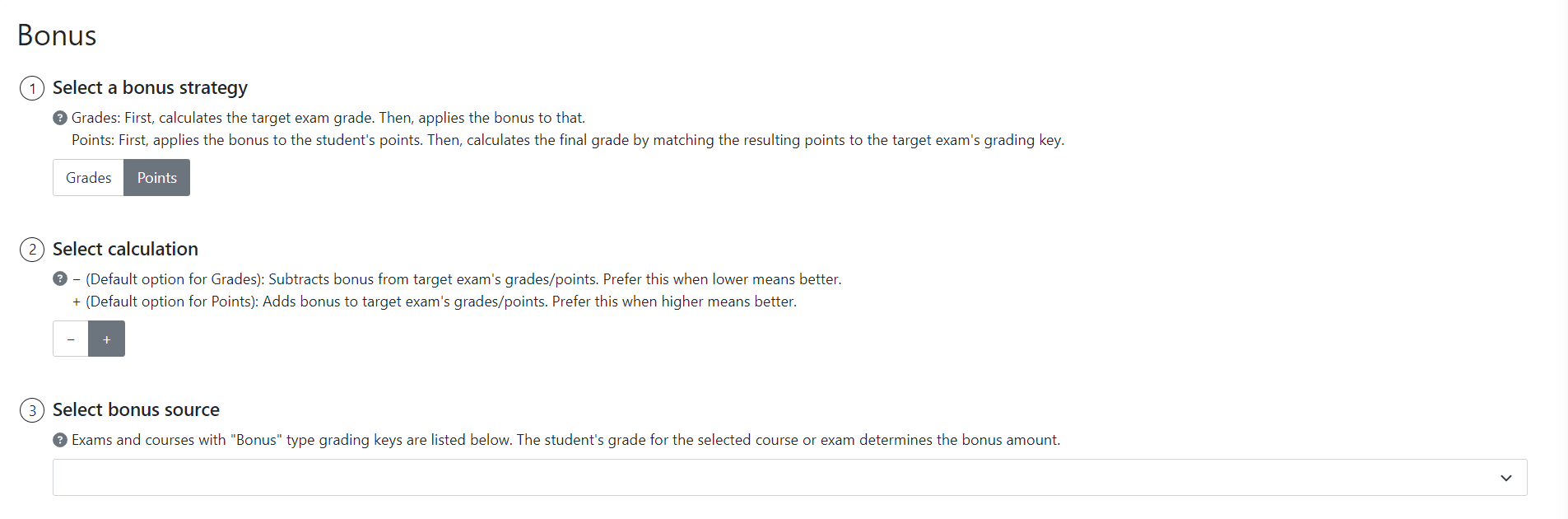
- Bonus strategy defines how the grade obtained from the bonus source will affect the final exam. Artemis currently supports 2 strategies:
- Grades: First, calculates the target exam grade. Then, applies the bonus to that.
- Points: First, applies the bonus to the student's points. Then, calculates the final grade by matching the resulting points to the target exam's grading key.
- Discreteness (Only applicable if grades bonus strategy is selected) specifies how to combine the bonus grade with the exam grade. Currently only the first discreteness option is implemented.
- Continuous: Applies bonus arithmetically to the student's grade. Final grade can be any numeric value between the best and the worst grade step values.
- Discrete: (Not available yet)
- Calculation defines the sign of the operation to indicate if it is an addition or subtraction.
- − (Default option for grades): Subtracts bonus.
- + (Default option for points): Adds bonus.
- Bonus source is the course or exam determining the bonus amount.
When configuring bonus:
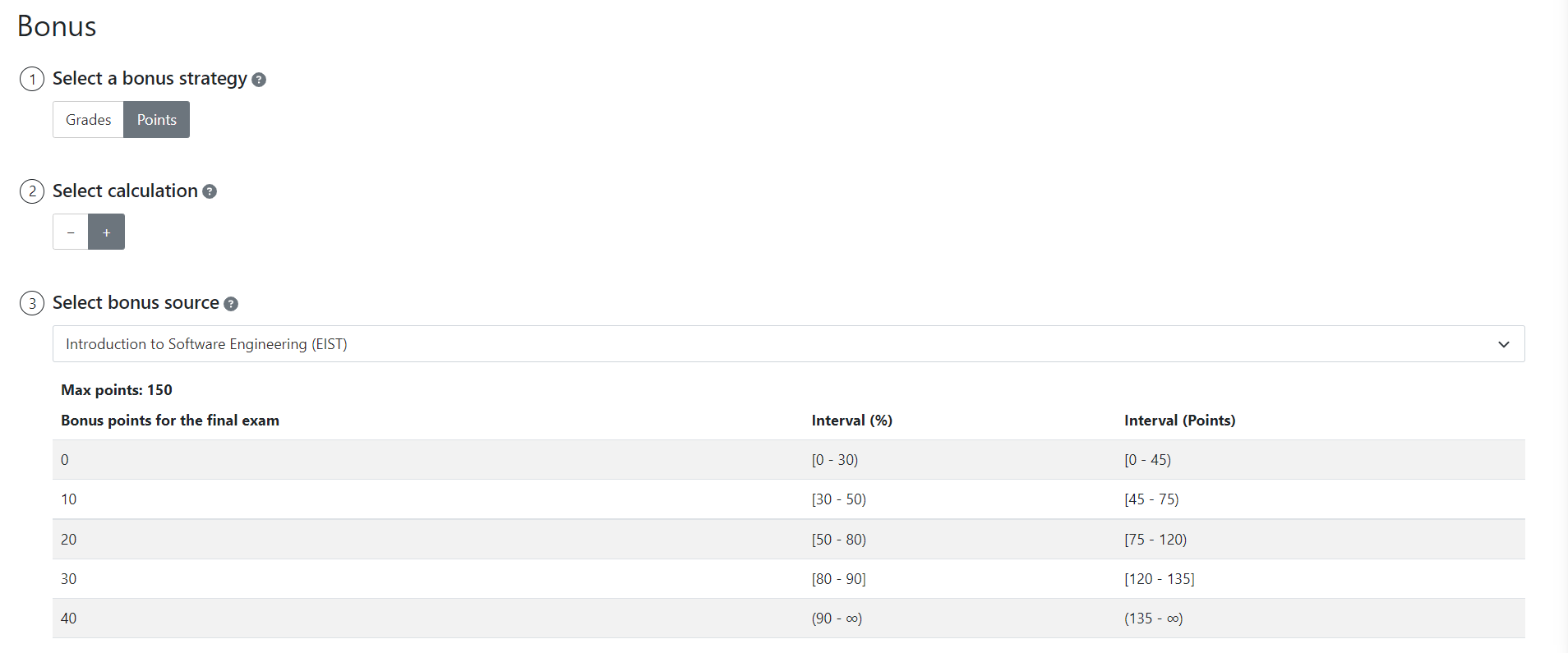
After completing configuration, Artemis generates the bonus calculation formula with examples:
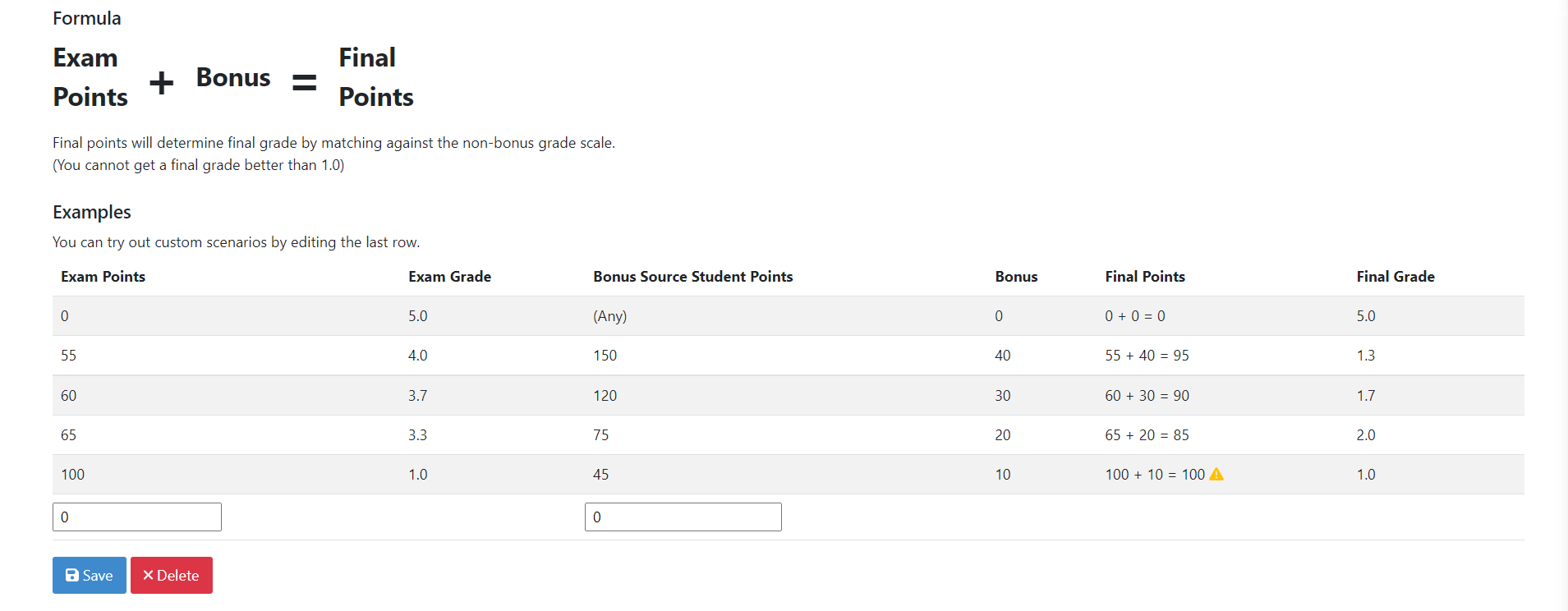
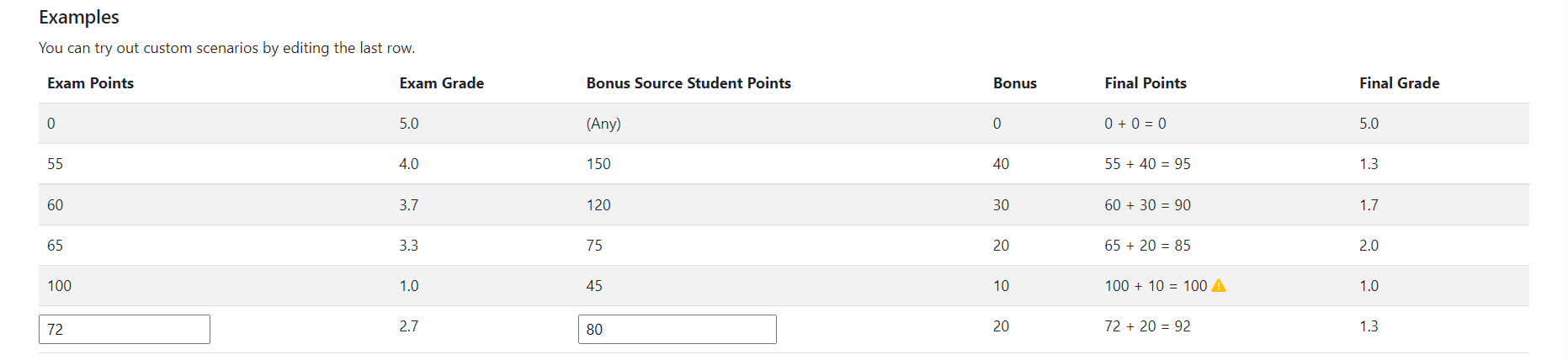
Dynamic examples allow instructors to test values manually: