Assessment and Grading
Overview
Artemis offers three different modes of exercise assessment:
- Manual: Reviewers must manually grade student submissions.
- Automatic: Artemis automatically grades student submissions (e.g., via test cases for programming exercises or answer checking for quizzes).
- Semi-Automatic: Artemis provides an automatic starting point that reviewers can manually improve afterward.
Manual assessment is available for programming, text, modeling, and file upload exercises. Quiz exercises use automatic assessment only.
Manual Assessment Process
Manual assessment involves the following workflow:
- Submission: Students submit their assignments through Artemis.
- Review: Reviewers access submitted work and place a lock on the submission to prevent conflicts with other reviewers.
- Evaluation: Reviewers assign scores and provide feedback based on established grading criteria.
- Submission: Reviewers submit their assessment (or cancel to unlock for others).
- Student Feedback: Students can rate feedback quality, motivating high-quality assessments that helps students understand misconceptions and how to improve.
Assessment Dashboard
The assessment dashboard provides an overview of assessment progress across all manually assessed exercises in a course. The assessment dashboard helps to track the assessment progress for each exercise. You can find the assessment dashboard via the Assessment button in the course management tab.
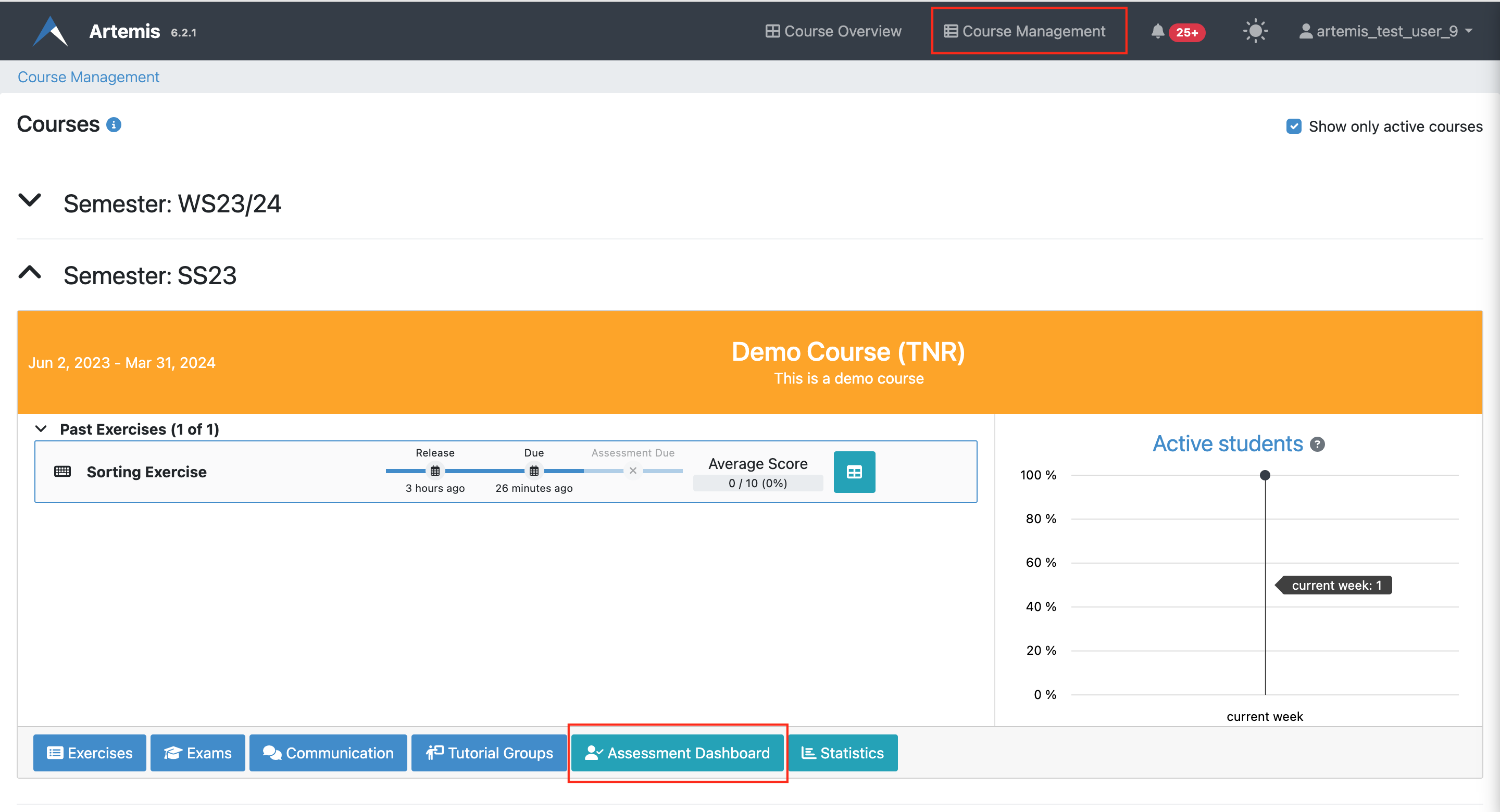
This will navigate you to the course-wide Assessment Dashboard.
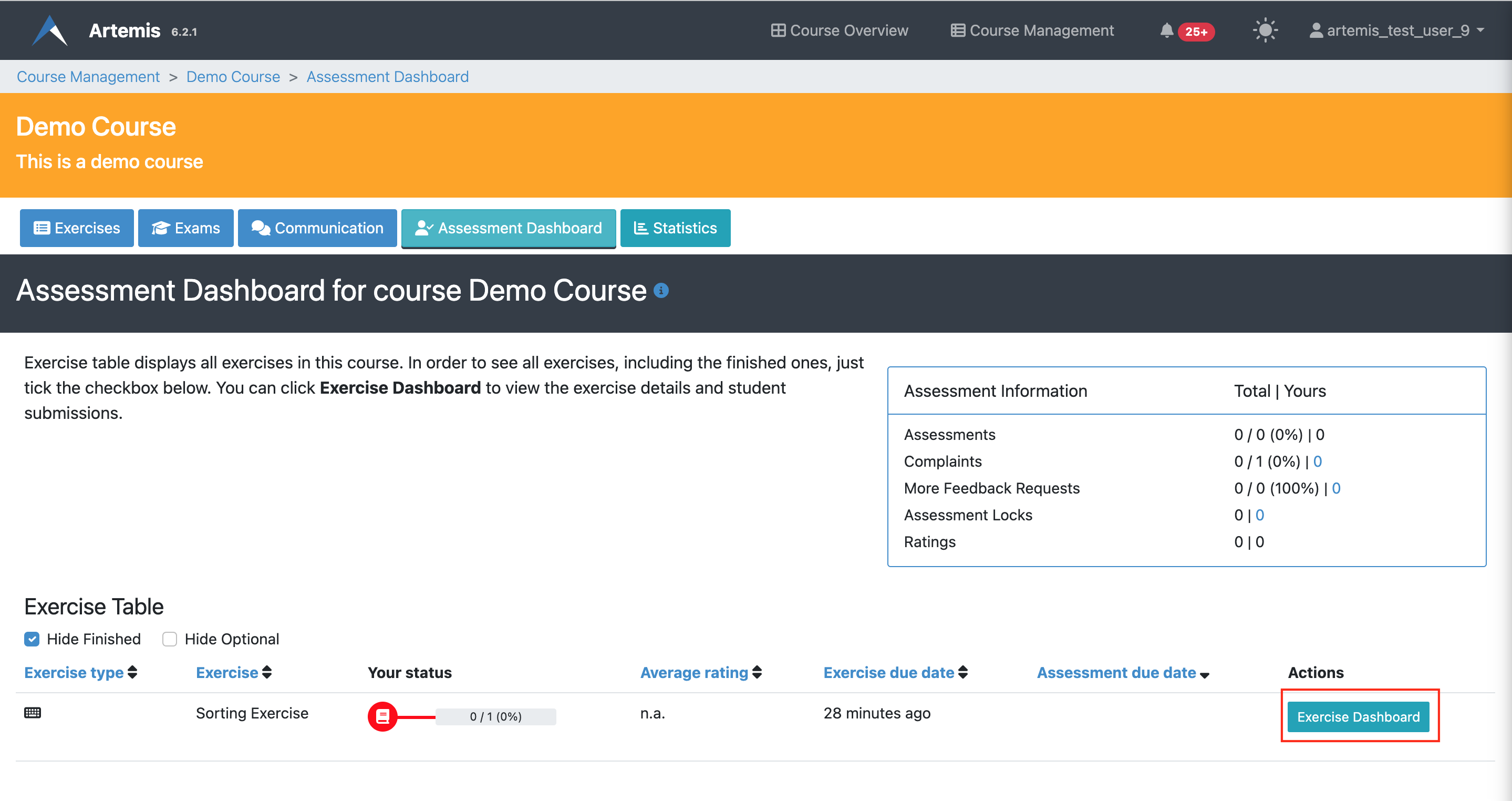
The course-wide Assessment Dashboard displays:
- Total number of submissions
- Number of assessed submissions
- Number of complaints and feedback requests
- Average student rating for each exercise
Each exercise has its own Exercise Dashboard accessible from this view, showing detailed information for that specific exercise.
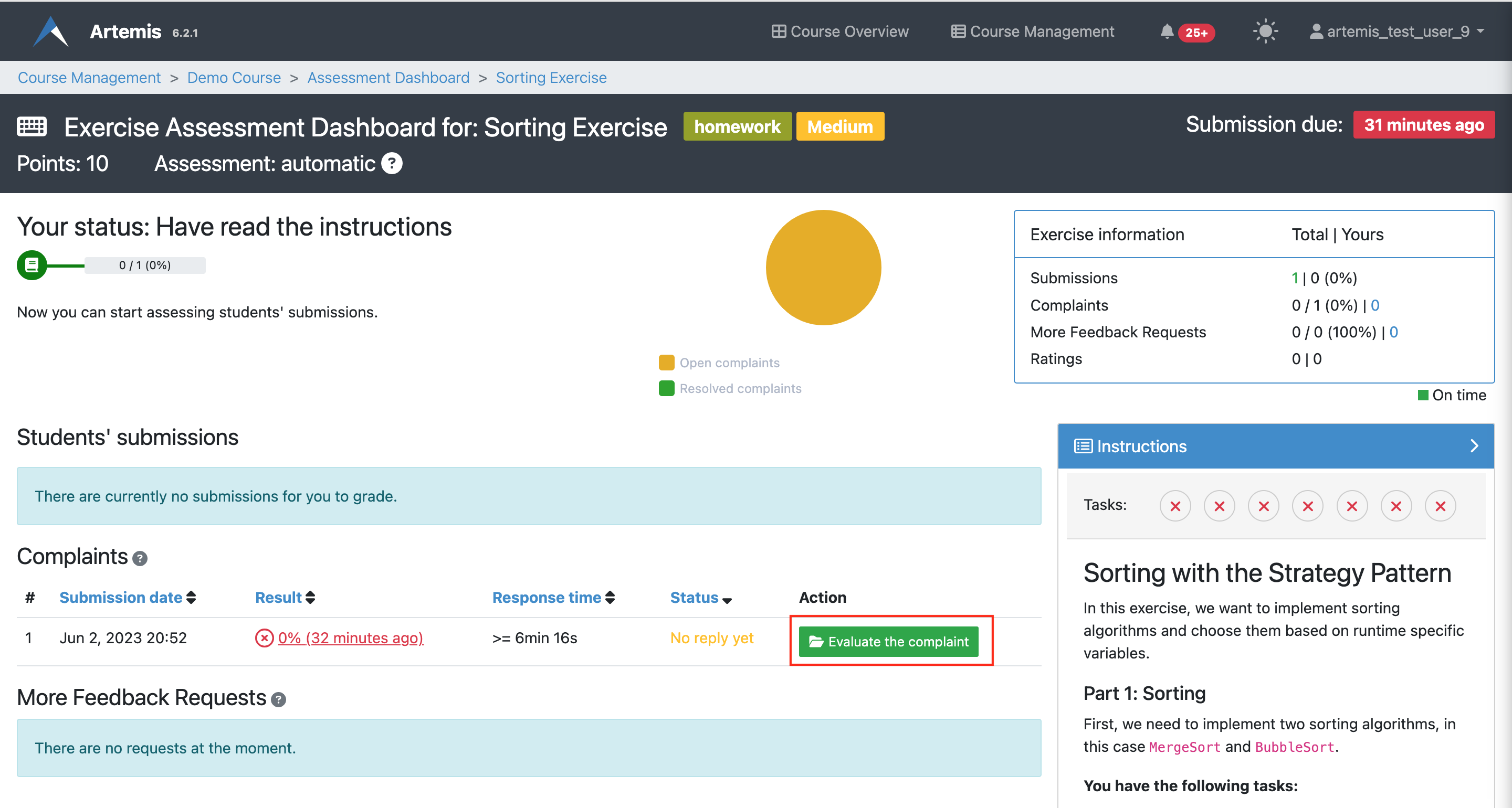
Locks on submissions automatically expire after 24 hours, but reviewers can also unlock manually if needed.
Structured Grading Criteria
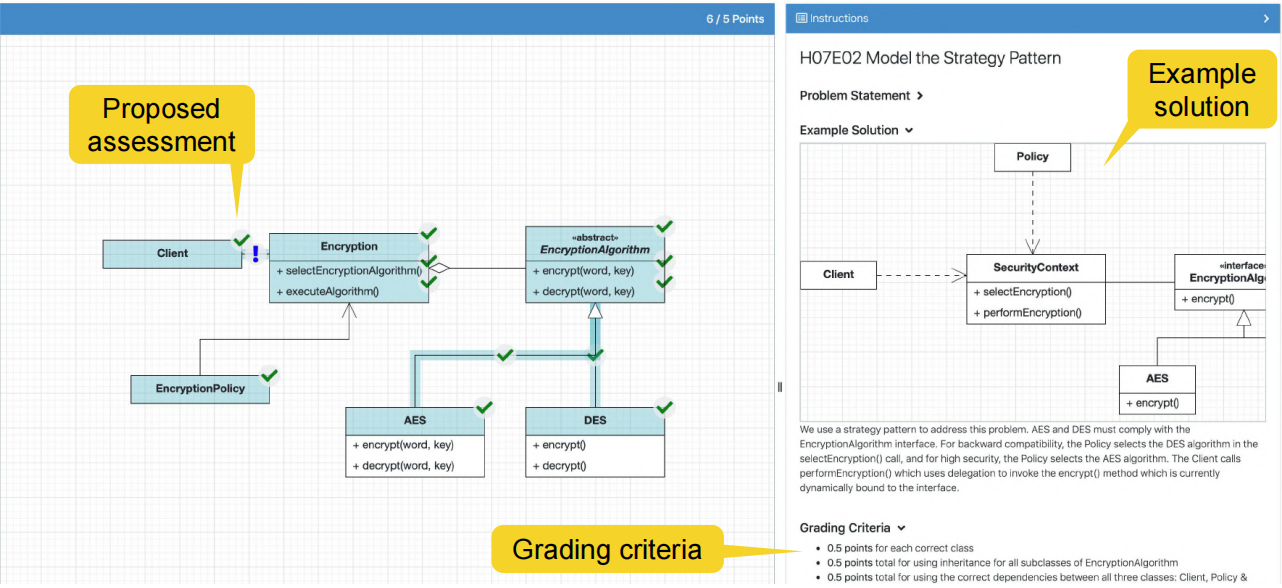
Artemis supports structured grading instructions (comparable to grading rubrics) to ensure consistency, fairness and transparency in the grading process.
Benefits
- Consistency: All reviewers follow the same criteria - predefined feedback and points are used from different reviewers
- Speed: Drag-and-drop feedback blocks with predefined points make it faster to provide feedback
- Fairness: Objective standards reduce bias
- Transparency: Students understand how their work is evaluated
Grading criteria include predefined feedback text and point values that can be quickly applied to submissions.
Integrated Training Process
To ensure consistent assessments, Artemis provides an integrated training process for reviewers using example submissions and assessments. Reviewers must complete all example submissions before assessing actual student submissions. This training ensures reviewers understand grading standards and can provide feedback properly.
Training Workflow
| Step | Description & Screenshot |
|---|---|
| 1. Create Example Submission | The instructor creates an example submission and selects an assessment mode: - Read and Confirm: Reviewers read and acknowledge understanding - Assess Correctly: Reviewers must assess the example correctly to proceed |
| 2. Add Example Assessment | The instructor adds an example assessment showing the correct grading. Actual student submissions can be imported as examples to increase realism and reduce effort. |
| 3. Reviewer Views Status | Reviewers see their training progress and exercise status throughout the process. |
| 4. Review Instructions | Reviewers read the grading instructions (problem statement, grading criteria, example solution) and confirm understanding. |
| 5a. Read and Confirm Mode | If the assessment mode is "Read and Confirm," reviewers read example submissions and assessments, then confirm they understand. |
| 5b. Assess Correctly Mode | If the assessment mode is "Assess Correctly," Artemis compares the reviewer's assessment with the instructor's example. If they don't match, feedback explains the differences. |
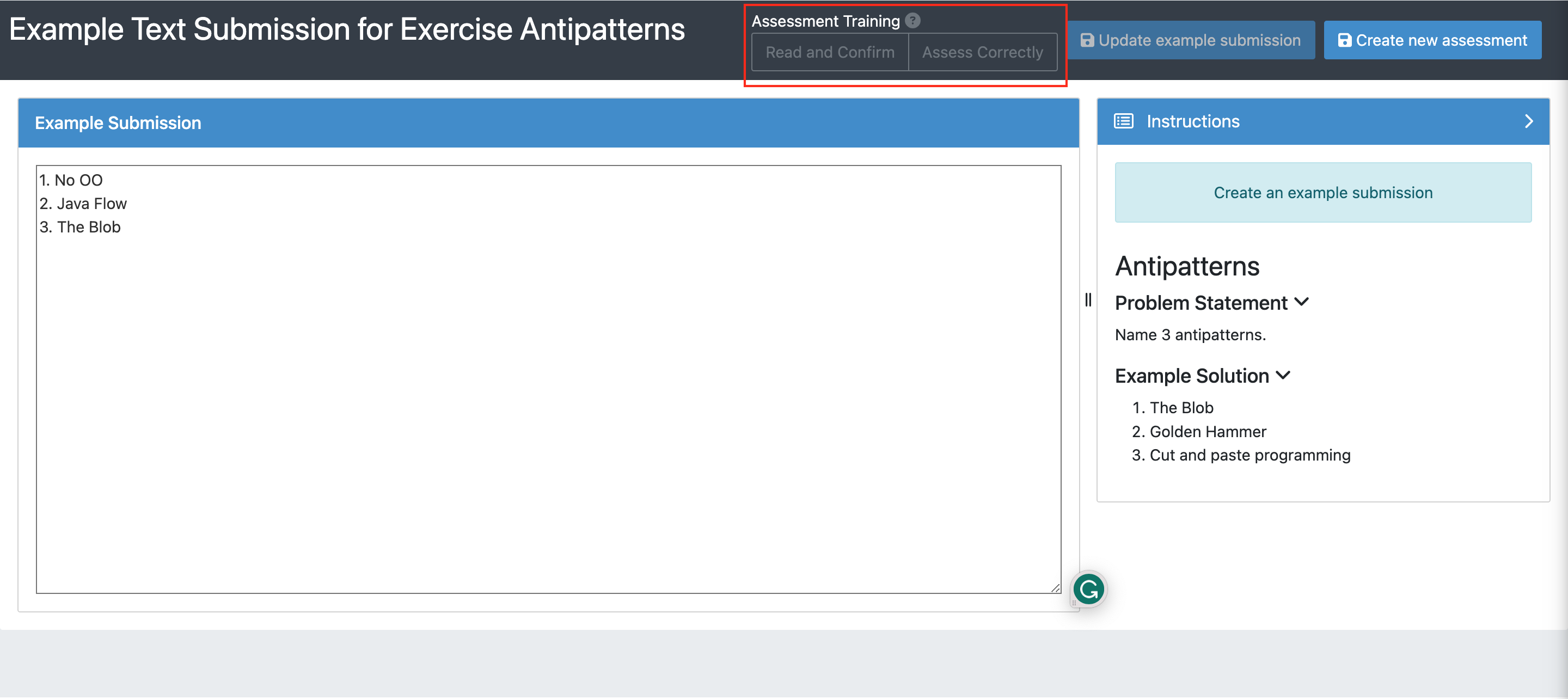
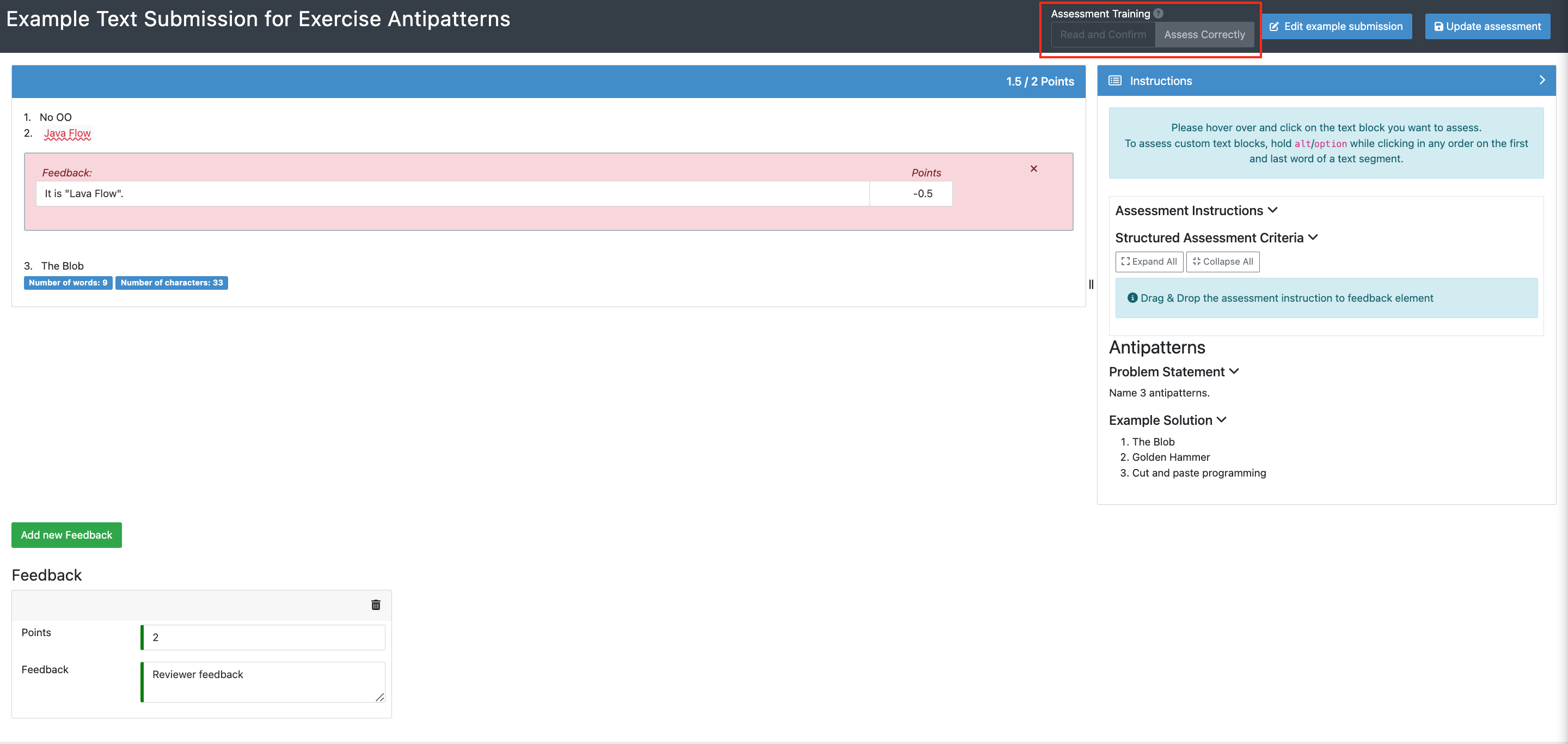
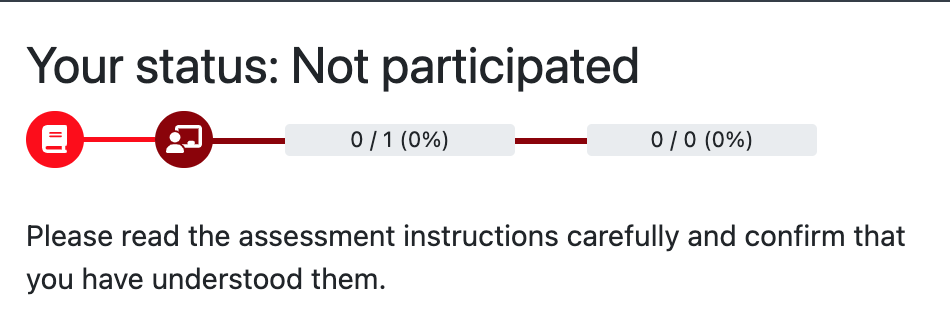
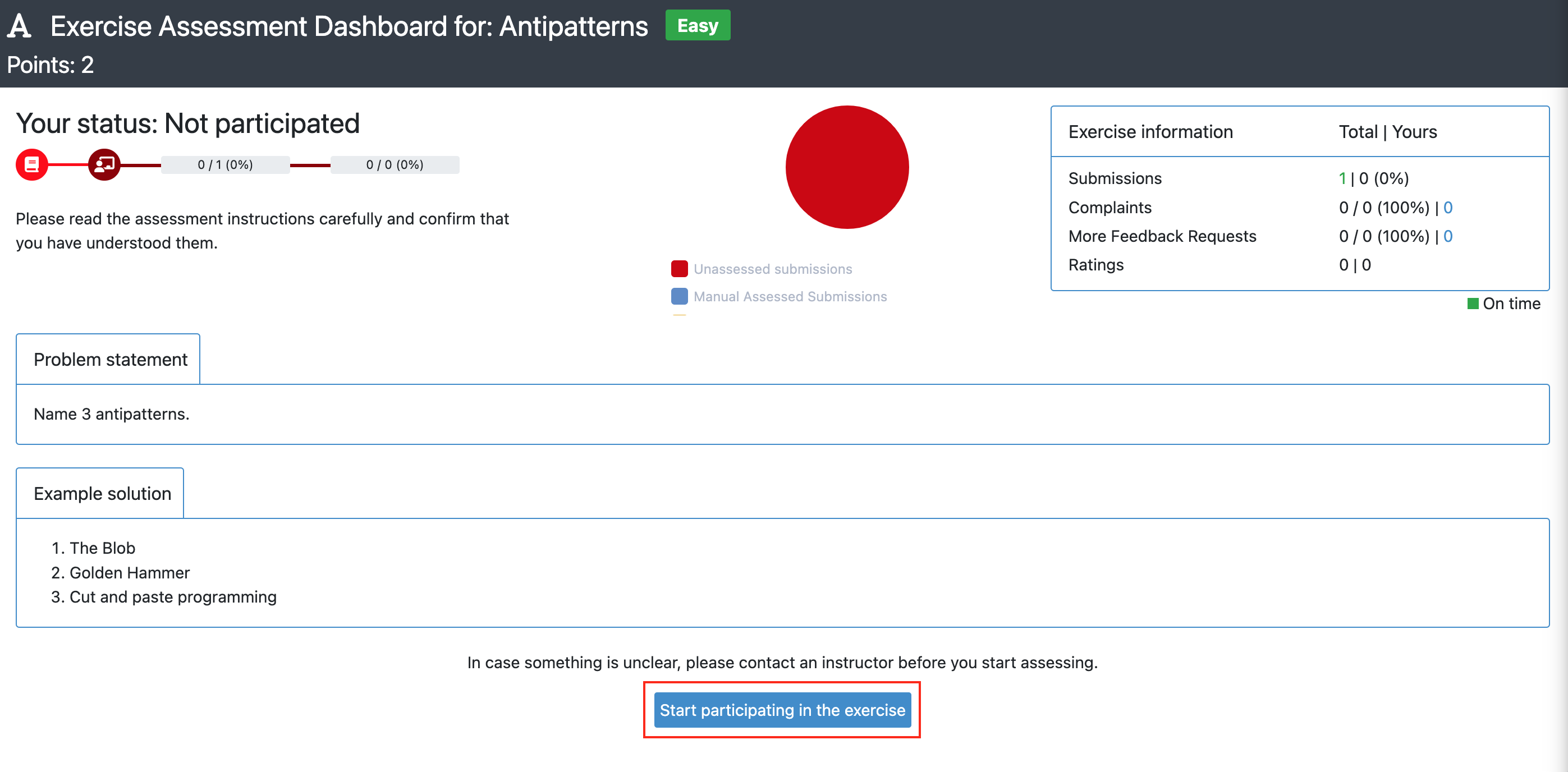
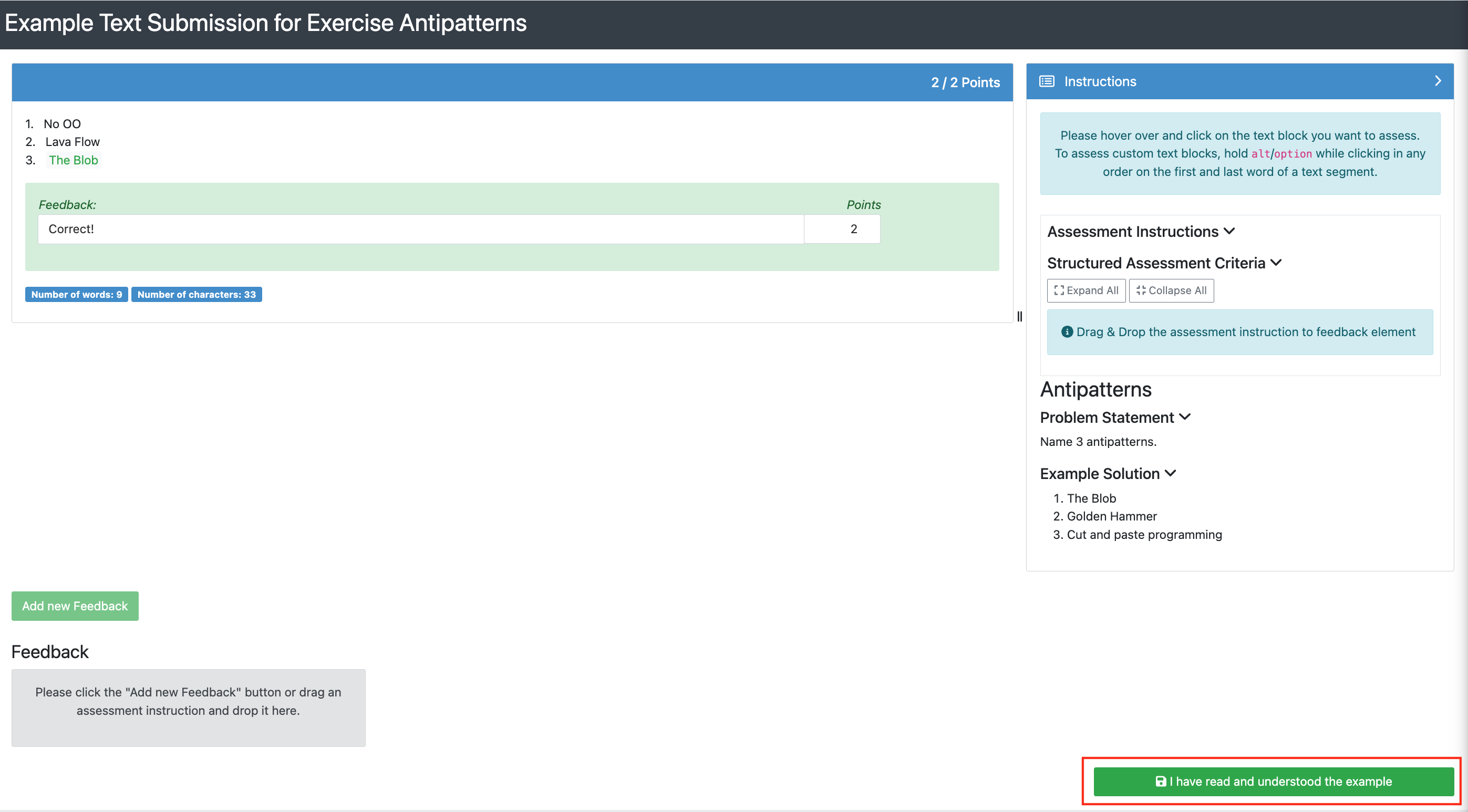
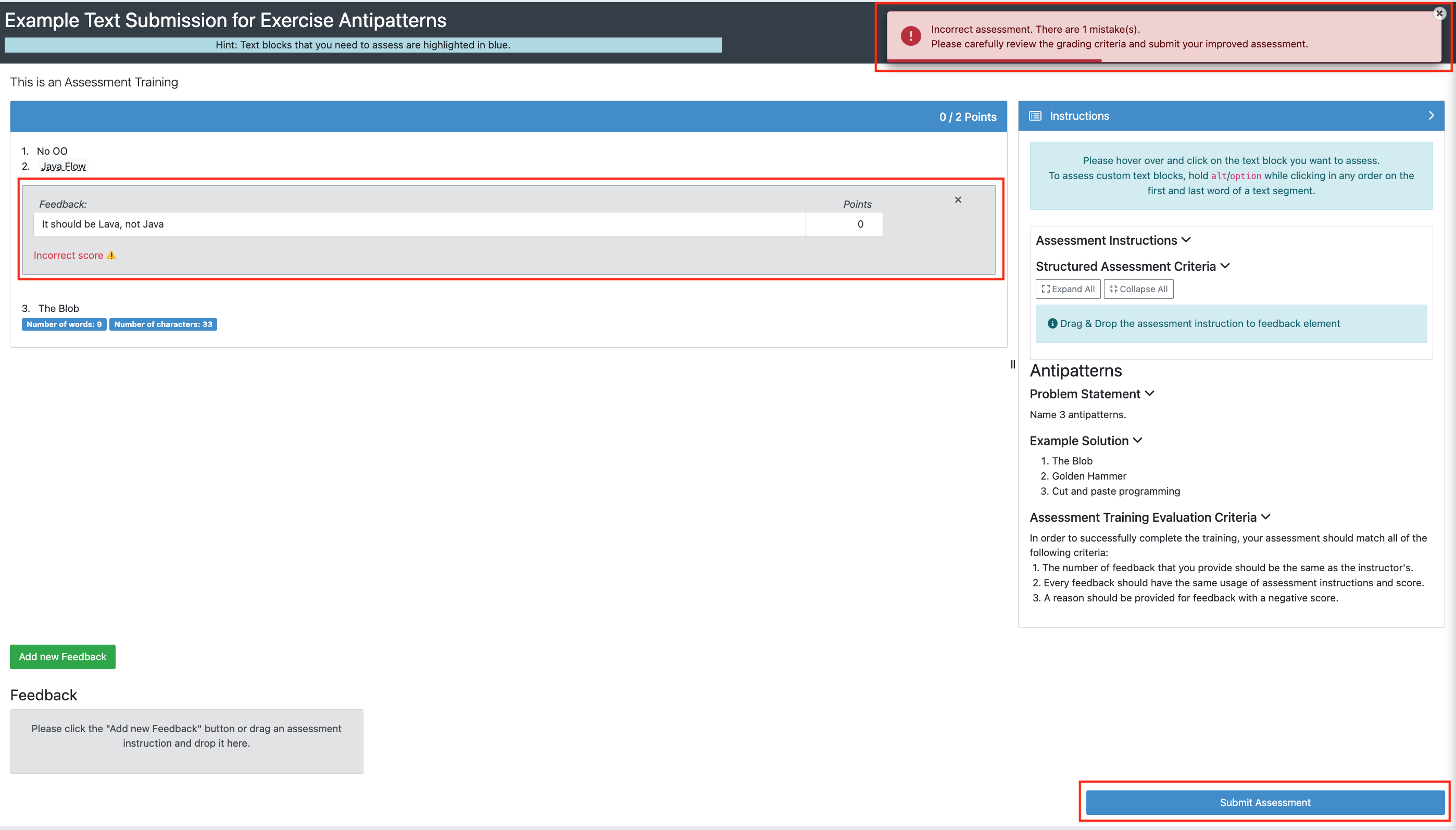
Using actual student submissions as training examples makes the training more realistic and reduces instructor workload.
Double-Blind Assessment
Manual assessment in Artemis is double-blind:
- Reviewers don't see student names during assessment
- Students don't see reviewer identities
This minimizes bias and increases assessment objectivity.
Handling Complaints
After receiving an assessment, students can submit complaints if they believe the assessment needs revision (if you've enabled this feature).
Complaint Token System
- Instructors set a maximum number of complaints per student per course
- Each complaint uses one "token"
- If accepted, the token is returned to the student
- Students can submit unlimited complaints as long as their complaints are accepted
Complaint Review Process
- Student submits a complaint with justification
- Reviewer accesses the complaint from the Exercise Dashboard
- Reviewer re-evaluates the submission and decides:
| Decision | Action & Screenshot |
|---|---|
| Accept | Add or modify feedback blocks (positive or negative points) and click "Accept complaint" |
| Reject | Explain why the complaint is rejected and click "Reject complaint" |
| Unsure | Remove the lock so another reviewer can evaluate |
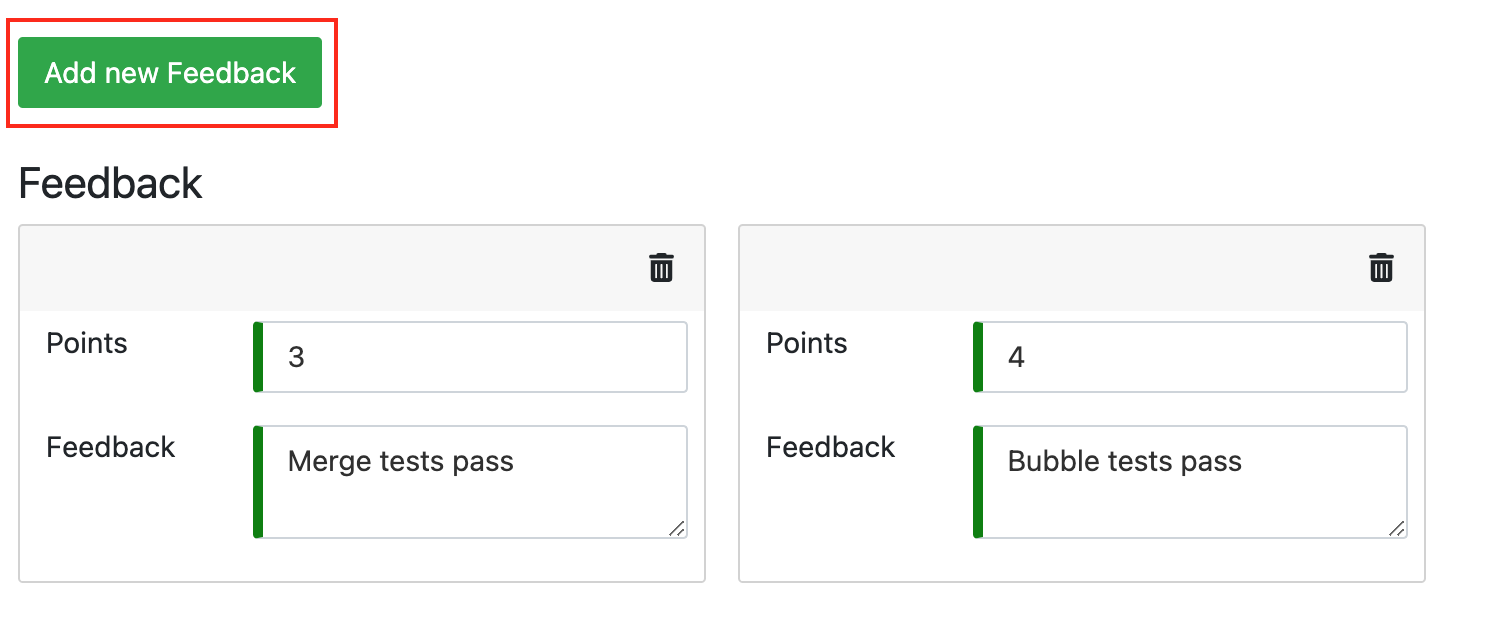


Complaints can result in score increases or decreases based on the re-assessment. Be thorough and fair.
More Feedback Requests
Students can also submit More Feedback Requests to ask for clarification without disputing their score. The review process is identical to handling complaints for reviewers. Although, there are differences for students.
More feedback requests don't cost tokens, but reviewers cannot change the score when responding.
Grading Leaderboard
The Grading Leaderboard helps instructors monitor reviewer performance and motivate high-quality assessments. The leaderboard is visible to all reviewers, creating transparency and encouraging consistent, fair grading.

Displayed Metrics
- Number of assessments completed by each reviewer
- Number of feedback requests received
- Number of accepted complaints about each reviewer
- Average score given by the reviewer
- Average rating received from students
Artemis automatically detects "Issues with reviewer performance" when reviewers significantly deviate from the average, helping you identify potential problems early.
Automatic Assessment
Automatic assessment is available for:
- Quiz Exercises: Artemis automatically grades submissions after the due date (only mode available for quizzes). See the Quiz Exercises section for details.
- Programming Exercises: Instructor-written test cases run against student submissions, either during or after the due date. See the Programming Exercises guide for more information.
You can enable complaints for automatically graded programming exercises, allowing students to dispute test results.
Exercise-Specific Assessment
For detailed information on assessment for specific exercise types, see:
- Programming Exercises: See the old documentation
- Text Exercises: See the old documentation
- Modeling Exercises: See the old documentation
- File Upload Exercises: See the old documentation