Customizing Courses
Courses contain :ref:exercises <exercises>, :ref:exams <exams> and lectures.
Different roles can be attached to different sets of course participants: Instructors, Editors, Tutors and Users.
You can find a detailed listing of the different roles and their corresponding permissions :ref:here <admin_access_rights>.
Creating courses
Administrators can create new courses by clicking on


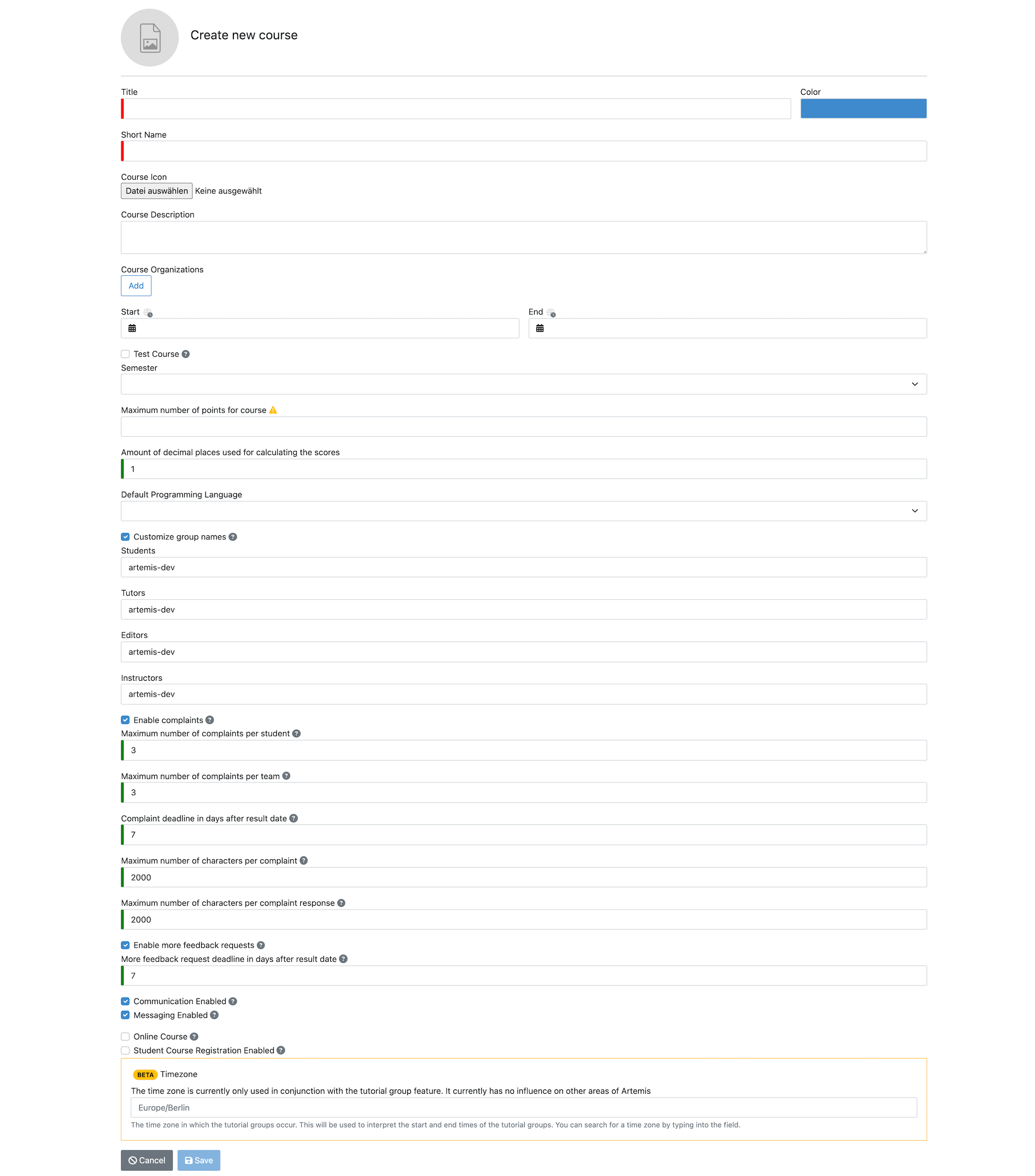
Administrators can then specify options in the creation form, Instructors can later change these values:
- Title – Name of the course (shown in
) - Short Name – Unique identifier (cannot be changed later)
- Color – Used throughout UI including overview
- Course Description – Shown during registration & course header
- Course Organizations – Restricts course visibility based on user organization
- Start/End – Active registration window
- Test Course – Exercises/exams hidden from regular users
- Semester – Used for grouping in dashboard
- Maximum number of points – Used for grading key calculations
- Decimal precision for scoring
- Default Programming Language
- Customize group names (Admin-only)
- Enable complaints
- Enable more feedback requests
- Enable postings by students
- Online Course (LTI integration, exclusive with registration)
- Student Course Registration Enabled

Managing courses
After a course is created, access it via
Courses are grouped by semester, test courses listed separately.
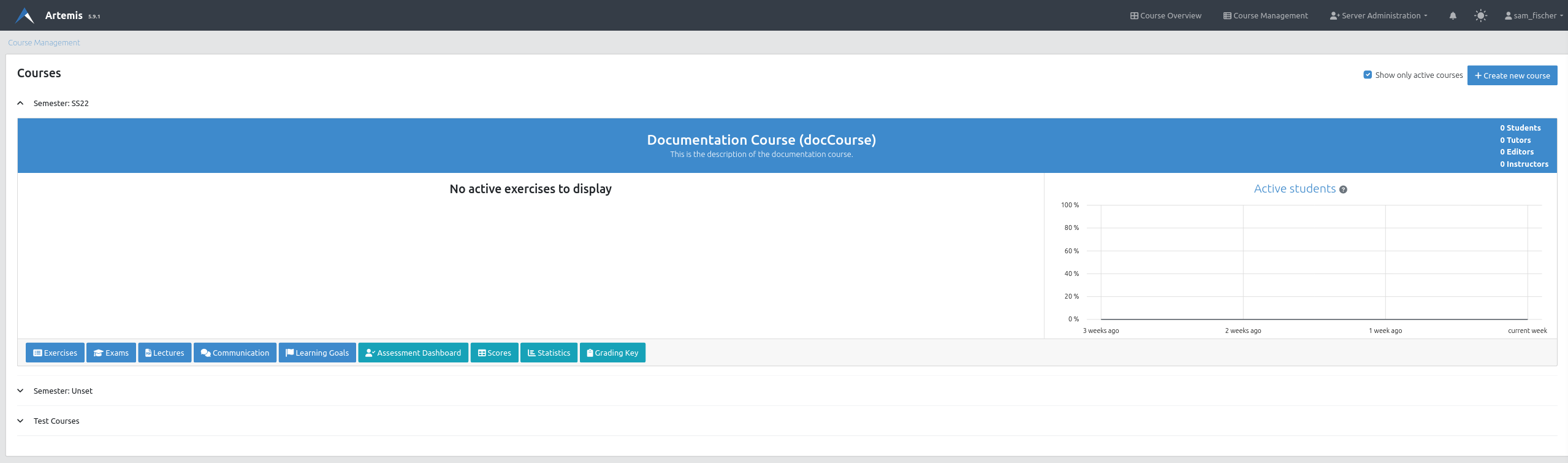

Clicking the course header opens management view allowing to

or

Students, Tutors, Editors and Instructors can be added via Course Details.