Interviews
The Interviews feature provides a comprehensive workspace for professors to manage the entire interview lifecycle for their positions, from arranging slots to assessing individual candidates.
⚙️ Features
- Processes Overview: A central dashboard to track all your positions that are in the interview stage and view your upcoming scheduled interviews.
- Interviewee Management: Monitor the status of all applicants invited to the interview stage (e.g., Uncontacted, Invited, Scheduled, Completed).
- Flexible Slot Management: Create, edit, and delete interview time slots (Virtual or In-Person) that applicants can book.
- Structured Assessment: Record evaluations and feedback for candidates directly after their interview.
- Notifications: Send invitations to applicants directly from the system.
📊 1. Interview Processes Overview
The Interviews tab in the sidebar serves as your central dashboard. It provides a high-level view of all your active interview processes.
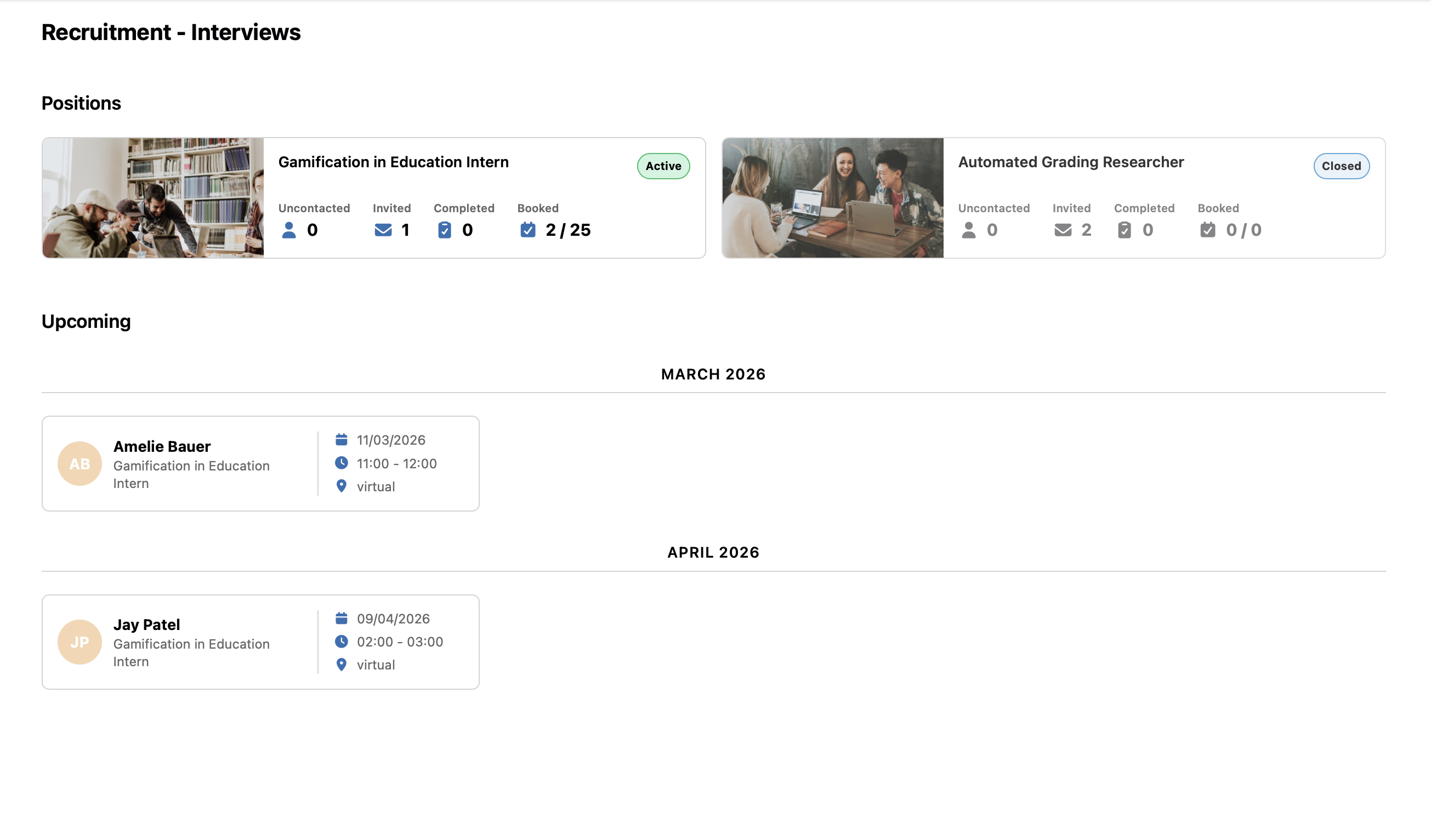
Dashboard Components:
- Positions (Stellen): A list of all your job positions currently in the interview phase. Each card shows quick statistics on how many candidates are Uncontacted, Invited, Completed, or Booked.
- Upcoming (Anstehend): A timeline view of your scheduled interviews across all your positions, allowing you to prepare for the coming days and weeks.
Clicking on any Position card takes you to the detailed management page for that specific job.
👥 2. Process Details & Interviewee Management
Clicking into a specific position opens the detailed view where you manage slots and candidates for that job.
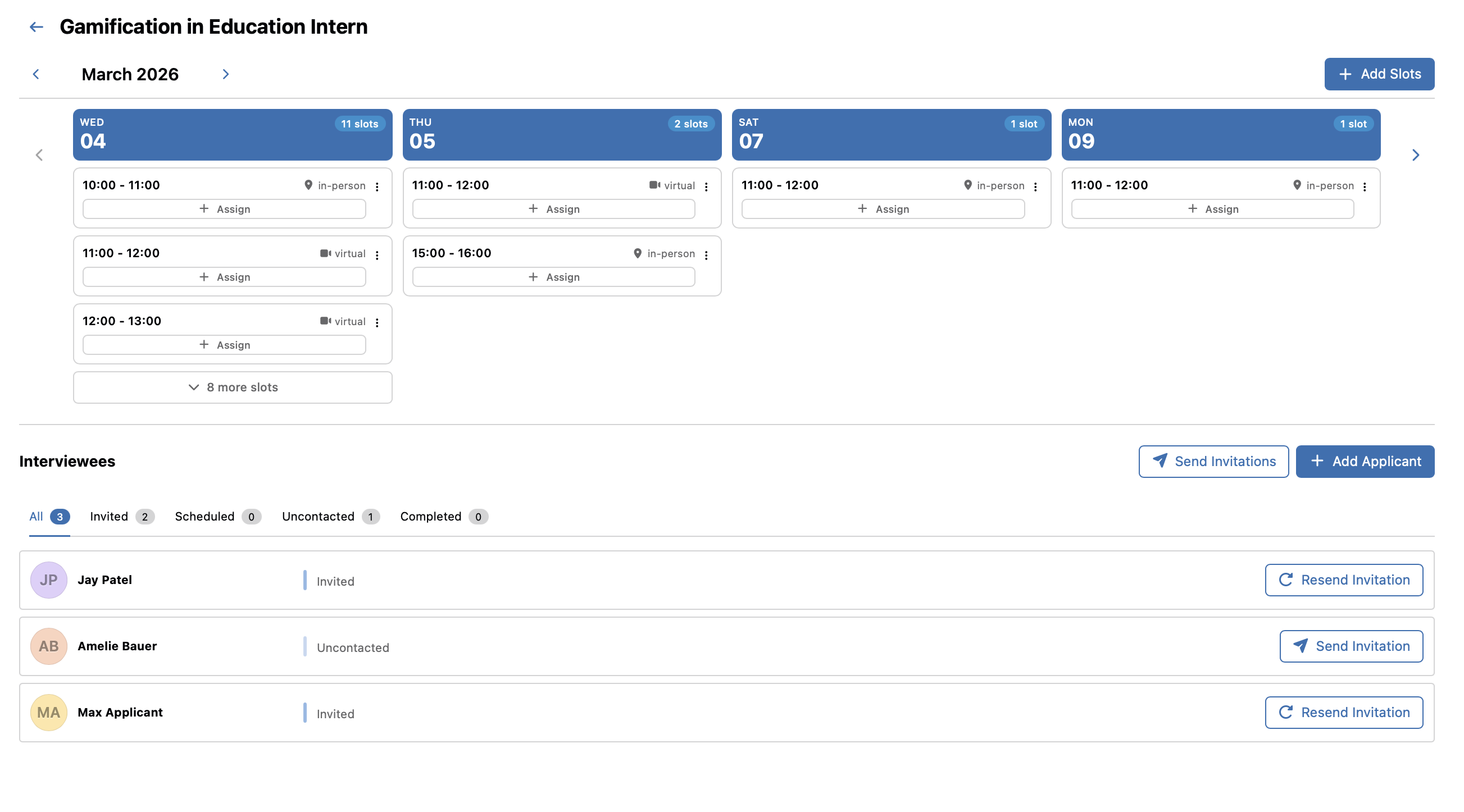
Calendar & Slots: The top half shows a horizontal calendar with all existing interview slots for this position (e.g., In-person, Virtual).
- Green / Blue cards indicate available slots. You can assign candidates directly from here.
- You can navigate through dates and manage existing slots.
Candidates List (Interviewees): The bottom half categorizes your candidates into filterable stages:
- Uncontacted: Applicants added to the interview list who haven't received an invitation.
- Invited: Applicants who have been sent an invitation link.
- Scheduled: Applicants who have booked a specific interview slot.
- Completed: Applicants whose interviews have concluded.
Actions:
- Send Invitations: Quickly email booking links to "Uncontacted" candidates or Resend them if needed.
- Add Applicant: Manually invite additional candidates from your review pool.
🕒 3. Slot Creation & Management
To add new available times for candidates to book, you use the Slot Creation tool.
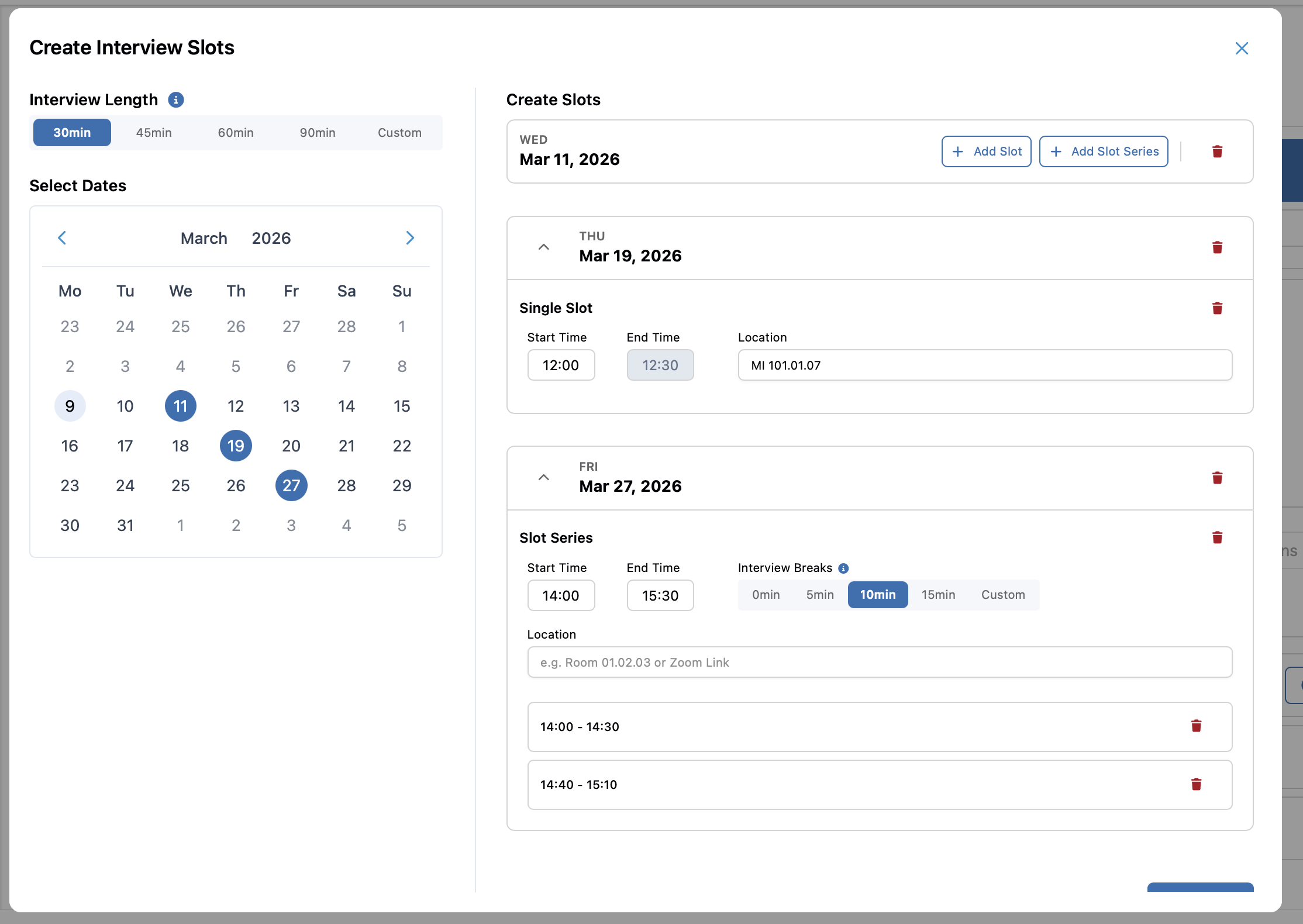
Creating Slots:
- Click Add Slots from the calendar view to open the creation panel.
- Select one or multiple dates from the calendar.
- Choose between creating a Single Slot or a Time Range (which generates multiple slots automatically based on duration).
- Configure the Start Time, End Time, Duration, and Location (e.g., Virtual Meeting Link or In-Person Room).
Managing Slots:
- Once created, they appear in the top calendar of the Process Details page.
- You can assign applicants to these slots manually or let them book via the invitation link.
📝 4. Interviewee Assessment
After an interview concludes, you can record your findings directly in the system to keep all recruitment data centralized.
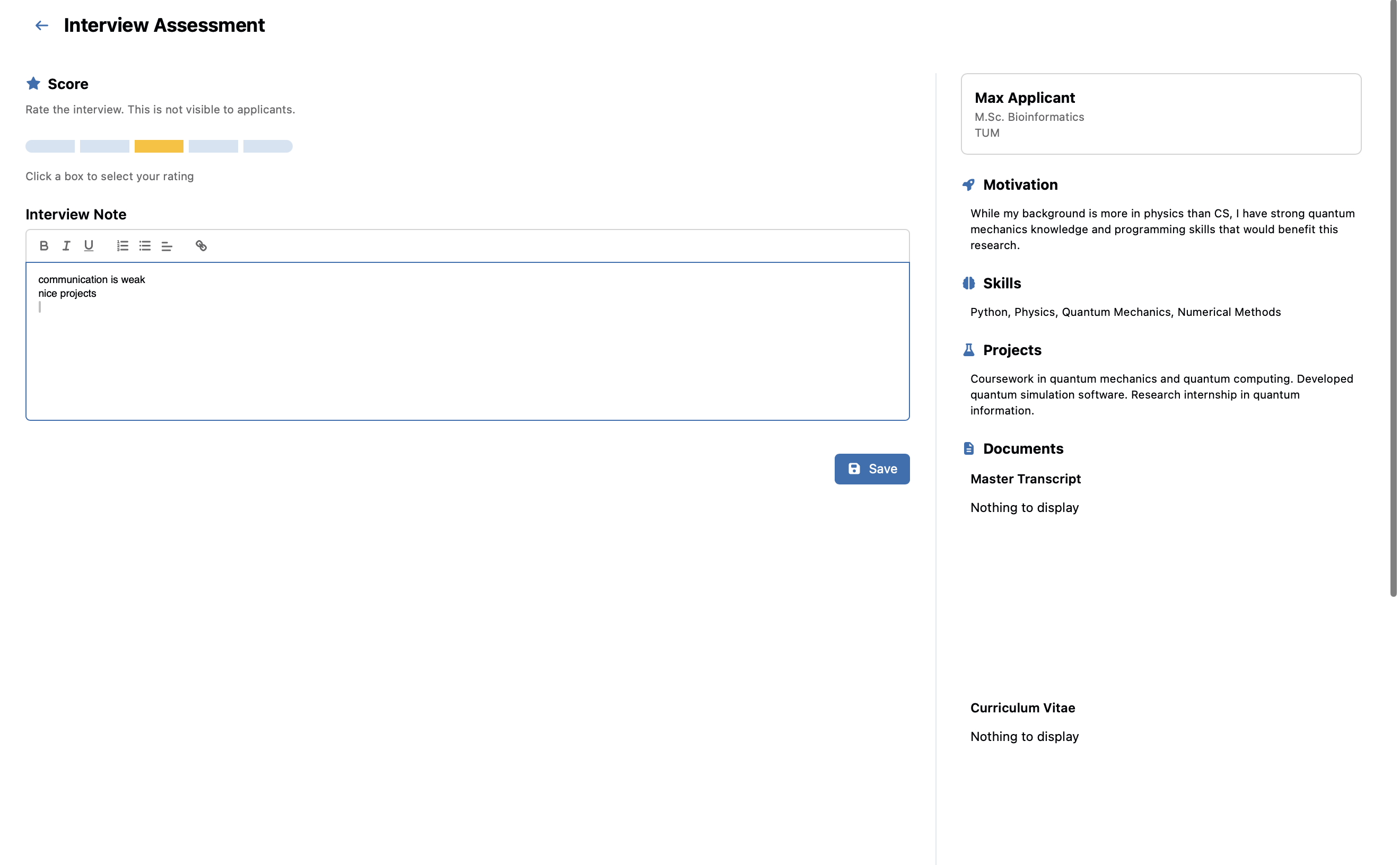
Recording Feedback:
- Click the Assess button next to a candidate who has completed a scheduled interview.
- Interview Note: Enter qualitative notes about the candidate's performance and fit.
- Score: Assign a numerical score or rating to objectively evaluate the candidate.
- Saving the assessment updates their status to Completed. This feedback is internal and helps inform your final hiring decision.
This integrated interview system ensures a smooth, organized, and fair recruitment process for both the academic team and the applying candidates.