Browse Positions
The Find Positions page enables doctoral applicants to explore available opportunities, evaluate position details, and submit applications through an intuitive interface designed for effective job matching.
🔍 Find Positions - Discovery Hub
This is the primary entry point for discovering doctorate opportunities.
- Displays available positions as organized job cards in a responsive grid layout
- Shows essential information at a glance: title, field of studies, location, supervisor, workload, and start date
- Features timeline indicators displaying the time remaining until the application deadline
- Includes pagination controls for browsing through extensive position listings
- Direct access to detailed information and application submission
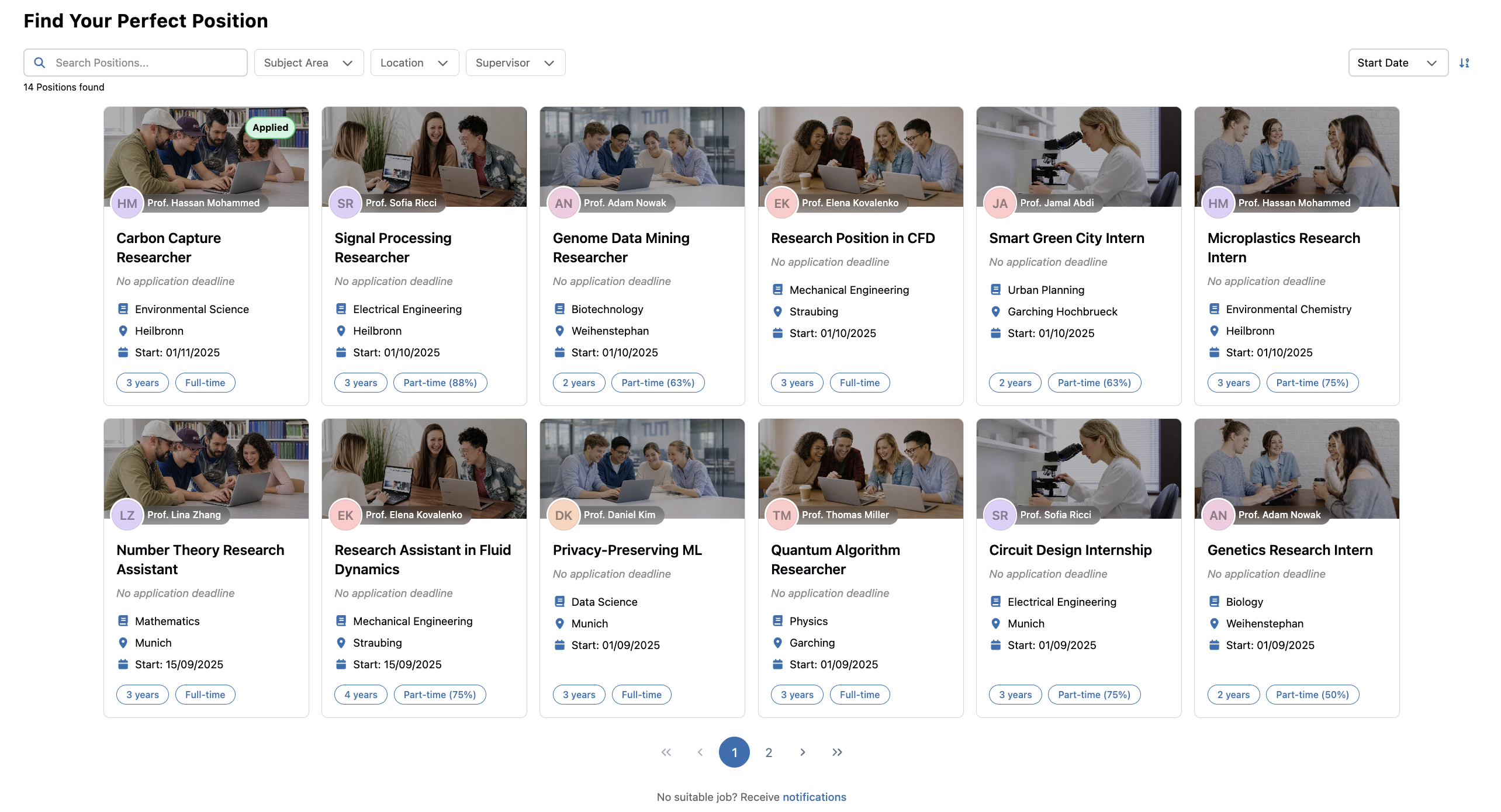
Position Card Information:
- Banner Image: Visual header with the research group or default image
- Department Badge: Overlay showing which department the position belongs to
- Position Title: Clear job title (e.g., "EdTech Interface Designer", "Carbon Capture Researcher")
- Relative Deadline: Time left until application closes (e.g., "3 days left to apply")
- Supervisor: Professor who supervises the position
- Location: TUM Campus Location (e.g. Garching, Heilbronn, Munich)
- Start Date: Estimated start date of the position
- Contract Duration: Duration badge shown in years (e.g. "3 years")
- Workload: Hours per week badge (e.g. "20 h/week")
🔔 Stay Informed About New Positions
While browsing positions, you can jump directly to your notification preferences from the Find Positions page.
- A shortcut link opens Settings > Notifications
- There you can enable emails for newly published jobs in selected subject areas
- This allows you to subscribe to future opportunities even if you are not ready to apply yet
For the full settings overview, see Settings.
📋 Job Details
Used for in-depth evaluation of individual positions before applying.
- Displays complete position information in a structured format
- Features research group information with contact details and website links
- Includes comprehensive data protection information for GDPR compliance
- Provides direct application access and easy navigation back to position browsing
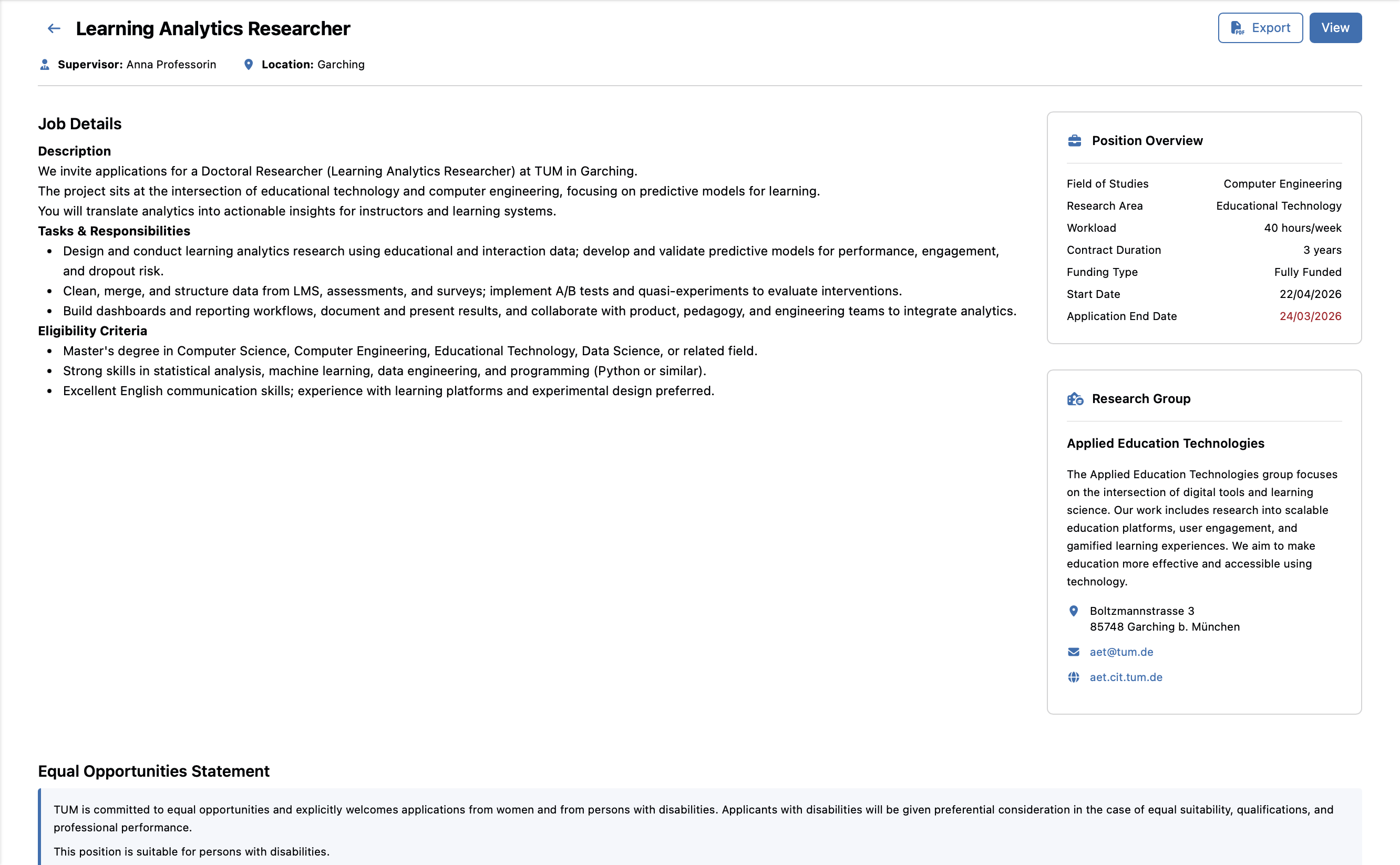
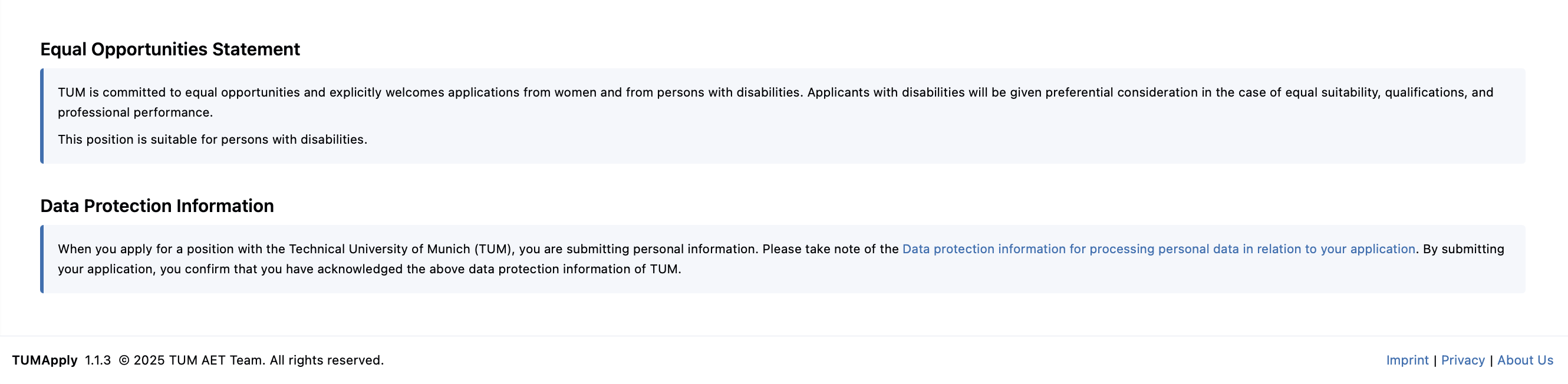
Detailed Information Sections:
- Position Overview (sidebar card): Field of studies, research area, workload, contract duration, funding type, start date, and application deadline
- Research Group Details (sidebar card): Description, contact email, website, and physical address
- Job Description: Comprehensive description of the project including tasks, responsibilities, and eligibility criteria
- Equal Opportunities Statement: TUM's commitment to equal opportunities and accessibility information
- Data Protection: GDPR compliance and privacy information
This module streamlines the position discovery and application process, enabling applicants to make informed decisions about their doctoral career opportunities before applying.
⚙️ Steps for Discovering Positions
Below listed are the key steps for browsing and applying to positions.
🔍 Step 1: Discovering Available Positions
Goal: Browse all available doctorate positions and identify opportunities of interest.
Steps:
- Navigate to the Find Positions page from the main menu
- Browse positions displayed as job cards
- Use pagination controls to view additional positions
- Note the relative application deadlines to prioritize opportunities that are near closing
- Use the notification shortcut at the bottom of the page if you want subject-area email alerts for future postings
- Click "View" on any position card to access detailed information
📖 Step 2: Evaluating Position Details
Goal: Thoroughly review position details, research group details, and application criteria.
Steps:
- From any job card, click "View" to access the Job Details Page
- Review Position Overview section
- Examine Research Group details
- Go through Position Details:
- Comprehensive project description
- Key tasks and responsibilities
- Specific eligibility criteria
- Review Data Protection Information for application privacy details
- Use "Back" button to return to position browsing for comparison
📝 Step 3: Applying for Positions
Goal: Submit applications for suitable positions with all required information.
Steps:
- After reviewing position details on the Job Details Page
- Ensure you meet all listed qualifications listed in the Eligibility Criteria section
- Prepare necessary application materials (CV, recommendation letters, bachelor & master transcripts)
- Click the "Apply" button to initiate the application process
- Complete the application form with required information