Setting Up the Playground
Before conducting experiments, ensure the Athena Playground is correctly set up and running.
There are multiple ways of accessing Athena through the Athena Playground:
- Test-server setup:
- Everything is taken care of, i.e., hosting the Athena Playground and the Athena Modules.
- The cost for model inference is carried by our organization, if you do extensive testing, please let us know.
- You can upload, download, and remove your own evaluation data under a directory name.
- Keep in mind that the team can technically access the data on the test-server. If encrypted/secured evaluation data is needed, you must request it.
- Request the Athena Playground secret from the team or find it on the team's Confluence.
- Playground access: https://athena-test1.ase.cit.tum.de/playground
- Local setup:
- Pro: We cannot access your data this way.
- Con: You set up everything locally, configure the environment, and carry the cost of the models.
- Set up the Athena Assessment Module Manager and all Athena Modules you want to evaluate locally. (See Install, then see Run Local or see Run Docker)
- In
.env.example, you will find example environment variables that need to be set in.env(duplicate the file, rename it to.env, then edit). - Run the Athena Playground. (See Run Playground).
Connect to Athena Instance through the Playground
- Open the playground
- Test-server setup: https://athena-test1.ase.cit.tum.de/playground
- Local setup: http://localhost:3000
-
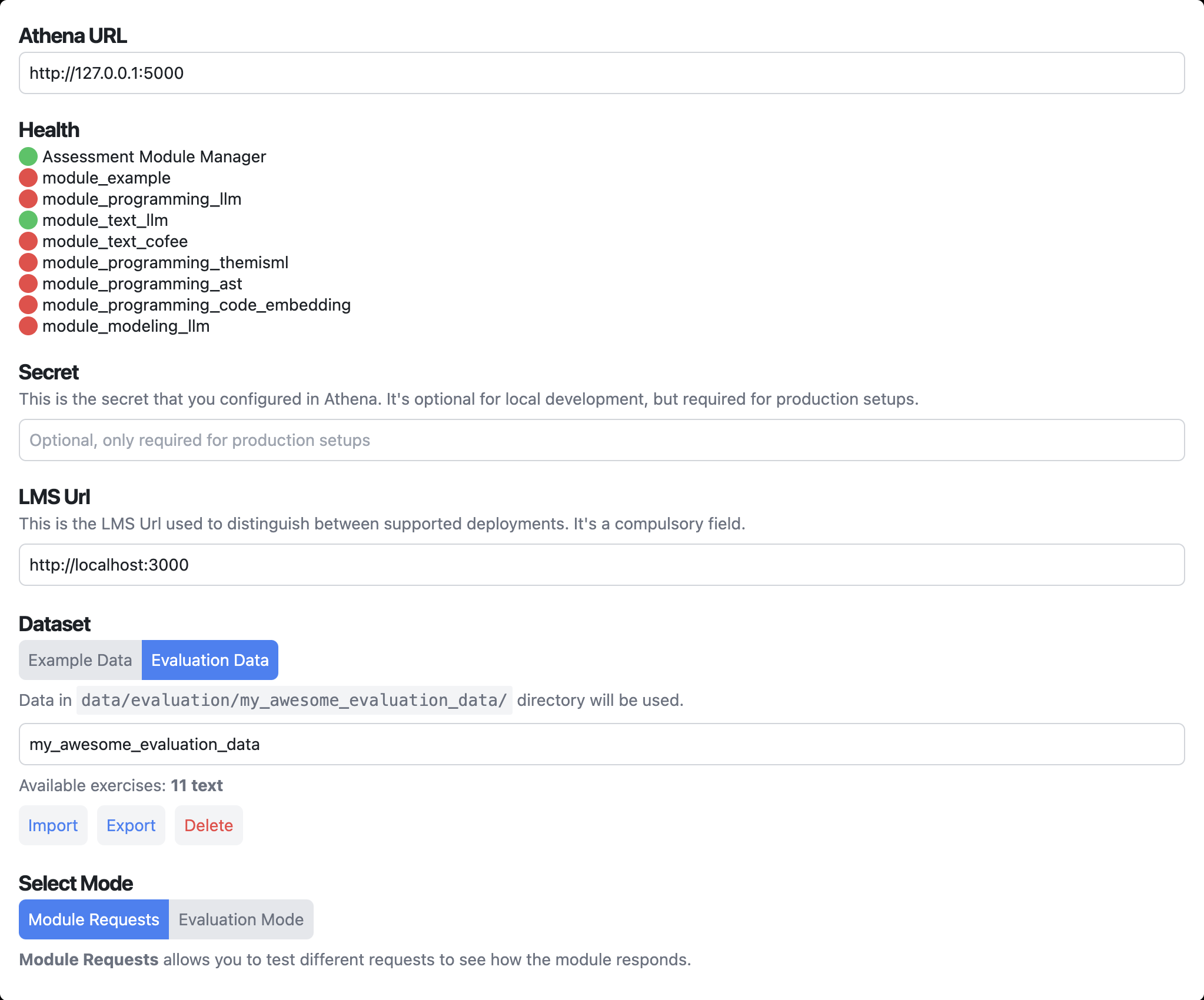
Up top you see the Base Info Header containing all configuration
-
For the test-server setup: Enter the secret using the provided credentials
-
Check health of the services
- Assessment Module Manage has to be green
- All modules for evaluation have to be green
Loading the Datasets
In the base info header you have the option to select a dataset:
- Example Data: If you just want to experiment with the modules using the provided example data for testing purposes.
- Evaluation Data: If you want to use existing or your own evaluation data.
Default Evaluation Data
When selecting Evaluation Data you can see the available exercises in data/evaluation/ locally or remotely on the test-server (none if there is no data configured).

Custom Evaluation Data
You can add your own evaluation data like this:
-
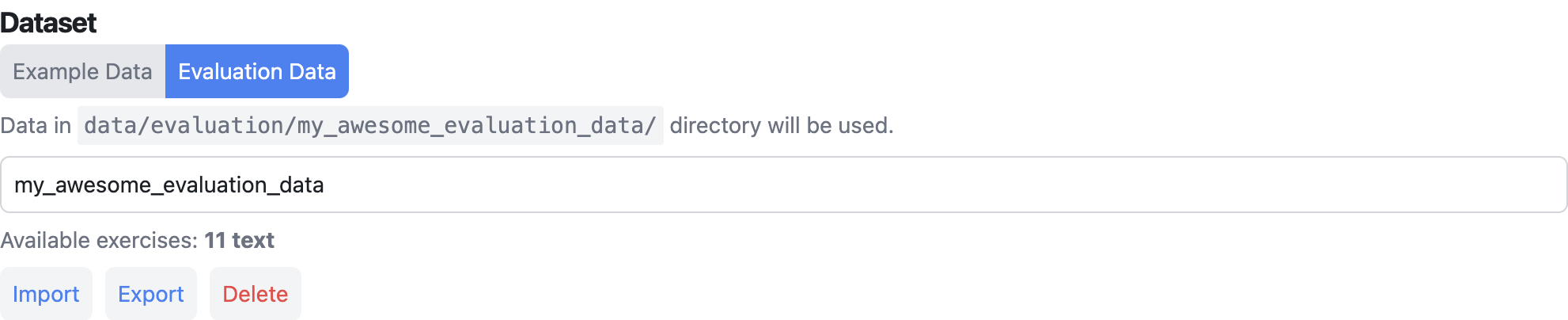
Select Evaluation Data
-
Enter a directory name for the custom evaluation data, e.g.
my_awesome_evaluation_data -
Press Import and select the data you want to import (See Evaluation Data Format Guide)
- Select one or multiple
.jsonfiles (in case of non-programming exercises) - Alternatively: Select a
.zipthat contains.jsonfiles and the associated code repositories. Important: they have to be on the top level!
- Verify that it lists
Available exercises:as expected - Optional: Press Export to export the data if needed (The playground does not modify it, currently)
- Optional: Press Delete to delete the data again (Warning: Some data might still exist in the Athena database if it was sent to a module)
Choose Testing Mode
- Select between Module Requests and Evaluation Mode for different testing experiences.
Module Requests are for testing individual module responses, while Evaluation Mode is for comprehensive experiments.