AI Extraction
Completing an application form often means re-entering information that already appears in your documents. To reduce this effort, DocApply can read your CV and degree certificates and fill in the corresponding form fields automatically. You then review the suggested values, adjust anything that is incorrect, and continue.
AI Extraction is available in two places while applying for a position:
- Personal Information — extract your contact and personal details from your CV.
- Education — extract your degree details from your Bachelor's and Master's certificates.
Extracted values are placed into ordinary form fields, exactly as if you had entered them yourself. Nothing is submitted automatically, and you can change any value before continuing.
🔎 How It Works
- Upload the relevant document as a PDF. The AI Extraction button remains disabled until a file has been uploaded.
- Select ✨ AI Extraction. While your document is being processed, the button displays "Extracting...".
- The extracted values appear in the corresponding form fields. Review them for completeness and accuracy.
AI Extraction only fills fields that are still empty. It never overwrites information you have already entered.
👤 Personal Information — Extract from your CV
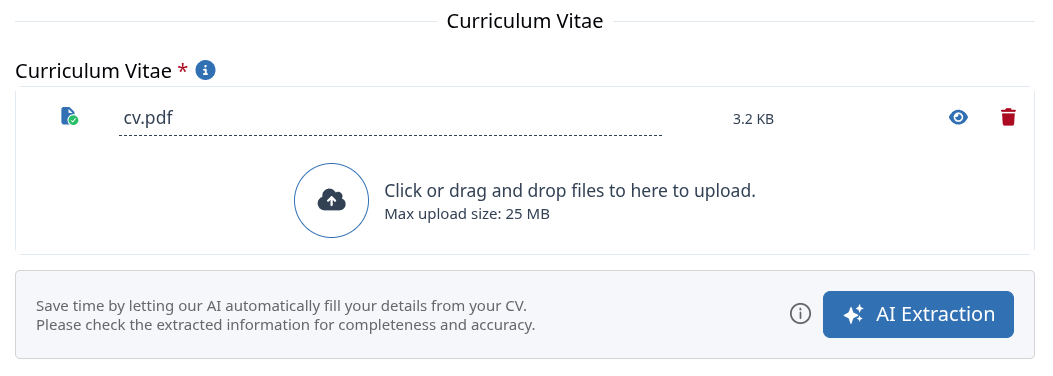
On the Personal Information step, upload your Curriculum Vitae and select AI Extraction.
The following details may be filled in automatically:
- First name and last name
- Phone number
- Website and LinkedIn profile
- Gender and Nationality
- Country and address (street, city, postal code)
- Date of birth
Your email address is taken from your account and cannot be changed here.
🎓 Education — Extract from your Certificates
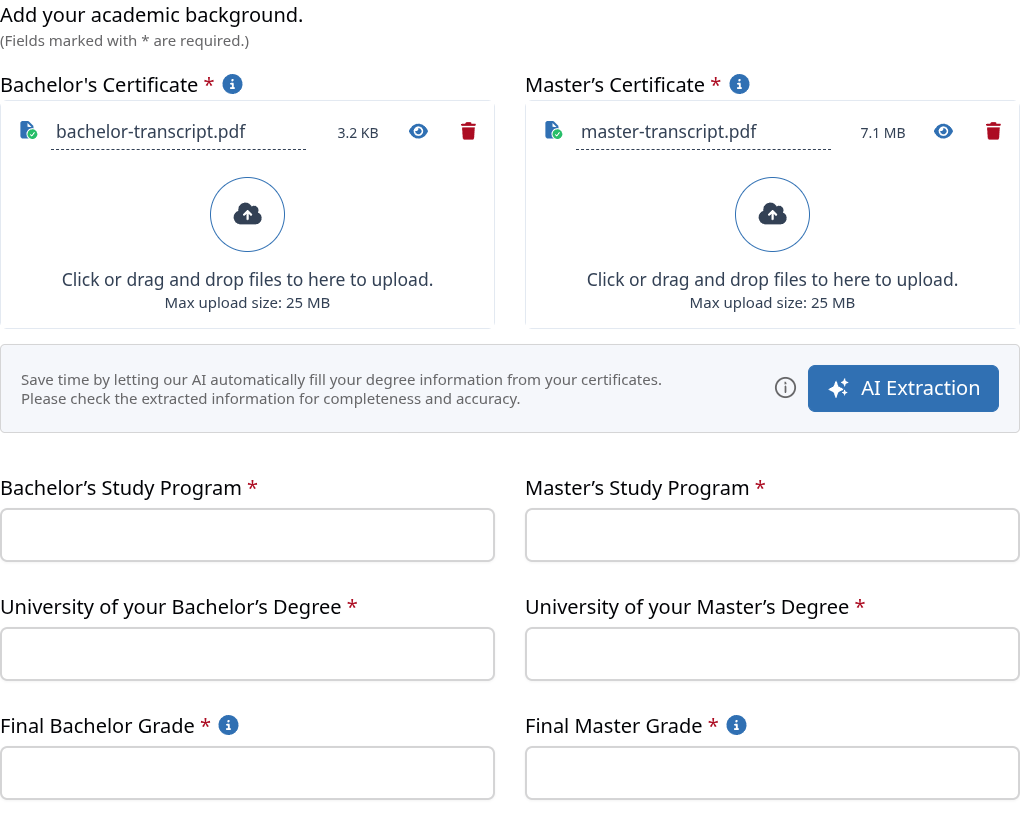
On the Education step, upload your Bachelor's and/or Master's certificate (or transcript) and select AI Extraction.
For each degree, the following details may be filled in automatically:
- Study program (for example, B.Sc. Physics or M.Sc. Bioinformatics)
- University
- Final grade
Grading scales vary between universities. After extraction, please verify the Final Grade and use Change Scale if your certificate uses a different scale than the one displayed.
✅ Important Notes
- Supported format: Only PDF files are accepted, up to 25 MB each.
- Best results: Please upload a clear, readable PDF. Scanned or low-quality documents may lead to incomplete results.
- Empty fields only: Information you have already entered is never overwritten.
- Please review carefully: Automated extraction may contain errors. Verify every value for completeness and accuracy before continuing; you remain responsible for the information you submit.
- If extraction is unsuccessful: An "Extraction Failed" message appears. Please ensure the file is a clear, readable PDF, or enter the details manually.
AI Extraction is intended to reduce manual typing; it does not replace your own review. Please verify all extracted details before submitting your application.