Running Database Tests Locally
Database tests are the standard server integration tests executed against a real database (MySQL or Postgres) started as Docker containers. The Gradle test task will automatically pull the necessary images and start the containers.
Prerequisites
Before running those tests, make sure you have got a working Docker setup:
- Install Docker Desktop or Docker Engine and Docker CLI.
- Enable remote access for the Docker daemon.
Executing Tests from IntelliJ
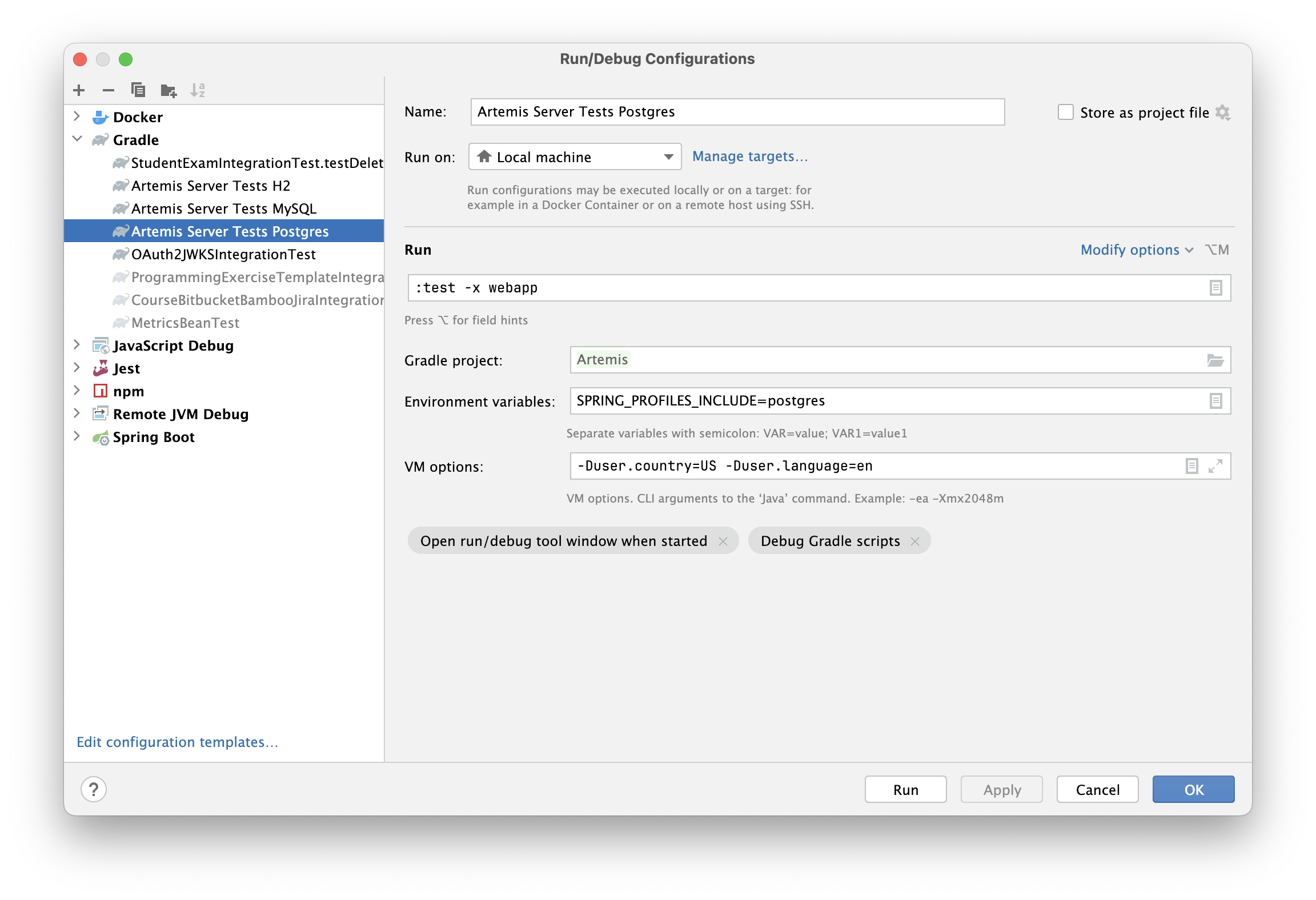
You can execute the database tests by running the run configurations provided in the repository:
- For MySQL tests:
Artemis Server Tests MySQL - For Postgres tests:
Artemis Server Tests Postgres
Creating a Custom Configuration
Alternatively, you can create a custom configuration.
Executing Tests from the Console
You can execute the database tests by running the dedicated Gradle command:
MySQL Tests
SPRING_PROFILES_INCLUDE=mysql ./gradlew cleanTest test -x webapp
Postgres Tests
SPRING_PROFILES_INCLUDE=postgres ./gradlew cleanTest test -x webapp