App Developer
The App Developer role (app_developer) is the default role. Every
authenticated user who does not have a configured admin role on the identity
provider becomes an App Developer (see the
installation guide). App Developers use Logos
with the models of their team and with their own API keys.
The UI shows the role badge "App Developer" in the header menu. A user can use the developer-only pages only if the user belongs to a team that has an API key. Until then, the UI shows a No Access page.
Models
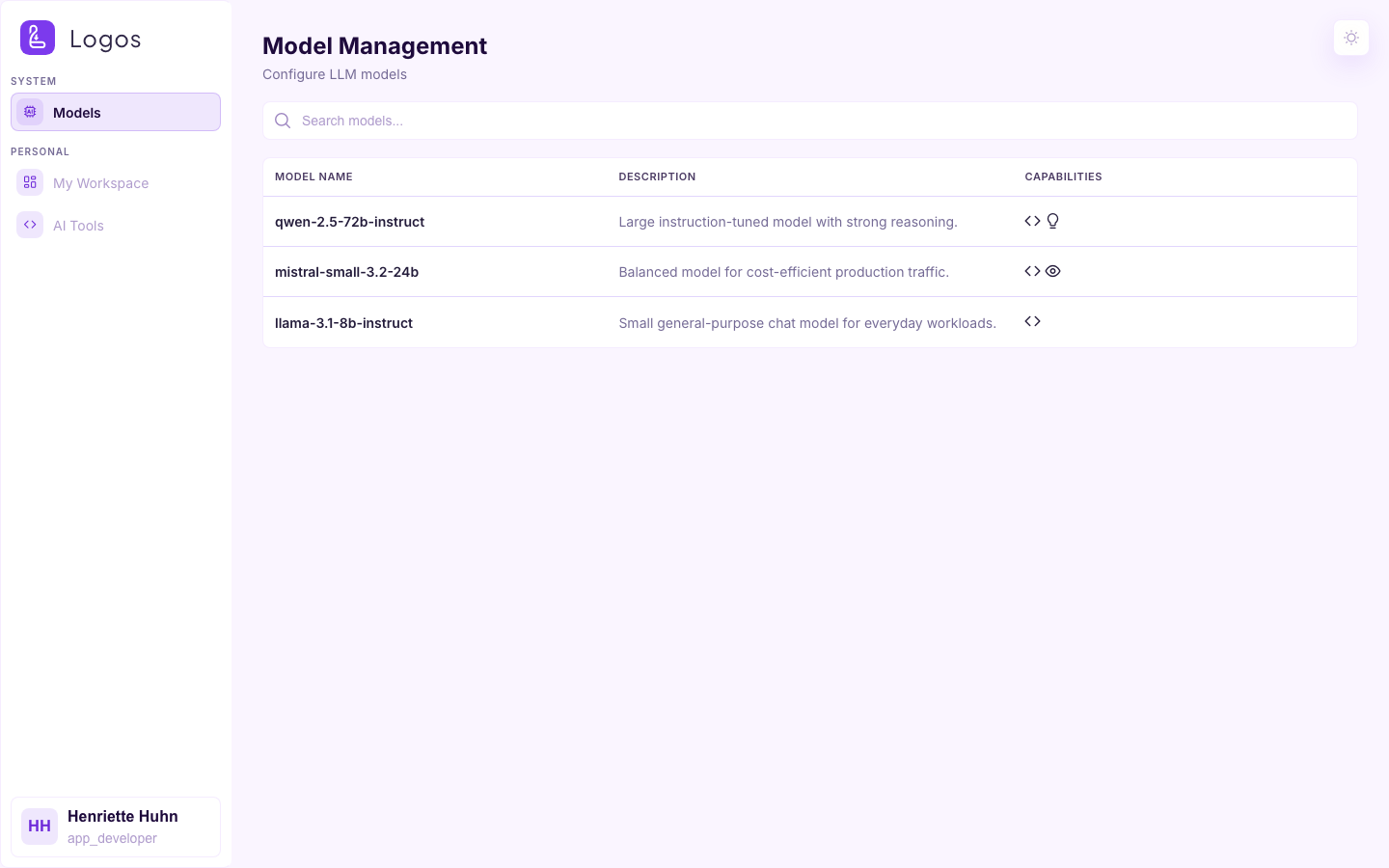
This page shows the model catalogue of the deployment. For each model, it shows what the model supports (function calling, vision, reasoning) and where Logos serves the model. You can search the list and open the details of a model.
My Workspace
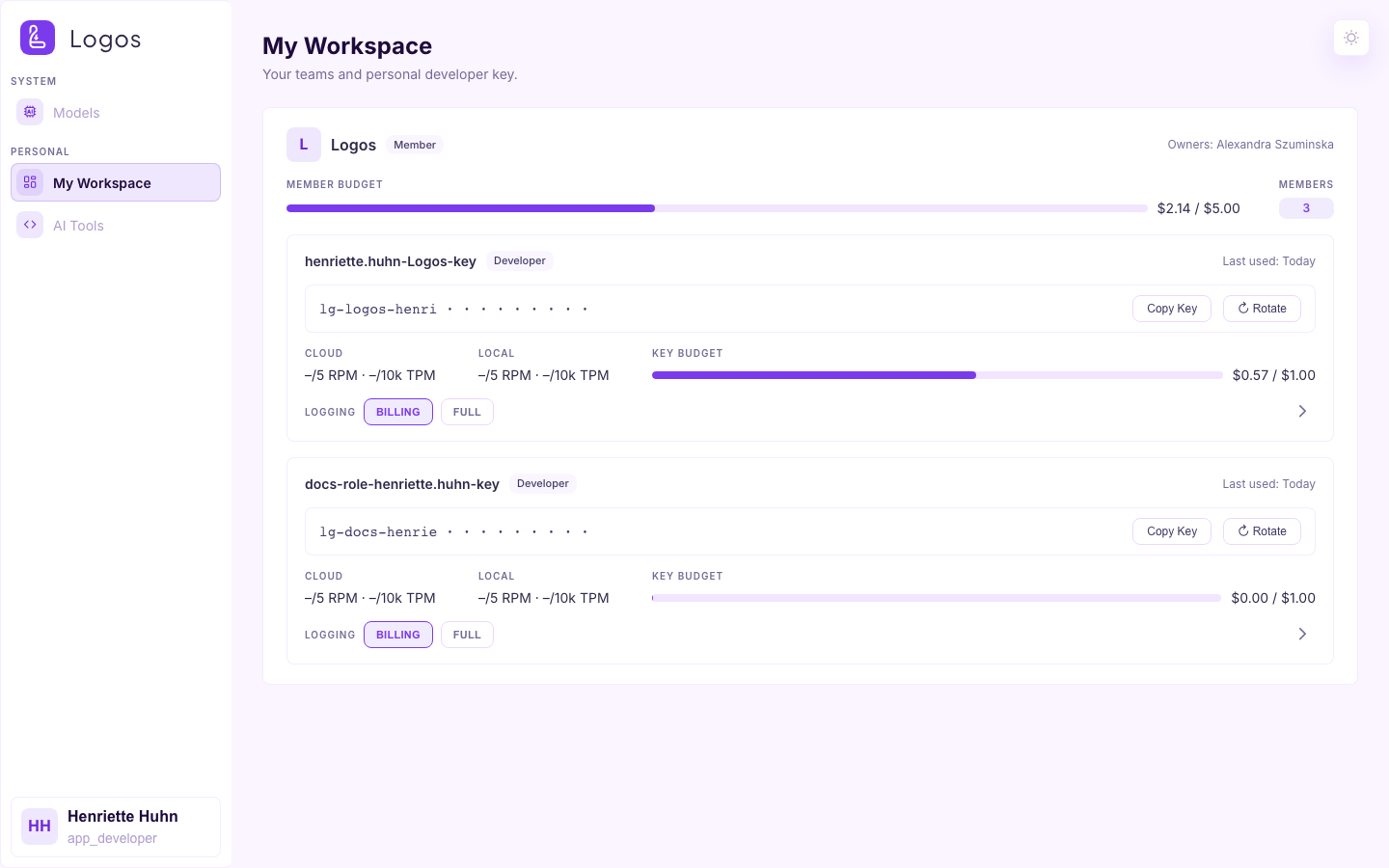
This page is the own view of the developer. It shows the teams of the user and the API keys in these teams. On this page, you can create, rotate and revoke keys. You can also set model permissions for each key. Use this page to get the secret that you need to call the Logos API.
AI Tools
AI Coding Tools is a guided wizard that every role uses. The page does not change with the role badge. The wizard helps you to connect a coding assistant, Claude Code or OpenCode, to Logos with your own API key. The step numbers change to fit your setup. The wizard skips Team if you have only one key. The wizard skips Model if that key can reach only one usable model.
1. Tool
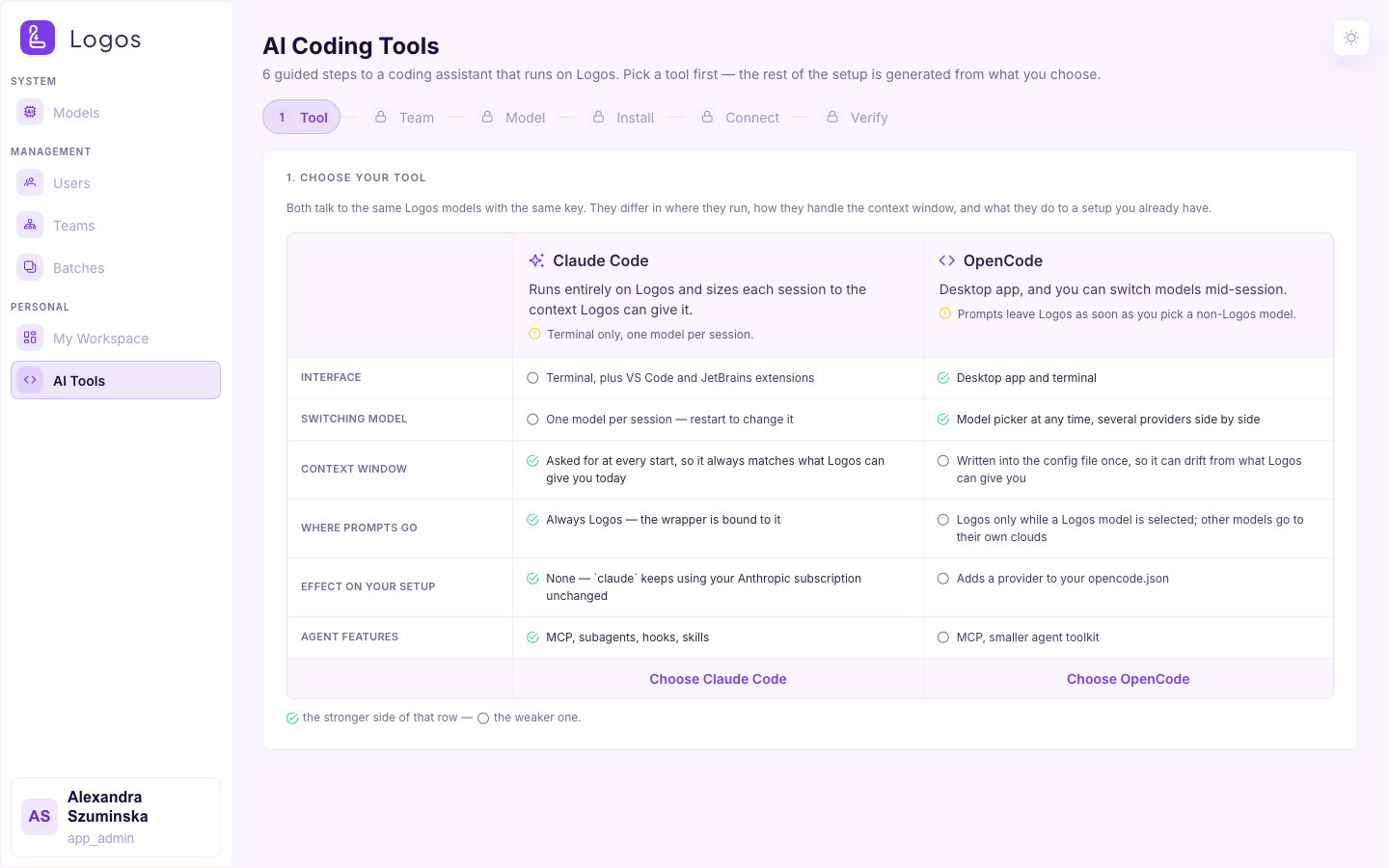
Select Claude Code or OpenCode. The comparison table helps you to decide. Both tools use the same Logos models and the same key. They are different in these ways: where they run, how they use the context window, and what they do to an existing setup.
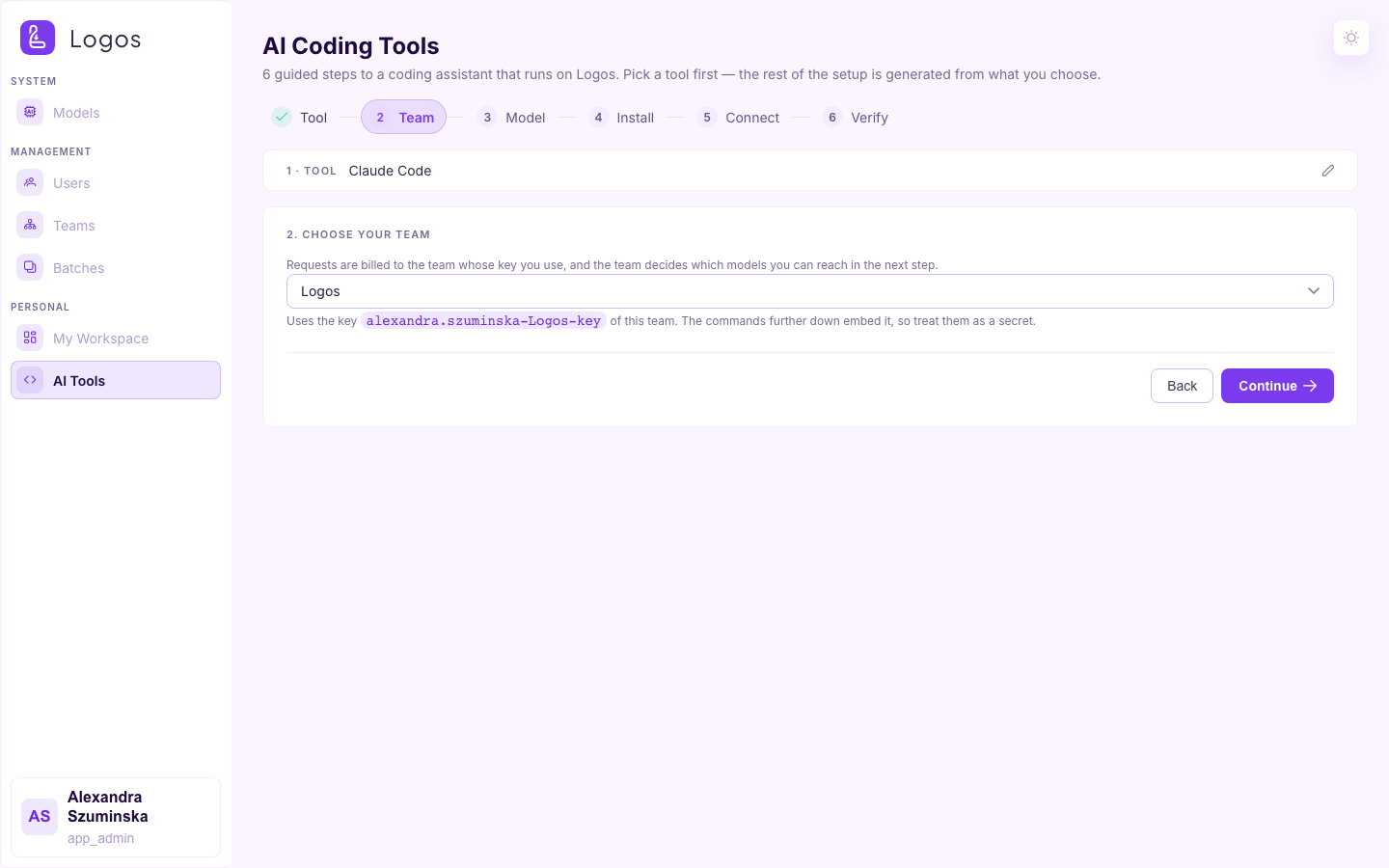
2. Team
Select the team whose key the assistant uses. The billing and the model permissions follow that key. The wizard shows this step only if you have more than one key.
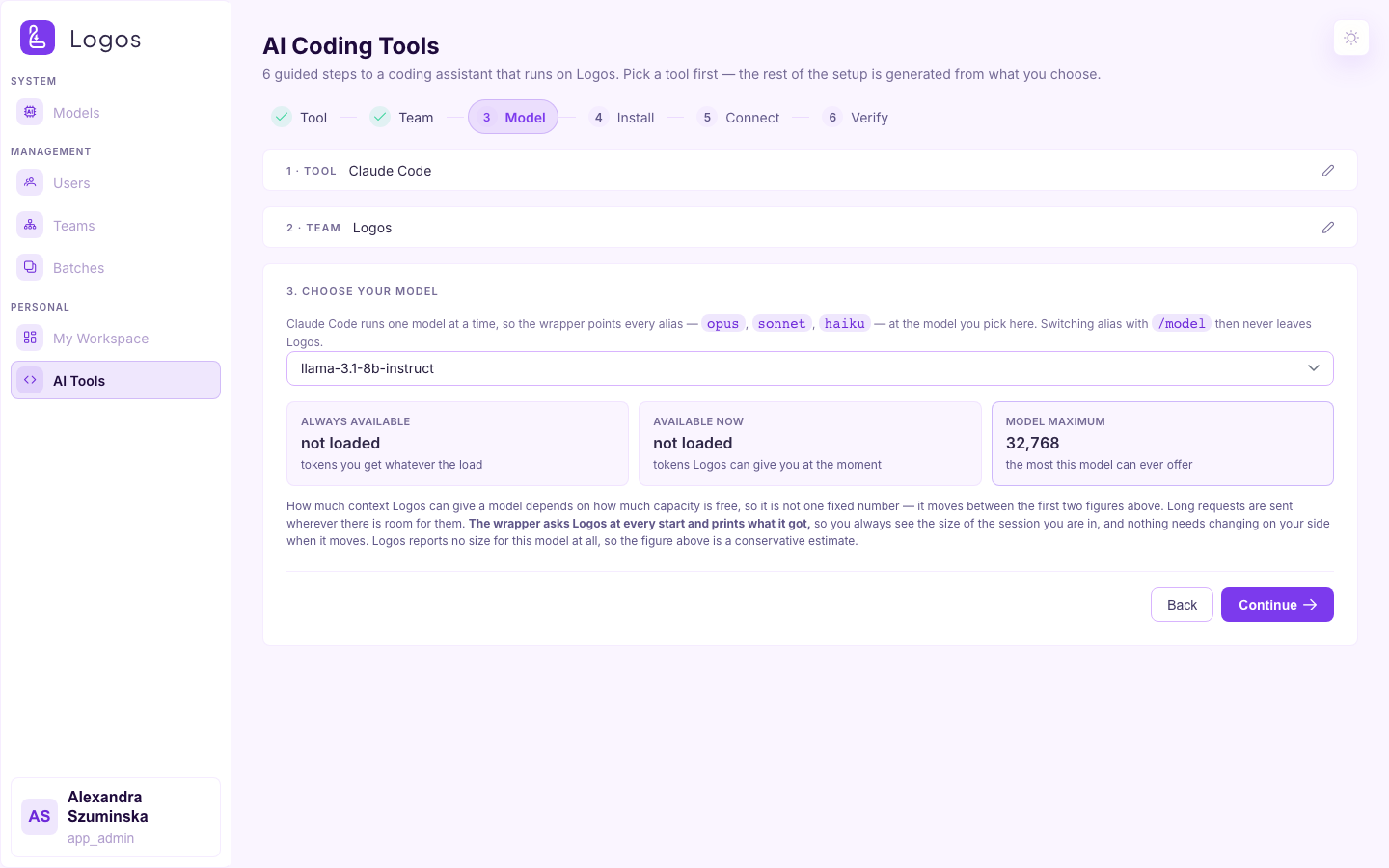
3. Model
Select the model that the assistant calls. For Claude Code, the wrapper maps
every alias (opus / sonnet / haiku) to this one model. Thus /model
does not send a request outside Logos.
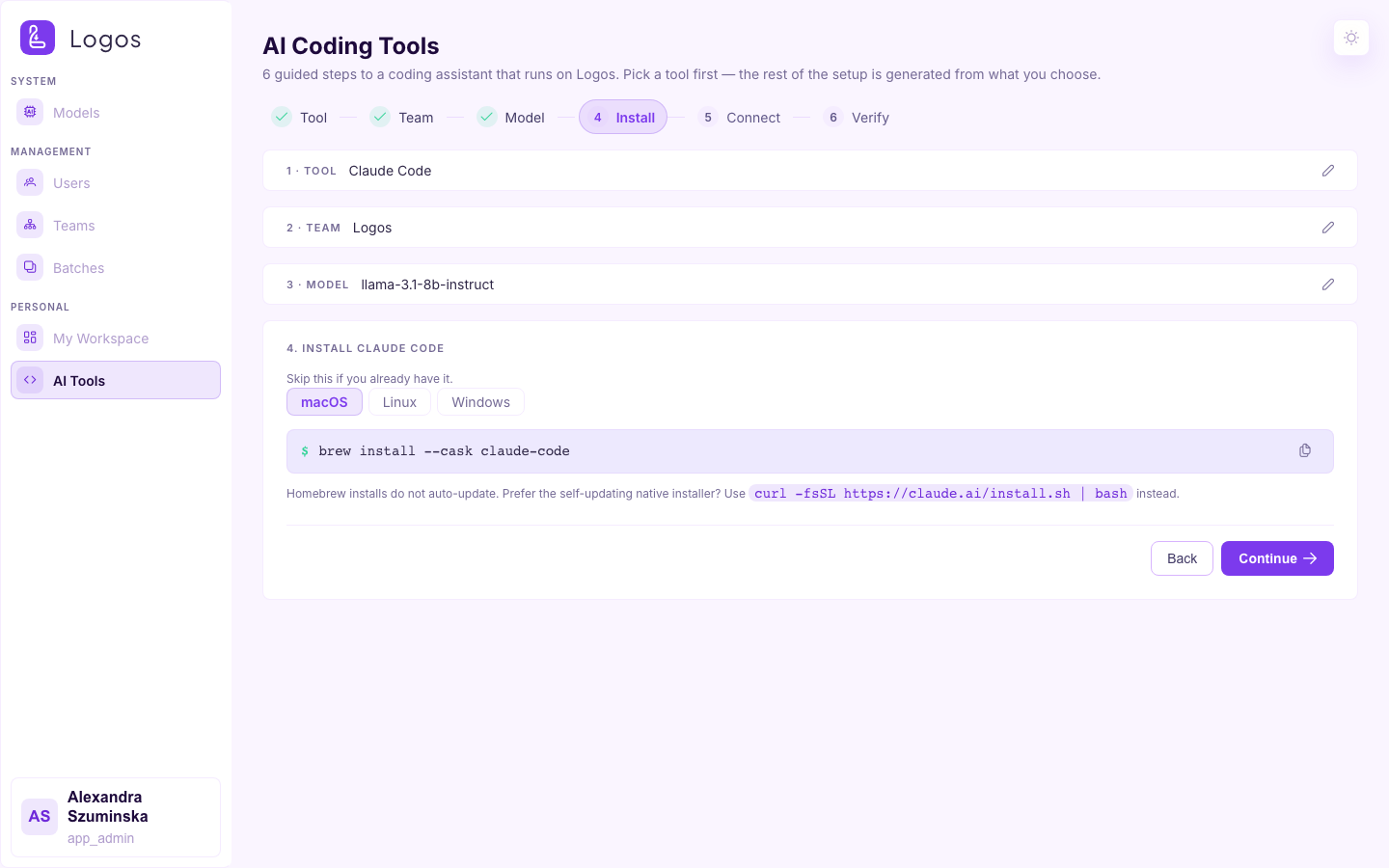
4. Install
This step shows the install commands for the tool for each operating system. Do not do this step if the tool is already installed. The tabs show macOS, Linux and Windows.
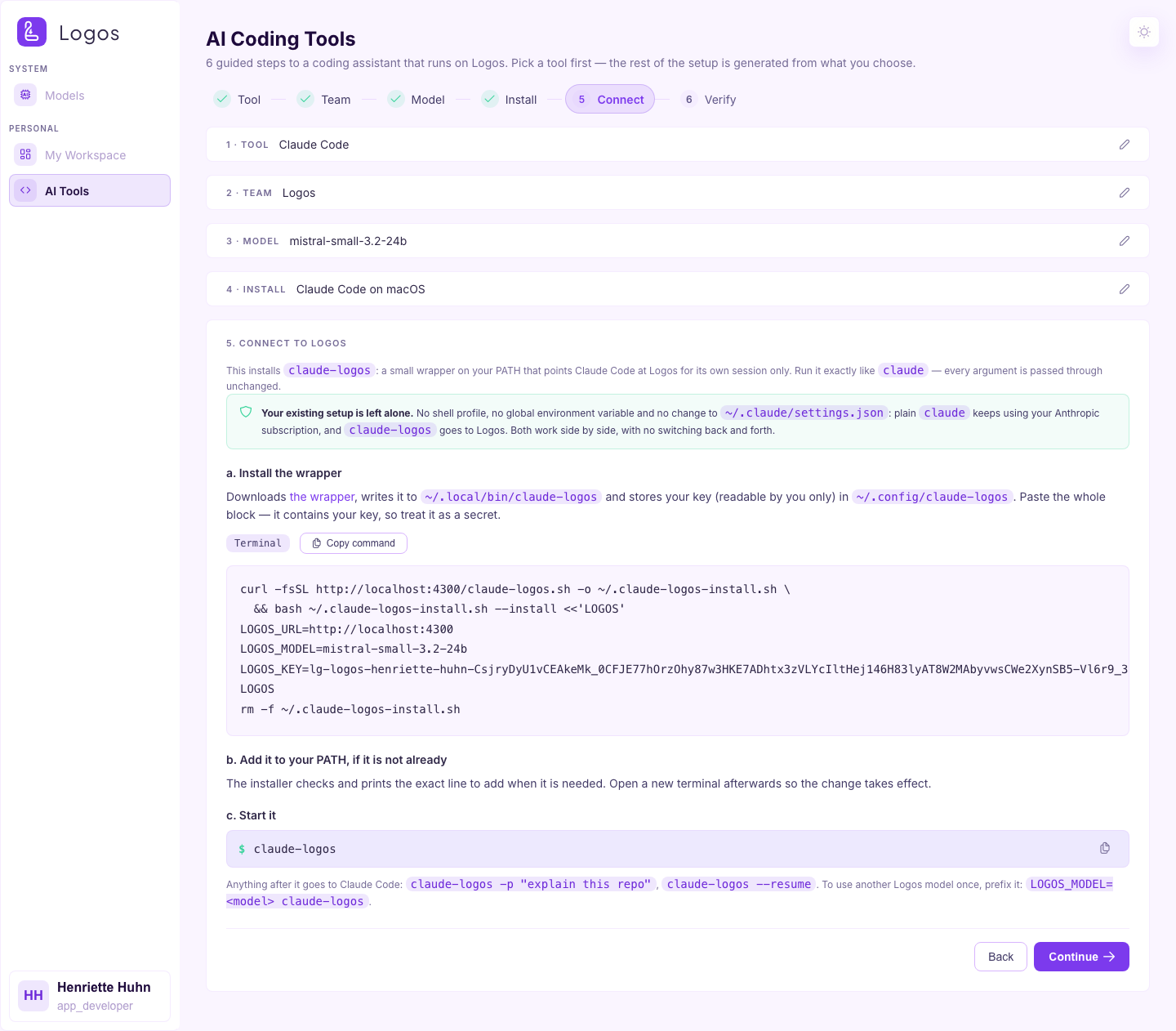
5. Connect
This step shows generated commands that connect the tool to this Logos
deployment. For Claude Code, the commands install the claude-logos wrapper.
The wrapper does not change your normal claude Anthropic setup. WebSearch
works in these sessions. Logos does the searches on DuckDuckGo, and you do not
need an Anthropic account.
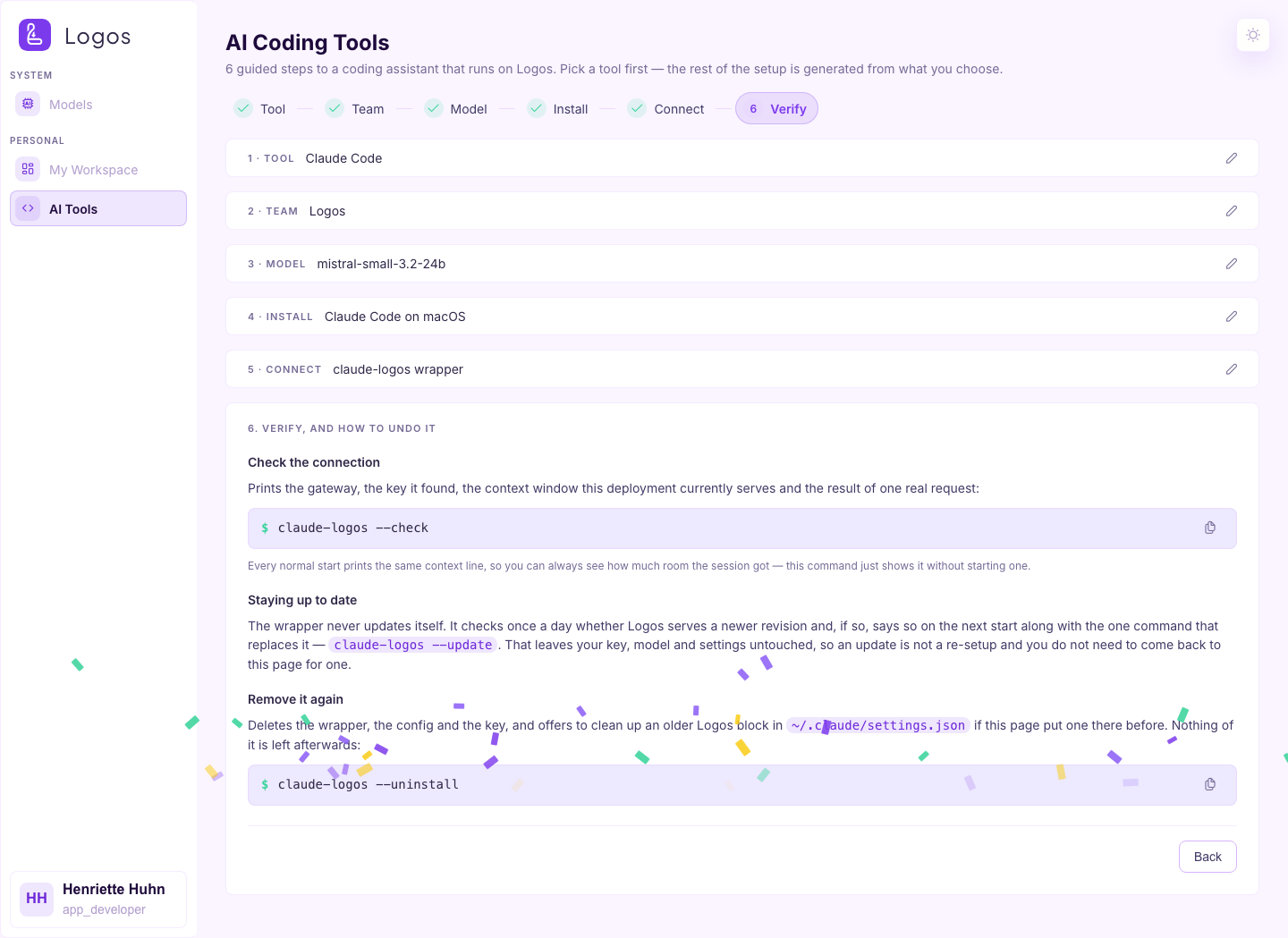
6. Verify
In this step, you can check the connection (claude-logos --check). You can
also update the wrapper or uninstall it.